How to Legally Remove Bad Google My Business Reviews in 2026

Google My Business reviews are incredibly important for your business's online presence in 2026. Customers place significant trust in these reviews, with most checking them online before making a purchase. In fact, 81% of consumers consult Google reviews before engaging with a business, and 88% read them to gauge quality. This clearly demonstrates how reviews build trust. However, negative feedback can damage your online reputation. You need effective strategies for handling reviews fairly. This guide will teach you how to remove bad reviews from Google My Business and effectively manage your Google reviews.
Key Takeaways
Understand Google's rules for reviews. You can report reviews that break these rules.
Report bad reviews from your Google Business Profile. Provide strong proof that the review breaks a rule.
Reply to bad reviews politely and quickly. Offer to fix problems in private.
Get many good reviews. This makes bad reviews less harmful to your business.
Use tools like Praising.ai. They help you get more reviews and reply to them easily.
Understanding Google Review Policies
You must know Google's review rules. This helps you remove a bad Google My Business review. Google has strict rules. These rules say what people can post. Knowing these rules helps you find reviews that break them. This is the first step. It teaches you how to remove bad reviews from Google My Business.
Identifying Policy Violations
Google has clear rules for content. If a review breaks these rules, you can report it. Then Google might remove it. Here are common rule breaks:
Spam and Fake Engagement: Google does not allow fake reviews. These are not real experiences. You cannot buy reviews. You cannot trade reviews with others. You also cannot review your own business. This breaks Google’s rules. Google uses special tools. People also check for fake reviews.
Inappropriate Content: Reviews cannot have mean words. They cannot have hate speech. They cannot attack people. They also cannot be angry rants. Do not use bad words in your replies. Do not share private details about reviewers.
Google will take down reviews. These reviews target an employee by name. They might insult them. Calling someone an 'idiot' is an attack. Making rude comments about how they look is also an attack. These are not fair business comments.
Reviews with hateful words are against Google’s rules. This includes words about race, gender, or religion. Google does not allow these reviews.
Off-Topic Content: A review must be about your business. It must be about your product. Google removes reviews that are not about these things. This includes political rants. It includes personal opinions. These are not about a customer's experience.
Reviews are not helpful if they talk about things your business does not offer.
Reviews from people who did not visit your place break Google's rules.
Comments about news are not on topic. Personal rants are also not on topic. Reviews should only share what customers experienced.
Conflict of Interest: Reviews must be fair. You cannot review your own business. This is not fair. You also cannot write bad reviews for other businesses. This is because you are not fair.
A bad review from an employee who just left is not fair. This is a good reason to report it.
Making fake reviews is against Google's rules. This is true even with many accounts. This is 'Spam and fake content'. It is also 'Impersonation'.
Impersonation: Google strictly forbids pretending to be someone else. This means someone acts like another person. They might act like another business. They might use similar pictures or names. They do this to trick people. This rule stops others from using your brand name. They cannot do this without your OK. Reviews that pretend to be someone else are not allowed.
Types of Removable Reviews
Google might remove some reviews. These are invalid Google reviews. They break content rules. Here are some examples:
Reviews with comments not on topic. These are like political rants.
Reviews with illegal content.
Reviews that trick people. This is like a competitor acting as a customer.
Reviews that use bad words.
Reviews that are mean or use hate speech.
Reviews that pretend to be someone else. Reviews that trick people.
Reviews with grown-up content.
A customer using bad words to talk about a business.
A competitor posting a fake review. They do this to help their own business.
A review that is not on topic. It is posted on the wrong business page. This is a mistake.
A fake review. It tries to change a business's rank.
What Google Considers Acceptable Feedback
Google wants honest feedback. A review can be negative. But it usually stays if it follows the rules. Google says honest negative feedback is OK. This is true even if it is harsh. The main thing is that the review must be real. It must be about a real experience. It must also follow all of Google’s rules. A customer can share a bad experience. They can say they are unhappy. This is fine. It is fine as long as the review does not break any rules. You cannot remove a review just because it is negative. You can only remove invalid Google reviews.
Flagging to Remove Google Reviews
You can report a review. It must break Google's rules. This is how to remove bad reviews from Google My Business. This takes a few steps. You must follow them well.
Reporting a Review on Google Business Profile
You can report a review. Do it from your Google Business Profile. Follow these steps. Mark the review as wrong:
Log in to your Google Business Profile.
Go to the "Reviews" tab.
Find the review. You want to report it. Look for three dots next to it.
Choose "Flag as inappropriate." Or pick "Report review." This starts the report.
Google usually takes 5 days. They check a flagged comment. Then they decide. They will say if they will remove it. You can check the review's status. Use Google’s Reviews Management Tool. Statuses can be 'Decision pending'. Or 'Report Reviewed - no policy violation'. You can appeal once. Or it might say 'Escalated - check your email'. This is if you appeal.
Providing Evidence for Removal Requests
You need good proof. This is when you ask Google to remove a review. Strong proof is key. It must meet all Google Business Profile rules. This includes legal papers if needed. This is true for removal services.
You should get certain proof. This makes your case stronger.
Note when the review was posted.
Show proof the review is false. For example, the person was not a customer. Or they are a rival.
Escalating Issues to Google Support
Sometimes, Google does not remove a review. You might think it breaks rules. You can then ask Google Support for help. Follow these steps:
Write down the review's web address: Click the user's name. Then click the review. Copy the web address. This helps later.
Get all the facts ready: Include your business name. Add your address. Give your phone number. Also, your website address. Include your Google Maps link. Say clearly why the review should go. Explain which rules it breaks. Tell them why it is fake. Get any papers to help your case.
Watch the removal request status: Use Google's tool. It tracks progress. Statuses can be 'Report reviewed – no policy violation'. It might also say 'Escalated – Check email for updates'. Or 'Review removed'. Or 'Decision pending'.
Find rule breaks and get proof for appeal: Google needs proof. They do not just take your word. Focus on specific rule breaks. Google does not check if a review is true. They do not get into fights about facts. People can use fake names. So, your proof must link to the public name. Show proof to someone fair.
Start an appeal: A review might be 'Report reviewed – no policy violation'. This can happen even with clear rule breaks. Use the 'Appeal eligible reviews' choice. You find this in the 'Managing Your Reviews' tool. This opens a Google help ticket. Write down the Case ID. You do not need to wait for a choice to appeal. You can appeal after three days. Do this even if they are still deciding. This lets you add your proof. It can also make it faster. Keep your words calm. Stick to the rules. Do not use angry words. You can appeal up to 10 reviews at once. This is for many bad reviews. For bigger problems, use the GBP Help Community.
You must get proof. Do this before you talk to Google. Focus on facts. Do not use feelings. For example, show the person was never a customer. Or you have no record. Or the person is a rival or ex-worker. Or the review is for the wrong business. Then, talk to Google Business Profile Support. Choose 'Reviews & photos'. Then choose 'Remove a review'. This makes a key Case ID. Write a short, factual reason. Base it on rules. Do not use angry words. For example, say: 'This person has no record of doing business with us. This breaks Google’s fake engagement rule.' Wait 3–7 workdays. Google will either remove or reject the review. Proof is key. Anger hurts. You usually get one real chance to push it. Calm papers are always better than anger. This is how to remove google reviews.
Legal Considerations for Review Removal
You might think about legal action. This is for removing a bad review. But legal requests have limits. Section 230 of the Communications Decency Act protects online review sites. This includes Google. It protects them from blame. This is for bad words. These words come from other users. This means you almost never can sue the review site. This is for such words. This is true unless the site makes the bad words itself.
Section 230 says a website using user content "shall not be treated as the publisher or speaker of any information provided by another information content provider." A website cannot be blamed for bad words. These words are posted by a user. This is true even if the website knows about the bad words. This protection does not apply. This is if the website itself makes the bad words. The protection is against being blamed for others' bad words. It is not protection from blame. This is if the website is the main source.
Courts have always upheld Section 230's protection. This protects websites from blame. This is for bad words. A key case, Zeran v. America Online, Inc., proved this. It protected America Online. This was from a blame claim. This claim came from messages. These were posted on its boards. This rule made federal protection for service providers. It protects them from any lawsuit. This would blame them for words from a third-party user. This stops lawsuits. These try to blame websites for their choices. This applies to user content. The site is safe. But you can still ask the site to remove content. Do this if it breaks the site's rules.
Handling Bad Google Reviews That Follow Rules
Some bad reviews follow Google's rules. These are honest thoughts. You cannot take them down. You must handle them well. This part shows you how. It helps you use bad feedback. You can show great customer service. This is important for bad feedback.
Writing Good Replies to Reviews
Replying to a bad review matters a lot. Most people avoid businesses with bad reviews. A good reply builds trust. It can also keep customers. Always be kind. Do not get mad. Say sorry for their problem. You can fix problems in private. Show you will act. Reply fast, in 1-2 days. Say you hear their complaint. Show you care. Take the blame for mistakes. Talk about the problems. Say what you will do.
Talking in Private to Fix Problems
Sometimes, you need to talk in private. This is the "Talk Offline Plan." It fixes problems. It avoids public fights. Give clear contact info in your reply. Give an email or phone. Tell them what will happen. Name a person or team. Give a reply time. This makes it easy to reach you. It helps fix the review in private.
Asking for Review Changes
After you fix things, ask for an update. Talk to the reviewer. Fix their worries. Clear up any confusion. If you fix it, ask them to update their bad Google review. Or ask them to take it down. Show you understand. Say sorry for any faults. Offer a real apology if you messed up. Offer fixes like money back or deals. Be nice. Do not argue. Check in to be sure they are happy. If all is fixed, ask them to rethink their bad review. This can make a bad time good for your business on Google.
Proactive Review Management and Generation
You need a plan. Get good reviews all the time. This makes bad reviews less harmful. A good plan also does some work for you.
Implementing a Consistent Review Strategy
You need a way to get more reviews. List your business on Google. Also, on Yelp and Facebook. Make your Google Business Profile full. Fill in all parts. Add nice pictures. Answer all reviews. This helps your online look. Make a review page on your website. This page gets feedback. It shows good comments. It also asks for new reviews. Send thank you notes after a sale. Do it fast, in one day. Use texts or emails. This reaches customers right away. Make your review requests special. This makes your brand seem caring. It can get more replies. Put a review link in your email. This makes it easy to leave a review. You can also ask customers for a review.
Diluting Negative Reviews with Positive Feedback
Getting many good reviews helps your business. It makes bad ones less strong. If you have many good reviews, a few bad ones do not hurt much. Share good comments on social media. Use TikTok or Instagram. This builds trust. It shows people like you. It also thanks your customers. This plan is part of good review care.
Monitoring Your Google My Business Reviews
You must watch your reviews. This helps you know if customers are happy. It helps you see patterns. You can make your business better. Look for common complaints. Also, look for praise. This makes your work better. It trains your staff. It helps make new products. Watch how your star ratings change. Check how fast you reply. See how feelings change over time. This shows if your changes work. Use a google review management tool. These tools give smart replies. They check feelings. They also send alerts. Set up instant alerts. You get quick notes for new google reviews. This means fast replies. Check reviews often. Log in to your google my business account every week. Or set up alerts. Reply to reviews fast. Do it in one or two days. This shows you are good at your job. It shows you care for customers. This is key for good review care.
Using a Google Review Tool
Managing your online name takes time. A special tool makes this easier. A Google review tool helps with all customer talks. It makes things simple. This saves you time and work.
Asking for Reviews with Praising.ai
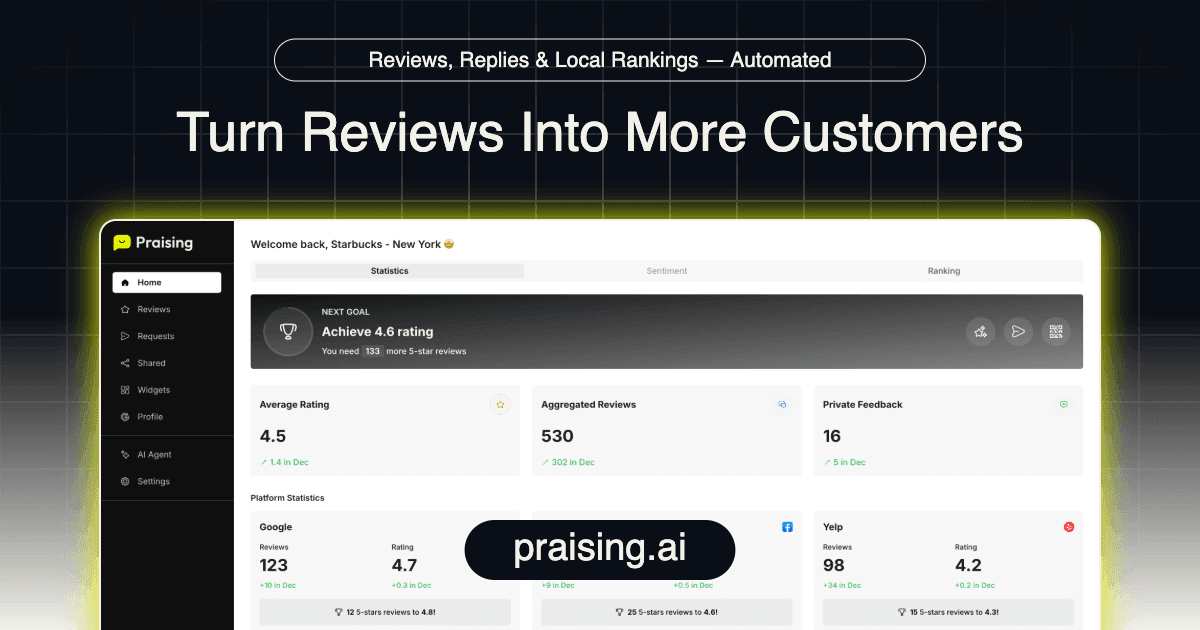
Getting more reviews is key. Praising.ai asks for customer thoughts for you. You can send requests in many ways. Use texts, WhatsApp, email, or QR codes. This makes it easy for people to review. The system also sends bad feedback privately. This stops bad comments from showing. This helps you get more good reviews.
AI Writes Replies to Reviews
Answering every review is hard. Praising.ai uses smart computer help. This system writes replies for you. It answers reviews fast. This makes sure you reply quickly. You can change these replies. How much depends on your plan. Plans change based on requests. Also, on smart helpers. And on auto features. And sharing on social media.
All Reviews in One Place
A good review tool puts all feedback together. You see all reviews from many sites. This shows your online name clearly. You can see patterns. You can find ways to get better. This central way makes review work better.
Showing Good Reviews to Others
Good reviews are strong. They build trust with new buyers. A review tool helps show your best feedback. You can put good reviews on your website. You can also share them on social media. This shows people like you. It tells new customers why to pick you. This helps you get more business.
You must manage your Google My Business reviews. Do this well. It helps your business grow. You learned many things. You know Google's rules. You know how to report bad reviews. You know how to answer reviews. You know how to get new reviews. You can sometimes remove bad comments. But you need a full plan. This plan helps your good name for a long time. Praising.ai is a great tool. It helps with all your reviews. It asks for reviews. It writes replies using AI. It shares reviews online. This makes your online name better. It saves you time. Get your reviews automated now!
FAQ
Can you remove any bad Google review?
No, you cannot remove every bad Google review. You can only remove reviews. These reviews break Google's rules. Honest bad comments usually stay. Even if they are harsh.
How long does Google take to remove a review?
Google usually takes 5 days. They check a review you reported. Then they decide. They will say if they remove it. You can see its status. Check your Google Business Profile.
What if Google does not remove a bad review?
Google might not remove a bad review. You can ask them to look again. Show strong proof. Show the review breaks Google's rules. Use the "Appeal eligible reviews" choice.
How can Praising.ai help with reviews?
Praising.ai helps you get more reviews. It sends requests. You can use text, email, or WhatsApp. It also uses smart computer help. This help writes replies for you. This saves you time.
Can you sue Google for a bad review?
No, you usually cannot sue Google. This is for a bad review. A law protects websites. It is called Section 230. It protects them from blame. This is for what users post.
Share this post
Ready to grow?
Turn happy customers into 5-star reviews
Praising.ai automates review collection across Google, Trustpilot, Yelp, and 20+ platforms. Businesses see an average 3x increase in reviews within 30 days.
Get weekly review tips
Join 2,000+ business owners getting actionable strategies to grow reviews and revenue.
No spam. Unsubscribe anytime.