25 Creative Testimonial Section Ideas for Your Website in 2026

TL;DR
Testimonial sections that go beyond plain text quotes can lift conversions by up to 34%, so experiment with formats like masonry walls for volume, category filters for B2B relevance, or video-plus-written combos for mixed audiences. Match the format to your review count and visitor intent rather than defaulting to a basic carousel.
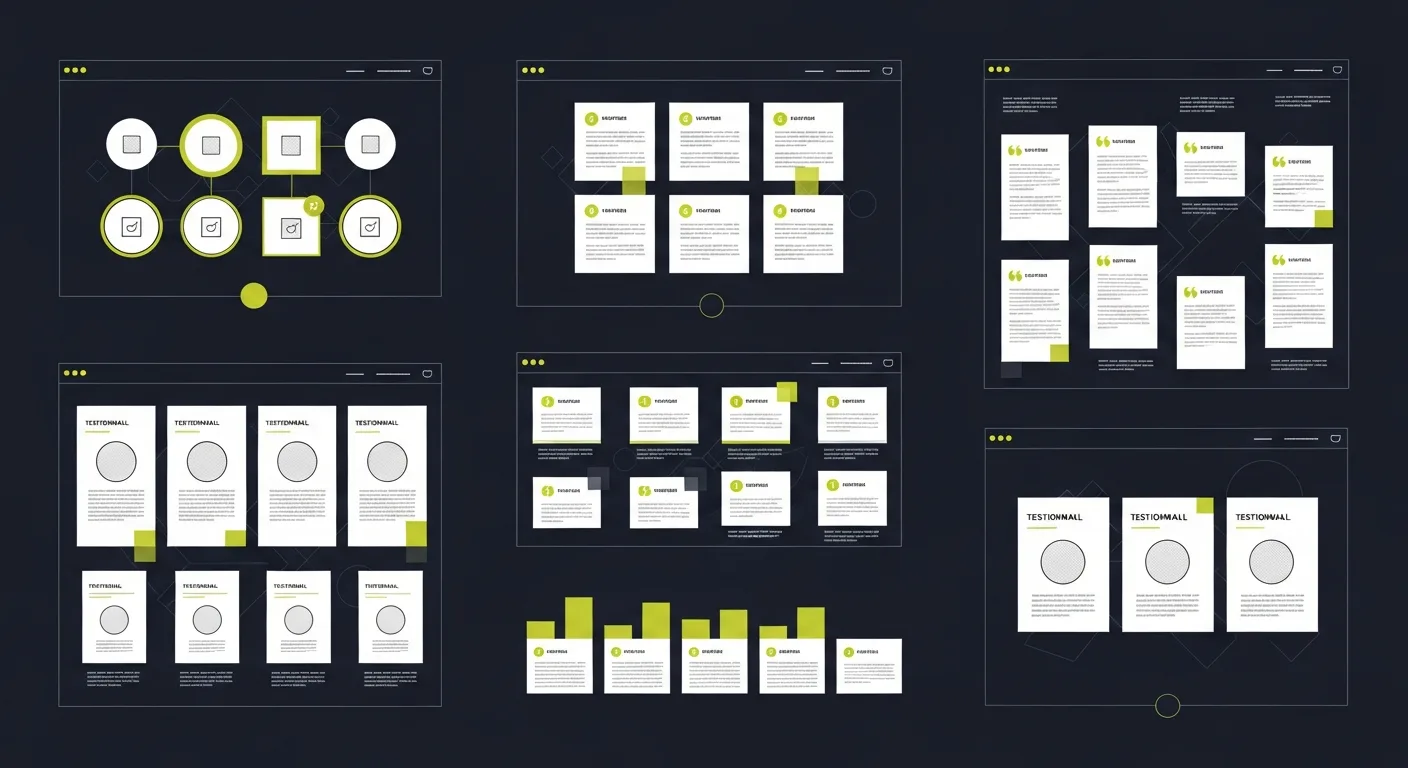
A well-designed testimonial section can increase conversions by as much as 34%. But most websites default to the same layout: a plain text quote with a name underneath. That approach works, but there's a lot of room to make testimonials more engaging and effective. Here are 25 approaches organized by format, from simple to advanced.
Simple Text Layouts
- Quote Cards with Star Ratings Display each testimonial in a bordered card with the customer's star rating prominently shown. The visual rating provides an instant trust signal before the visitor even reads the text.
- Pull Quote with Large Typography Feature your strongest testimonial as an oversized quote across the full width of the page. Use a serif font for contrast. This works best when you have one exceptional quote that captures your value proposition.
- Alternating Left-Right Layout Stack testimonials in a zigzag pattern — quote on the left with the customer photo on the right, then reversed for the next one. This creates visual rhythm that keeps readers scrolling.
- Minimal One-Line Quotes Curate the single best sentence from each testimonial and display them in a clean, uncluttered list. Less text means more people will actually read them.
- Testimonial Wall
 Display 20-50 short testimonials in a masonry grid. The sheer volume communicates popularity. This approach works well for products with high review counts.
Interactive and Animated Formats
- Auto-Scrolling Carousel A horizontal slider that cycles through testimonials on its own, with manual controls for visitors who want to browse. Keep each slide visible for at least 5 seconds.
- Hover-Reveal Cards Show the customer's name and star rating by default. When visitors hover over a card, it flips or expands to reveal the full testimonial text. This saves space while rewarding curiosity.
- Parallax Scroll Section As the visitor scrolls, testimonials slide in from alternating sides with a slight parallax effect against the background. Subtle motion draws attention without being distracting.
- Filter by Category Let visitors filter testimonials by industry, product, use case, or star rating. This is especially effective for B2B products where prospects want to see feedback from companies similar to theirs.
- Interactive Timeline Arrange testimonials chronologically along a horizontal timeline. This shows your product's evolution and shows that customers have been happy over a sustained period.
Video Formats
- Short Video Grid Display 6-12 video testimonials as thumbnails in a grid. Each video runs 30-60 seconds. Short videos have much higher completion rates than longer ones.
- Background Video with Quote Overlay Play a customer's video testimonial in the background (muted) while their key quote appears as text overlay. Visitors can unmute to hear the full story.
- Video + Written Combo Pair a 60-second video with a written summary and key metrics below it. This serves both visitors who prefer watching and those who prefer reading.
Data-Driven Formats
- Metric Spotlight Cards Each testimonial leads with a bold statistic ("3x more reviews in 30 days") followed by the customer's explanation of how they achieved that result.
- Before/After Comparison Show key metrics side by side — before using your product and after. Display the customer's quote below the data. The numbers do most of the persuasion.
- Aggregate Score Display Show your overall rating (e.g., "4.9/5 from 500+ businesses") as a large hero element, with individual testimonials below. The aggregate number anchors trust before the details.
- Industry Benchmark Comparison "Our customers achieve 2x the industry average response rate." Back this claim with individual testimonials from customers who confirm it.
Social Proof Formats
- Auto-Updating Review Feed Pull in recent reviews from Google and Trustpilot automatically using review management tools. A feed of fresh reviews shows that real customers keep leaving feedback.
- Social Media Embed Wall Embed actual tweets, Instagram posts, and Facebook recommendations. The native social formatting signals honesty — these clearly weren't written by marketing.
- Logo Bar + Testimonials Display client logos in a horizontal bar, and when visitors click a logo, the corresponding testimonial appears. This combines brand recognition with detailed feedback.
Advanced Formats
- Case Study Teasers Each testimonial card links to a full case study page. The teaser shows the headline result and a one-line quote, while the full page tells the complete story.
- Chatbot-Style Testimonials Present testimonials in a conversational UI that resembles a chat window. Each "message" is a different customer quote, making the section feel dynamic and modern.
- Map-Based Testimonials Plot customer locations on an interactive map. Visitors can click markers to read testimonials from businesses in their region. Geographic relevance increases trust.
- Comparison Table with Quotes For products with rivals, show a feature comparison table where each row includes a relevant customer quote supporting that feature advantage.
- Exit-Intent Testimonial Display your strongest testimonial in a popup when visitors show exit intent (moving cursor toward the browser close button). One final piece of social proof before they leave.
Making Testimonials Work Harder
The design matters, but so does the content. The most effective testimonial sections share a few traits: Fresh content — regularly add new testimonials so the section doesn't go stale. Diverse formats — mix text, video, and data-driven approaches. Strategic placement — put testimonials near CTAs, pricing tables, and checkout flows. Collecting enough high-quality testimonials to fill these sections is the hard part. Praising.ai automates the entire process — from sending review requests via SMS and email to collecting reviews on Google and the other review sites you connect and displaying them with website widgets.
Frequently Asked Questions
Where should I place testimonials on my website?
The most impactful placements are near calls-to-action, on pricing pages, and on landing pages. Testimonials directly above a signup button or pricing table address hesitation at the moment of decision. Homepage testimonial sections also build trust for first-time visitors.
How many testimonials should I display?
For a homepage section, 3-6 strong testimonials are enough. For a built-in testimonials page or wall, 20+ creates an impressive volume effect. Quality always matters more than quantity — five specific, detailed testimonials outperform fifty generic ones.
Should I include negative or mixed reviews?
Including a few 4-star reviews among your 5-star ones actually increases trust. Perfect scores can look curated. A mix of mostly positive with occasional constructive feedback appears more authentic and trustworthy.
Ready to grow?
Turn happy customers into 5-star reviews
Praising.ai automates review requests for Google, Trustpilot and the other review sites you use. Businesses see an average 3x increase in reviews within 30 days.
Written by
· 64 articlesLeila Foster
AI & Digital Marketing Writer
Leila covers the intersection of AI and customer marketing—specifically how businesses use social proof, automated testimonials, and AI-generated responses to build trust and convert more visitors. She researches the tools and workflows behind modern reputation marketing so you don't have to.
View all articlesGet weekly review tips
Actionable strategies to grow reviews and revenue, straight to your inbox.
No spam. Unsubscribe anytime.
Get more 5-star reviews on autopilot
Praising.ai automates review requests for Google, Trustpilot and the other review sites you use — free to start, no credit card required.
Start FreeFree 14-day trial