Restaurant Review Software: Pricing & Feature Breakdown

TL;DR
Praising.ai, Birdeye, and Podium each suit different restaurant types — independents, multi-location groups, and SMS-first operators respectively — with prices ranging from free to $399/month. Key differentiators are POS integrations, AI-generated responses, and automated review collection via SMS and QR codes. Review volume and recency directly impact Google Maps rankings and reservation platform visibility, making software ROI concrete.
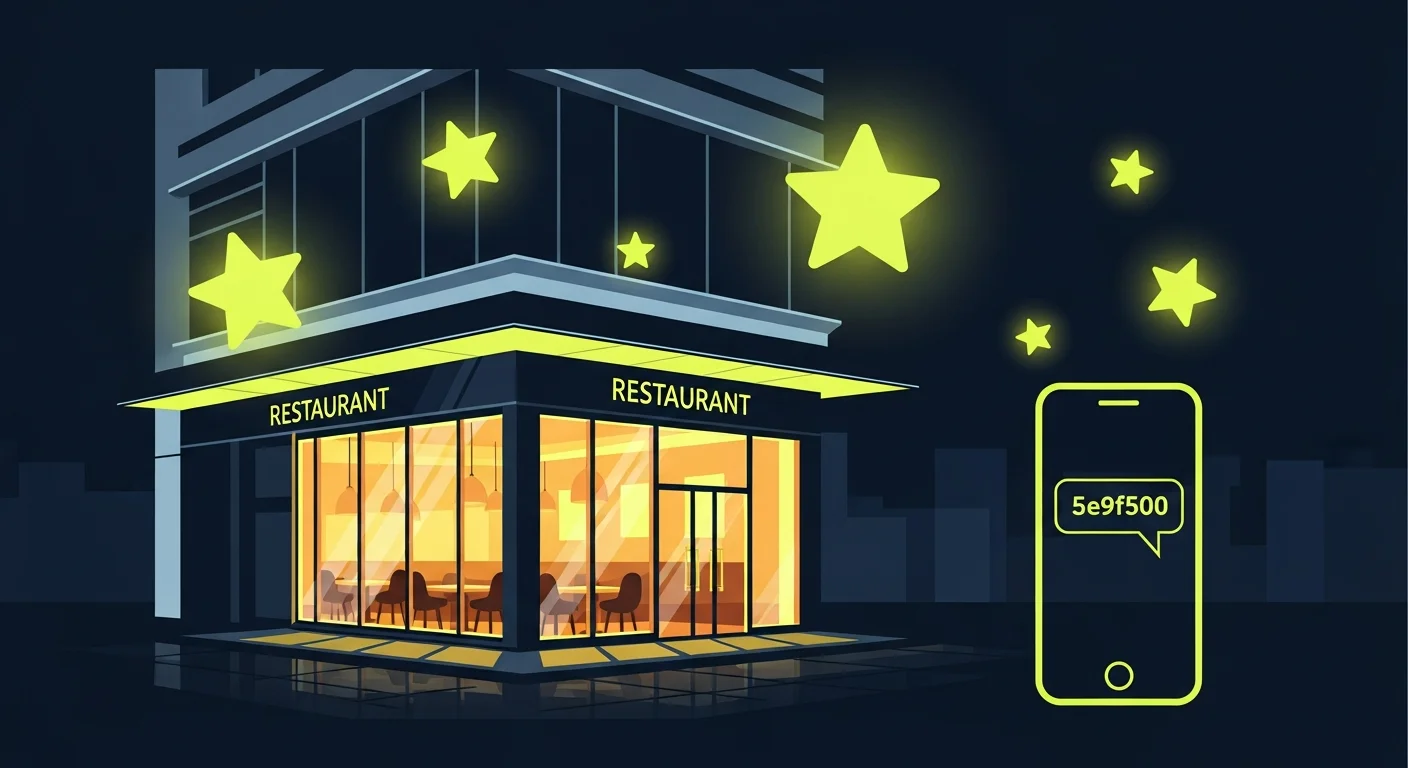
Restaurant owners face a brutal reality: 94% of diners check online reviews before choosing where to eat, and a single star difference on Google or Yelp can swing your weekly covers by double digits. But managing reviews across Google, Yelp, TripAdvisor, and OpenTable manually — while running a kitchen — isn't realistic. That's where review management software earns its keep.
This guide compares five platforms purpose-fit for restaurants, breaks down what actually matters in the hospitality vertical, and answers the questions operators ask most before committing to a tool.
Quick Comparison: Review Management Software for Restaurants
| Platform | Starting Price | Best For | SMS Requests | AI Responses | POS Integration |
|---|---|---|---|---|---|
| Praising.ai | Free / $19/mo | Independent restaurants & small chains | ✓ | ✓ | Via API |
| Birdeye | ~$299/mo | Multi-location groups | ✓ | ✓ | Toast, Square, Mindbody |
| Podium | $399/mo | SMS-first operators | ✓ | ✗ | Square, Clover |
| Grade.us | $110/mo | Agencies managing restaurant clients | ✓ | ✗ | Via Zapier |
| ReviewTrackers | Custom | Data-driven restaurant groups | ✗ | ✗ | Limited |
Why Review Management Matters for Restaurants
Google's local search algorithm treats review volume, recency, and average rating as direct ranking signals for the Maps pack. A competitor with 300 reviews at 4.6 stars consistently outranks your 40 reviews at 4.1 — even if your food is better.
Platform-specific realities add urgency:
- Google: Review count and star rating directly affect your local pack position. A Harvard Business School study linked a one-star Yelp improvement to 5–9% revenue growth — and the same dynamic holds on Google.
- Yelp: Its recommendation algorithm aggressively filters reviews from accounts with low engagement history. You need a consistent flow of new reviews from frequent Yelp users to maintain visibility.
- TripAdvisor: Stale profiles get buried. Restaurants that haven't received new reviews in 60+ days drop in category rankings.
- OpenTable: Review volume ties directly to your reservation flow rankings. Diners browsing OpenTable see highly-reviewed restaurants first.
For multi-location groups, reviewing across all these platforms manually is a part-time job that nobody on your team actually has time to do.
Best Review Management Software for Restaurants in 2026
- Praising.ai
Praising.ai is built around the three tasks restaurant operators actually need: collecting reviews at the right moment, responding without spending 30 minutes per review, and tracking whether your ratings are trending up or down.
The review collection flow works in two ways. The Google review link generator creates a direct URL you can print on receipts, table tents, or QR codes — guests tap it and land on your Google review form in one step. The email and SMS request flow lets you send review asks after a meal by email, or by text from the Send page on paid plans.
For response management, Praising.ai generates AI-drafted replies tailored to each review's content and sentiment. You review and approve before anything goes live. The reputation dashboard brings Google ratings into a single view with weekly trend lines, and links your Yelp and TripAdvisor profiles alongside.
Pricing: Free plan (limited requests); paid plans from $19/month.
Pros:
- AI response drafts that match your restaurant's tone save significant weekly time
- Google review link generator is immediately useful for receipts, table cards, and post-meal texts
- Pricing works for independent restaurants — no enterprise commitment required
- Free plan lets you test the core functionality before paying
Cons:
- Newer platform with a smaller user community than Birdeye or Podium
- POS integration is currently via API rather than direct connectors
- Limited multi-location reporting compared to enterprise tools
Best for: Independent restaurants and small chains that need automated review collection and AI-powered responses without committing to $300+ per month.
Integrations worth noting: No ready-made connectors; on paid plans, the API and webhooks let a POS such as Toast, Square or Clover add guests and trigger review requests (for example through a custom Zap).
- Birdeye
Birdeye is the market leader for multi-location businesses and comes with the feature set — and price tag — to match. For restaurant groups managing five or more locations, its cross-location benchmarking dashboard is genuinely useful: you can compare average rating, response time, and review volume between branches at a glance.
SMS and email review requests are highly customizable, and Birdeye offers direct integrations with Toast POS, Square, and Mindbody, which means you can automatically trigger review requests based on transaction data without a Zapier middleman. Its AI features generate response templates that you can train on your brand voice.
The downside is cost. Most single-location restaurants will find Birdeye hard to justify when there are effective tools at a fraction of the price.
Pricing: Custom; plans typically start around $299/month per location.
Pros:
- Best-in-class multi-location management — cross-location benchmarking, consolidated inboxes
- Direct POS integrations with Toast, Square, and Mindbody (no Zapier needed)
- Deep Google Business Profile integration with real-time review alerts
- Extensive third-party integrations (Salesforce, HubSpot, major CRMs)
Cons:
- Price makes it unworkable for most independent restaurants
- Feature set is much broader than review management — you're paying for tools you won't use
- Onboarding and setup require more time investment than simpler tools
Best for: Restaurant groups with 5+ locations that have budget for an enterprise platform and need direct POS integrations.
- Podium
Podium was built as an SMS-first messaging platform, and that heritage shows in its review request flow. Guests receive a text message, tap one link, and land directly on your Google review page — the completion rate on SMS requests is substantially higher than email. Podium also bundles payments and customer messaging into the same platform, so you can handle review requests, respond to questions, and process payments from a single app.
The bundled approach is both Podium's strength and its weakness. If you want SMS review collection and don't mind also using it for messaging and payments, the value stacks up. If you just want reviews, you're paying for a lot you won't use.
Pricing: Plans start at $399/month.
Pros:
- SMS-based review requests achieve much higher open and completion rates than email
- Single platform for reviews, messaging, and payments
- Webchat widget integrates review collection into your website
- Integrates with Square and Clover for post-transaction request triggers
Cons:
- Most expensive option on this list, difficult to justify for single locations
- No AI response drafting for review replies
- Review management is a feature of a broader platform, not the core focus
Best for: Restaurants that prioritize SMS-first review collection and are willing to pay for a full customer communication platform.
- Grade.us
Grade.us is a white-label review management platform primarily used by marketing agencies that serve restaurant clients. Its review funnel design lets you send guests to whichever platform matters most for your business — usually Google.
The drip campaign feature sends automated follow-up review requests over several days, which keeps your review velocity consistent without manual work. For agencies managing five or more restaurant clients simultaneously, the white-label dashboard and client reporting make the price reasonable.
Pricing: Plans start at $110/month per seat.
Pros:
- Review funnel design with platform routing (send guests to Google, TripAdvisor or another site)
- Drip campaigns maintain consistent review velocity without manual follow-up
- White-label ready — agencies can brand the platform for their clients
- Built-in client reporting dashboards
Cons:
- Interface feels dated compared to Praising.ai, Birdeye, and Podium
- No AI response drafting
- Designed for agencies, not individual restaurant operators — the UX reflects that
Best for: Marketing agencies managing review campaigns for multiple restaurant clients. Not ideal for restaurant operators managing their own presence directly.
- ReviewTrackers
ReviewTrackers takes a data-first approach to reputation management. It aggregates reviews from 100+ sites and uses natural language processing to identify recurring themes — "wait time," "food quality," "staff friendliness" — across your review corpus. For restaurant operators who want to turn reviews into operational data, this is genuinely useful.
Automated alerts flag negative reviews the moment they're posted, which is valuable for protecting your reputation in real time. The weakness is that ReviewTrackers is primarily a monitoring and analytics tool, not a review generation platform — it doesn't send review requests or generate AI responses.
Pricing: Custom pricing; typically mid-market range based on location count and feature tier.
Pros:
- Sentiment analysis surfaces specific operational issues from review text (not just star ratings)
- Aggregates from 100+ review sites for complete monitoring coverage
- Real-time negative review alerts for rapid response
- Strong analytics for multi-location performance comparisons
Cons:
- Minimal review generation capability — this is a monitoring tool, not a collection tool
- No AI response drafting
- Custom pricing makes it hard to evaluate without a sales call
Best for: Restaurant groups that already have solid review volume and want to mine review data for operational improvements, not operators looking to grow their review count.
What to Look for in Restaurant Review Management Software
The right tool for a restaurant differs from the right tool for a law firm or healthcare practice. Here's what matters specifically in hospitality:
Multi-platform coverage. Google, Yelp, TripAdvisor, and OpenTable are the four platforms that actually move the needle for restaurant diners. Any tool you choose should monitor and support responses on all four at minimum.
Timing and trigger capability. The optimal window for a review request is within two hours of a guest's meal, when the experience is fresh. Look for tools that can trigger requests via SMS or email tied to your POS system or reservation platform.
POS and reservation platform integrations. Toast, Square, Clover, and Lightspeed are the dominant restaurant POS systems. OpenTable, Resy, and SevenRooms handle a significant share of reservations. The more tightly your review requests connect to these systems, the higher your completion rates will be — a text sent 90 minutes after a meal beats a weekly email blast every time.
Response management. Diners check whether restaurants respond to reviews before deciding to visit or return. You need to respond to at least 80% of reviews — positive and negative — to maintain your reputation. AI response drafting is increasingly important because most restaurants don't have staff time for manual replies at scale.
Reporting by location. For multi-location operators, per-location dashboards that track review volume, average rating, and response time separately are essential. Aggregated-only views hide which locations need attention.
How Restaurant Review Management Actually Works
A typical review management workflow looks like this:
- Guest completes a meal — the POS or reservation system logs the transaction
- Automated trigger fires — within 1–2 hours, the guest receives an SMS or email with a direct review link
- Guest leaves a review — on Google or TripAdvisor depending on your platform routing
- Alert fires — you or your manager gets notified of the new review
- AI drafts a response — the platform generates a reply based on review sentiment and content
- Response goes live — after approval, the response posts to the review platform
Done well, this workflow runs with minimal manual intervention and compounds over time: more reviews mean better rankings, which means more covers, which means more guests to request reviews from.
Start collecting restaurant reviews with Praising.ai
For a broader comparison including pricing details and AI feature breakdowns across all major platforms, see our 2026 Review Management Software Buyer's Guide.
Comparing the Best Restaurant Review Management Software
Before committing to a platform, it's worth looking at how these tools stack up on third-party review sites, where actual users describe what holds up in daily restaurant operations and what doesn't.
| Tool Name | Key Feature | Pricing Tier | Best For | G2 / Capterra Rating |
|---|---|---|---|---|
| Praising.ai | AI response drafting + private feedback | Free / from $19/mo | Independent restaurants & small chains | 4.8 / 4.9 ★ |
| Birdeye | Cross-location benchmarking + direct POS sync | From ~$299/mo | Multi-location restaurant groups | 4.7 / 4.7 ★ |
| Podium | SMS-first review requests with messaging hub | From $399/mo | SMS-priority operators | 4.5 / 4.6 ★ |
| Grade.us | Review funnel with platform routing | From $110/mo | Agencies managing restaurant clients | 4.4 / 4.5 ★ |
| ReviewTrackers | Multi-site sentiment analysis + aggregation | Custom pricing | Data-driven restaurant groups | 4.5 / 4.6 ★ |
Praising.ai scores highest on customer satisfaction in its price tier, with reviewers consistently calling out the AI response drafting as the feature that saves the most time. The AI response drafting is designed to reduce the time required per reply significantly. Its review funnel gives every guest the public review link plus a private feedback form, so unhappy guests have a direct line to the restaurant.
Birdeye holds strong ratings across both G2 and Capterra, though reviews from single-location operators mention they're paying for capabilities that only matter at scale. For restaurant groups with five or more locations, the cross-location benchmarking dashboard is the feature reviewers praise most — it identifies which locations are lagging in response time or rating without requiring manual platform-by-platform checks. If you're running Toast or Square, Birdeye's direct POS connectors eliminate a meaningful setup step that Zapier-based integrations can't fully replicate.
Podium scores well on ease of use, and its core strength — SMS-based review requests — shows up clearly in reviewer feedback. SMS messages get read within minutes while email requests can sit unread for days, which is why SMS-based requests tend to achieve higher completion rates than email. The main criticism is the price-to-function ratio: you're buying a full customer communication platform when many restaurants only want the review collection piece.
Grade.us has loyal users in the agency market, where its white-label dashboard and client-facing reporting tools genuinely earn their keep. Direct restaurant operators who've tried it often mention a steeper learning curve than they expected — the interface was built for marketing professionals managing multiple clients, which creates overhead for a solo operator managing a single location. It's a solid choice for agencies, but not the intuitive day-to-day tool most restaurant owners are looking for.
ReviewTrackers draws the strongest feedback from enterprise restaurant groups that need to turn large review volumes into operational data. Its natural language processing identifies recurring themes — "wait time," "portion size," "server attentiveness" — across hundreds of reviews, giving operations teams signal on what's actually affecting the guest experience. Single-location restaurants or those just starting to build review volume will find the analytical depth outpaces their current needs, and custom pricing means you'll need a sales conversation before knowing whether it fits your budget.
How to Set Up Restaurant Review Management Software: Step-by-Step
Most restaurant operators are running within a day of choosing a platform. Here's how the typical setup process works, from account creation through your first automated review request.
Step 1: Claim and verify your Google Business Profile Before any review management platform can connect to your review accounts, your Google Business Profile needs to be claimed and verified under your ownership. Log in to business.google.com, search for your restaurant, and complete the verification process — most restaurants receive a phone call or text code that takes under five minutes. Unverified profiles prevent you from responding to reviews and often display outdated hours, photos, or contact information that erodes trust before a guest even walks in.
Step 2: Connect your review platforms to the dashboard Once you've chosen your platform, you'll connect your Google Business Profile, Yelp, and TripAdvisor pages by authorizing read and respond access through the software's settings panel. This typically takes five minutes per platform — you're granting operational access, not transferring ownership. If the tool supports OpenTable or other reservation-adjacent platforms, connect those at this stage too, since review volume on reservation platforms directly affects your ranking in booking search results.
Step 3: Import your existing customer contact list Most platforms let you upload a CSV of customer emails or phone numbers for an initial outreach batch. Before uploading, trim the list to guests from the past three to four months — recent visitors respond at significantly higher rates, and a stale list risks spam classification that can affect your future email deliverability. Many restaurants see their first meaningful surge in reviews from this initial batch, particularly if they have an engaged regular customer base that simply never received a direct ask.
Step 4: Set up your POS or reservation platform integration Connect your POS system (Toast, Square, Clover, or Lightspeed) or reservation platform (OpenTable, Resy, or SevenRooms) to trigger automated review requests after each transaction. Most platforms handle this through a direct integration or a Zapier connector. Set the delay to 90 minutes to 2 hours post-transaction — this window consistently outperforms both immediate sends (guest may still be at the table) and next-day emails (the experience has faded). If you run a full-service dinner operation, stagger your requests so they arrive after 7pm when guests are home and receptive, rather than during the post-meal commute.
Step 5: Write your outreach messages in your restaurant's voice Generic "please leave us a review" messages get ignored. Write SMS and email templates that mention your restaurant name, thank the guest specifically (even a generic "thank you for joining us last night" outperforms a form letter), and include one direct link that lands on your Google review form. Keep SMS messages under 160 characters to prevent carrier splitting. Test both formats: dinner crowds tend to respond better to evening SMS requests, while lunch regulars who work at desks often engage more with email.
Step 6: Configure review alerts and response workflows Set up real-time alerts for new reviews, especially anything below four stars, so no negative review sits unanswered while your team is deep in a dinner service. If your platform offers AI response drafting, configure your brand voice guidelines before it generates its first draft — specify your restaurant's name, whether to use first-person or third-person, and any phrases (like "we take this very seriously") you want to avoid. Review and approve each draft before posting; fully automated responses occasionally misread a complaint and can damage trust more than silence would.
Step 7: Review your metrics weekly for the first 90 days Check your dashboard each week for: review volume by platform, average rating trend, and response rate. If one platform consistently lags — say, TripAdvisor activity is flat while Google is growing — adjust your request flow to route guests toward that platform for a few weeks. Restaurant reputation management software gives you the data; acting on what it shows is where the actual rating improvement happens. Most restaurants see measurable improvements in review velocity within 30 days and in average rating within 90 days of running a consistent automated campaign.
Frequently Asked Questions
What is the best review management software for small restaurants?
Praising.ai is the best starting point for most small and independent restaurants. The free plan lets you test core features without commitment, and the paid plans start at $19/month — a fraction of what Birdeye or Podium cost. For restaurants that need direct Toast or Square integration without Zapier, Birdeye justifies its higher price. For SMS-first operators who want to bundle review collection with messaging and payments, Podium is worth evaluating.
How do I get more Google reviews for my restaurant?
Timing is the biggest lever. Send every guest an SMS or email review request within two hours of their meal, while the experience is still vivid. Use a direct Google review link — not a generic "leave us a review" message — so the guest lands on the review form in one tap. Print the link as a QR code on receipts, table cards, and check folders. Train your front-of-house staff to mention reviews to every table as the meal ends. Restaurants that combine post-meal text requests with printed QR codes typically see 3–5x more reviews than restaurants that rely on passive in-app prompts alone.
How should restaurants respond to negative reviews?
Respond within 24 hours — ideally within a few hours for reviews that mention specific incidents. Acknowledge the specific issue raised rather than giving a generic apology: "I'm sorry the risotto wasn't up to our standard on Saturday" is more credible than "We're sorry you had a poor experience." Don't make excuses about staffing or a busy service. Offer to continue the conversation offline with a direct email or phone number. Keep it to three or four sentences — lengthy defensive replies signal to readers that you struggle with criticism. Every potential diner reading that exchange evaluates how you handle problems, and a calm, specific response often builds more trust than a five-star review.
Is review management software worth it for a single-location restaurant?
Yes. A one-star improvement on Google or Yelp translates to measurable revenue growth, and review management software is the most reliable way to collect enough reviews to move your rating. Most single-location restaurants don't have staff capacity to manually track reviews across Google, Yelp, and TripAdvisor, respond to each one, and send review requests after every service. Free plans from tools like Praising.ai remove the cost barrier entirely — you can start building review velocity without any upfront spend.
How do restaurant review requests work with POS systems?
Most review management platforms connect to restaurant POS systems (Toast, Square, Clover, Lightspeed) either via direct integration or through Zapier. When a guest closes a check, the POS sends a transaction event to the review platform, which triggers an SMS or email request after a configurable delay — usually 1–2 hours. This post-transaction trigger consistently outperforms manual requests or generic weekly emails because it reaches guests when their experience is fresh. Platforms with direct POS integrations (like Birdeye for Toast and Square) are easier to configure; Zapier-based connections work well but require slightly more setup.
Which review platforms matter most for restaurants?
Google is the most important by a significant margin — it directly affects your Maps pack ranking, and most diners start their restaurant search on Google. Yelp is second, particularly for cities with a strong Yelp culture (San Francisco, New York, Chicago) and for specific cuisines where Yelp has high category authority. TripAdvisor matters most for restaurants in tourist-heavy areas or near major attractions. OpenTable affects your reservation flow ranking within that platform's discovery pages. Facebook reviews carry some weight but are lower priority than the four above for most restaurants.
How many reviews does a restaurant need to rank well on Google Maps?
There's no single threshold, but competitive context matters more than absolute count. If the top three restaurants in your category in your market each have 200–400 reviews, you need to be in that range to compete for top positions. Review recency counts heavily — Google's algorithm weights recent reviews more than old ones, which means a steady velocity of new reviews (10–20 per month) maintains your position better than a large stale count. Average rating above 4.3 is generally the threshold where Google's algorithm treats you as a strong signal for quality.
Q: What is restaurant review management software?
This type of software helps restaurants collect, monitor, and respond to online reviews across platforms like Google, Yelp, and TripAdvisor from a single dashboard. Instead of checking each platform manually and writing responses from scratch, the software automates review requests, generates AI-drafted responses, and tracks your rating trends over time — turning a task that can consume hours each week into something a manager handles in 20 minutes.
Q: What's the difference between review management and reputation management for restaurants?
Review management focuses specifically on getting more reviews, responding to existing ones, and monitoring your star rating across review platforms. Restaurant reputation management software is a broader category that includes review management but also covers social media monitoring, competitor tracking, brand sentiment analysis, and sometimes PR tools. Most restaurants need review management more urgently than full reputation management — the return on investment is more direct and faster to measure, and it addresses the specific ranking factors that affect your Google Maps visibility.
Q: How much does restaurant review management software cost?
Pricing varies significantly by tool and location count. Entry-level platforms like Praising.ai offer a free plan with core features and paid plans from $19/month. Mid-tier platforms like Grade.us run $110/month. Enterprise platforms like Birdeye start around $299/month and Podium at $399/month. For most independent restaurants, the free or entry-level tier provides enough to meaningfully grow review volume — the case for enterprise pricing gets compelling at five or more locations where cross-location benchmarking and direct POS integrations justify the cost.
Q: Can review management software automatically respond to reviews?
Most modern platforms offer AI-assisted response drafting, but fully automatic posting without human approval is less common and generally not recommended for restaurants. The better workflow is AI drafts that a manager reviews and approves in one click — this keeps responses accurate and on-brand while cutting the time investment to one or two minutes per reply. Platforms like Praising.ai and Birdeye support this workflow. Avoid fully automated posting unless you have very strict brand guidelines already in place, since a response that misreads a serious complaint can cause more reputational damage than a delayed reply.
Q: Is it possible to remove negative reviews with review management software?
No platform can delete legitimate reviews, and any software claiming otherwise should be treated as a red flag. What these tools do is help you respond professionally to negative reviews (which signals to prospective diners that you take feedback seriously), generate enough positive reviews to move your overall average, and provide a private feedback channel so dissatisfied guests can reach you directly, beside the public review link. For reviews that violate platform policies — spam, fake reviews, off-topic content — you can flag them directly through Google or Yelp without needing a third-party tool.
Q: How do I know if my review management software is actually working?
The primary metrics to track are monthly review volume, average rating trend, and response rate. A functioning setup should produce a measurable increase in monthly new reviews within 30–60 days of running automated post-visit requests. Average rating improvement is slower — expect 3–6 months to see meaningful movement unless you're starting from a very small base. If volume is up but ratings aren't improving, look at whether the distribution of incoming reviews has shifted: if you're collecting more reviews but most are 3-star, the issue is operational, not your review management strategy.
Q: What's the best review management software for multi-location restaurant groups?
Multi-location restaurant groups need cross-location benchmarking, consolidated review inboxes covering all locations, and per-location reporting to surface underperformers. Birdeye is the strongest fit for groups with five or more locations, particularly if you're running Toast or Square POS — its direct integrations eliminate Zapier middleware and make automated request triggering more reliable at scale. For restaurant reputation management software at the enterprise level, ReviewTrackers is worth evaluating if sentiment analysis across large review volumes is a priority over review collection.
Q: How does review management software help a restaurant's local SEO?
Google's local pack algorithm uses review count, recency, average rating, and owner response rate as direct ranking signals. Restaurant review management software improves all four: automated post-visit requests increase volume, consistent new reviews improve recency signals, a steady stream of positive feedback raises your average rating, and AI-assisted response tools make it practical to reply to every review rather than only the most critical ones. Restaurants running consistent review management campaigns typically see meaningful improvement in their Maps pack position within 90–120 days, which drives organic reservation and walk-in traffic without incremental ad spend.
Ready to grow?
Turn happy customers into 5-star reviews
Praising.ai automates review requests for Google, Trustpilot and the other review sites you use. Businesses see an average 3x increase in reviews within 30 days.
Written by
· 106 articlesMarcus Webb
Reputation Management Specialist
Marcus has spent over a decade helping small and medium businesses understand online reviews and local search. He writes about Google Business Profile, review automation, and the mechanics of reputation management—always from the angle of what actually moves the needle for independent businesses.
View all articlesGet weekly review tips
Actionable strategies to grow reviews and revenue, straight to your inbox.
No spam. Unsubscribe anytime.
Get more 5-star reviews on autopilot
Praising.ai automates review requests for Google, Trustpilot and the other review sites you use — free to start, no credit card required.
Start FreeFree 14-day trial