Can You Turn Off Google Reviews? Here's What Works

TL;DR
You cannot disable, hide, or turn off Google reviews — the feature is permanent by design and exists to serve consumers, not businesses. Your real options are flagging policy-violating reviews for removal, responding professionally to negative feedback, and building positive review volume to improve your overall rating.
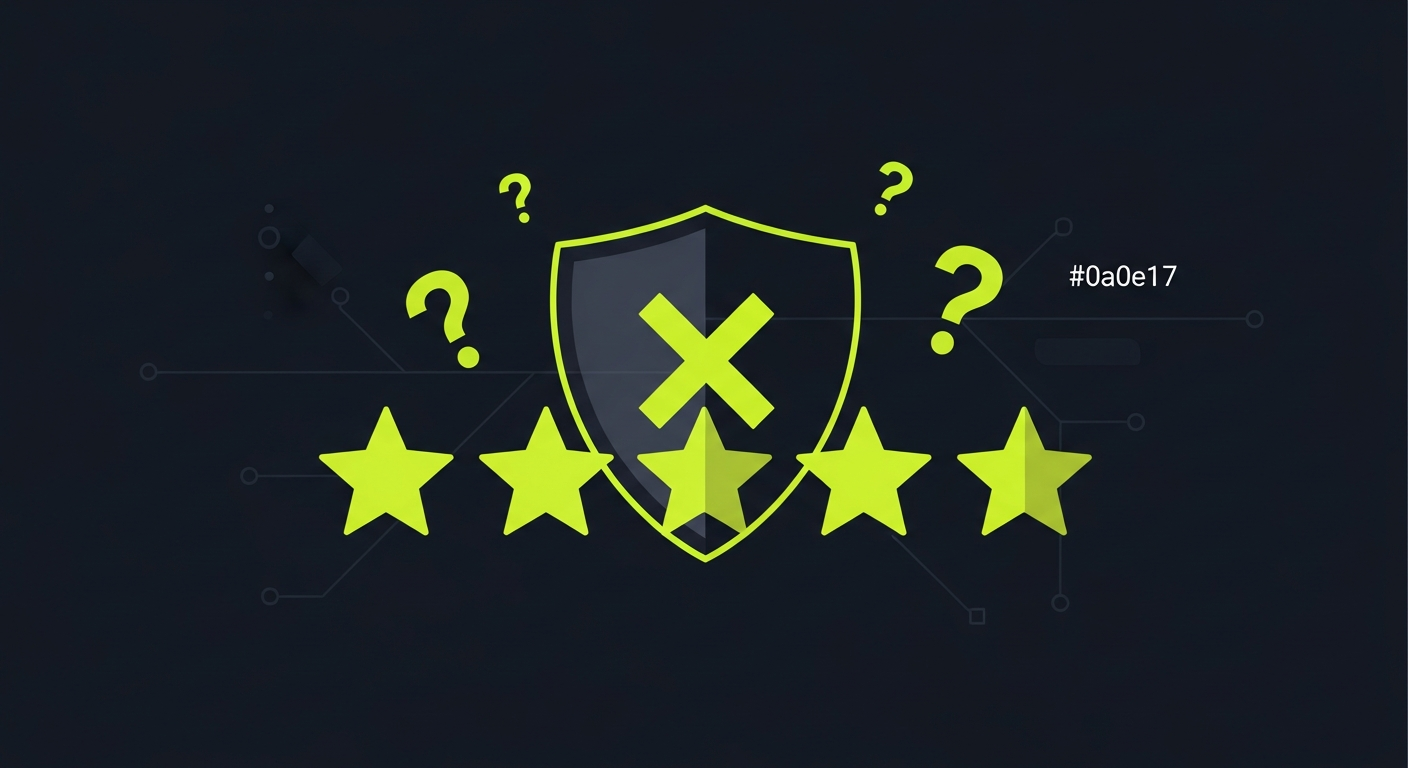
No, you cannot turn off, disable, or hide Google reviews. Google does not provide any setting, toggle, or support option that lets business owners remove the reviews section from their Google Business Profile listing. Reviews are a permanent, public-facing feature of every listed business — that is by design. What you can do is flag policy-violating reviews for removal, respond professionally to negative feedback, request a formal review through the Business Profile Appeals process, and build enough positive review volume to improve your overall rating. This guide covers every realistic option available to business owners today.
Why Google doesn't let you disable reviews
Google Reviews exist to serve consumers, not businesses. When someone searches for a dentist, a restaurant, or a contractor, Google surfaces trustworthy, user-generated feedback precisely because it has not been filtered or curated by the businesses being reviewed. If any business could disable reviews whenever ratings dropped, that entire trust layer would collapse overnight.
This design is consistent across every major review platform. Yelp, Trustpilot, TripAdvisor, and Facebook all operate the same way: once your business appears on a platform, customer feedback is part of the deal. The conversation about your business happens whether or not you participate.
There is also a practical reality to consider. Even if Google allowed you to disable your Business Profile reviews, potential customers would simply find your reviews on other platforms — Yelp, industry-specific directories, social media pages, and aggregators that pull data from dozens of sources. Disabling reviews on one platform does not make them disappear from the internet; it only removes your ability to respond and shape the narrative.
Understanding this is important before investing energy in looking for a non-existent off switch. The tools that actually protect your reputation are response, flagging, and volume-building — and all three are available to you right now.
Can you hide Google reviews from your listing?
There is no way to hide individual reviews or your entire review section from your Google Business Profile listing. Every review — positive and negative — is visible to anyone who searches for your business on Google Maps or in standard search results. Google does not offer a private mode, a visibility toggle, or a way to suppress specific reviews from public view.
Some business owners ask whether they can hide their star rating or prevent it from appearing in search snippets. The answer is no. Google calculates and displays your aggregate star rating automatically based on all reviews. You cannot opt out of having a rating displayed, and you cannot selectively show only positive reviews.
There is one scenario worth knowing: if Google determines that your business listing has received an influx of unusual review activity — for example, during a coordinated spam or harassment campaign — it may temporarily limit the display of new reviews while it investigates. This is not something you can trigger or control; it is an automated protective measure Google applies at its own discretion.
The practical implication: stop looking for a way to hide reviews and start focusing on the things you can control — which are more effective anyway.
How to remove a Google review
While you cannot disable reviews entirely, Google does remove individual reviews that violate its content policies. This is the most direct tool you have against genuinely problematic content. The removal process is free, and you do not need legal counsel to initiate it.
Which reviews Google will remove
Google's content policies prohibit reviews that contain the following:
- Spam and fake content — Reviews from people who never interacted with your business, paid review schemes, or reviews from the same person using multiple accounts
- Off-topic content — Reviews that describe a different business or a location the reviewer has never visited
- Offensive or inappropriate content — Hate speech, explicit material, threatening language, or personal attacks
- Privacy violations — Reviews that include someone's private phone number, home address, or other personally identifiable information
- Conflict of interest — Reviews from current or former employees, business owners reviewing competitors, or business owners reviewing their own business
- Advertising — Reviews that promote other products or services
Reviews that are simply negative, unfair, or incorrect are not policy violations and will not be removed by Google just because you disagree with them. Google does not adjudicate factual disputes about customer experiences.
Step-by-step: how to flag a review for removal
- Open Google Maps or search for your business on Google
- Find the review you want to flag
- Click the three-dot menu (⋮) next to the review
- Select "Report review"
- Choose the policy violation reason that best matches
- Submit the report
For Business Profile owners, you can also flag reviews directly from the Business Profile dashboard. Log into your Google Business Profile, navigate to Reviews, find the review, and use the flag option from the three-dot menu.
After you flag a review, Google typically takes 3 to 10 business days to evaluate the report. You will not receive a detailed explanation of Google's decision. If the review is removed, it disappears from your listing without notice. If it is not removed, the review remains and you can submit an appeal through the Business Profile support channel.
If you believe a removal decision was wrong, the appeals process is available but slow. Go to the Google Business Profile Help Center, select "Contact us," and choose the option related to review management. Escalating through a support chat often gets a faster response than submitting a form.
How to respond to a negative Google review
Responding to negative reviews is one of the highest-leverage actions available to business owners. Research consistently shows that prospective customers read both reviews and owner responses before making a purchase decision. A professional, empathetic response to a negative review often does more to reassure potential customers than a simple positive review would.
The goal of a response is not to win an argument with the reviewer. It is to demonstrate to the dozens of other people reading that review that your business takes feedback seriously and handles problems with professionalism.
What an effective response looks like
Acknowledge the experience. Start by recognizing that the customer had a frustrating experience, without admitting fault for things that genuinely did not happen.
Apologize where appropriate. A genuine apology for a real service failure builds trust with readers. Avoid defensive language or justifications that minimize the customer's frustration.
Offer a resolution. Provide a direct path to resolve the issue — a phone number, an email address, or an invitation to return. Taking the conversation offline removes it from the public arena and gives you a chance to fix the relationship.
Be brief. Responses between 100 and 150 words are most effective. Longer responses can appear defensive or overwrought.
Avoid generic templates. Readers can tell when a response was copy-pasted. Specific responses that address the actual complaint perform better on trust signals.
For a deep dive into response strategy and ready-to-use templates, see our guide on responding to negative Google reviews.
Can you disable Google reviews on your website embed?
This question comes from a different angle: rather than disabling reviews on Google itself, some business owners want to know whether they can prevent Google reviews from appearing on their own website.
The answer here is yes — with important caveats. You have full control over what appears on your own website. If you have embedded a Google reviews widget or are using a third-party plugin that pulls in Google reviews, you can remove that widget from your site at any time. That does not affect what Google shows on its own platform; it only changes what appears on your website.
However, be aware that some third-party embeds violate Google's Terms of Service. Google's API terms prohibit scraping and displaying reviews in ways that misrepresent their source or alter their content. If you use a legitimate reviews embed, removing it from your site is straightforward — simply remove the widget code from your website template.
If your goal is to show only positive reviews on your website, there are compliant tools available that let you curate which reviews you display. This is standard practice and permissible, provided the reviews are genuine and appropriately attributed. Platforms like Praising.ai are built to help businesses collect, manage, and display reviews in exactly this way — you can explore our features to see how the display and filtering tools work.
Alternatives to disabling: building positive review volume
The most effective long-term strategy for managing a damaged review average is not to disable negative reviews — it is to systematically generate more positive ones. This is sometimes called review velocity management, and it works because star ratings are averages. A single 1-star review matters far less when it is surrounded by 50 genuine 5-star reviews.
Why volume beats suppression
Consider two businesses with the same core problem — a string of negative reviews. One business focuses on flagging bad reviews and waiting for Google to remove them. The other focuses on asking happy customers to leave reviews. After three months, the second business has a higher rating and appears more trustworthy, not because any negative reviews disappeared, but because positive reviews now dominate the average.
This is the approach that actually works. Google's own research shows that a business with a 4.2-star average and 200 reviews is perceived as more trustworthy than a business with a 4.8-star average and 12 reviews. Volume signals credibility.
How to build review volume systematically
Ask at the right moment. The best time to request a review is immediately after a positive customer interaction — right after a service appointment, at checkout, or immediately after delivering a result the customer is pleased with.
Make it easy. Every step of friction in the review process reduces completion rates significantly. Send a direct link to your Google review form, not a generic "please review us" message with no guidance.
Use multiple channels. Review requests via text message outperform email by a significant margin in open rates and completion. A follow-up email to customers who did not complete the review through SMS often recovers an additional portion of responses.
Automate the process. Manually tracking which customers should receive review requests and when is unsustainable at any meaningful scale. Automated review request platforms handle the timing, sequencing, and delivery so the process runs without manual effort. See our pricing page to understand what automated review management costs and what results businesses typically see.
Respond to all reviews. Both positive and negative reviews deserve responses. Businesses that respond to reviews consistently tend to receive more reviews over time, because responding signals to customers that their feedback is read and valued.
The math of recovery
If your current average is 3.8 stars based on 40 reviews, you need roughly 60 new 5-star reviews to reach a 4.5-star average. That sounds like a lot. But for a business that serves even 20 customers per week, a systematic review request process with a reasonable completion rate can achieve that in under two months. No flagging, no appeals, no hoping Google takes action — just consistent execution.
Frequently Asked Questions
Can you turn off Google reviews for your business?
No. Google does not offer any setting, toggle, or support channel that lets business owners disable reviews on their Google Business Profile. Reviews are a permanent, public-facing feature of every listed business. Your available options are: flag policy-violating reviews for removal, respond professionally to all feedback, use the Business Profile Appeals process for removal decisions you believe were wrong, and build positive review volume to improve your overall rating.
Can you hide Google reviews from appearing publicly?
No. There is no way to hide individual reviews or your aggregate star rating from public view on Google. Every review is visible to anyone who searches for your business on Google Maps or Google Search. Google does not offer a private mode or visibility controls for reviews.
How do I flag a Google review for removal?
Open Google Maps, find your business listing, locate the review, and click the three-dot menu next to it. Select "Report review" and choose the applicable policy violation reason. Business Profile owners can also flag reviews from directly within the Google Business Profile dashboard. Google typically responds within 3 to 10 business days, though complex cases may take longer.
What types of reviews does Google actually remove?
Google removes reviews that violate its content policies: spam or fake reviews, off-topic content about a different business or location, offensive or inappropriate language, privacy violations that expose personal information, conflict-of-interest reviews from employees or competitors, and reviews used to advertise other products. Negative reviews that reflect a genuine customer experience — even if you believe they are inaccurate or unfair — are generally not removed.
How long does it take for Google to remove a flagged review?
Google does not publish an official processing time. In practice, most straightforward flagging decisions are made within 3 to 10 business days. Borderline cases or appeals can take several weeks. If a review is not removed and you believe it clearly violates policy, you can escalate by contacting Google Business Profile support and requesting a human review.
Can you disable Google reviews for a specific location?
No. Google applies the same review rules to every individual business listing. If your business has multiple locations, each listing has its own set of reviews and the same rules apply to all of them. You cannot disable reviews for one location while keeping them active for others. Flag policy violations and manage responses at the individual listing level.
Is responding to Google reviews actually worth it?
Yes. Studies of consumer behavior consistently show that potential customers read both reviews and business responses when making purchase decisions. A professional, empathetic response to a negative review reassures prospective customers that your business handles problems responsibly. Businesses that respond to reviews also tend to receive more reviews over time, because responding signals that feedback is genuinely valued. Ignoring negative reviews, by contrast, allows a one-sided narrative to persist without any context from the business.
Ready to grow?
Turn happy customers into 5-star reviews
Praising.ai automates review collection across Google, Trustpilot, Yelp, and 20+ platforms. Businesses see an average 3x increase in reviews within 30 days.
Written by
· 106 articlesMarcus Webb
Reputation Management Specialist
Marcus has spent over a decade helping small and medium businesses understand online reviews and local search. He writes about Google Business Profile, review automation, and the mechanics of reputation management—always from the angle of what actually moves the needle for independent businesses.
View all articlesGet weekly review tips
Actionable strategies to grow reviews and revenue, straight to your inbox.
No spam. Unsubscribe anytime.
Get more 5-star reviews on autopilot
Praising.ai automates review collection across Google, Trustpilot, and 20+ platforms — no credit card required.
Start FreeFree 14-day trial