Google Business Profile Fake Reviews Policy 2026

TL;DR
Google's fake reviews policy prohibits self-reviews, paid incentives, competitor attacks, bot-generated content, and off-topic complaints, with violations enforced through automated detection and manual specialist review. Knowing these exact rules helps you report illegitimate reviews effectively and keeps your own review solicitation practices compliant. Violations can trigger removal, profile penalties, and FTC scrutiny under federal endorsement guidelines.
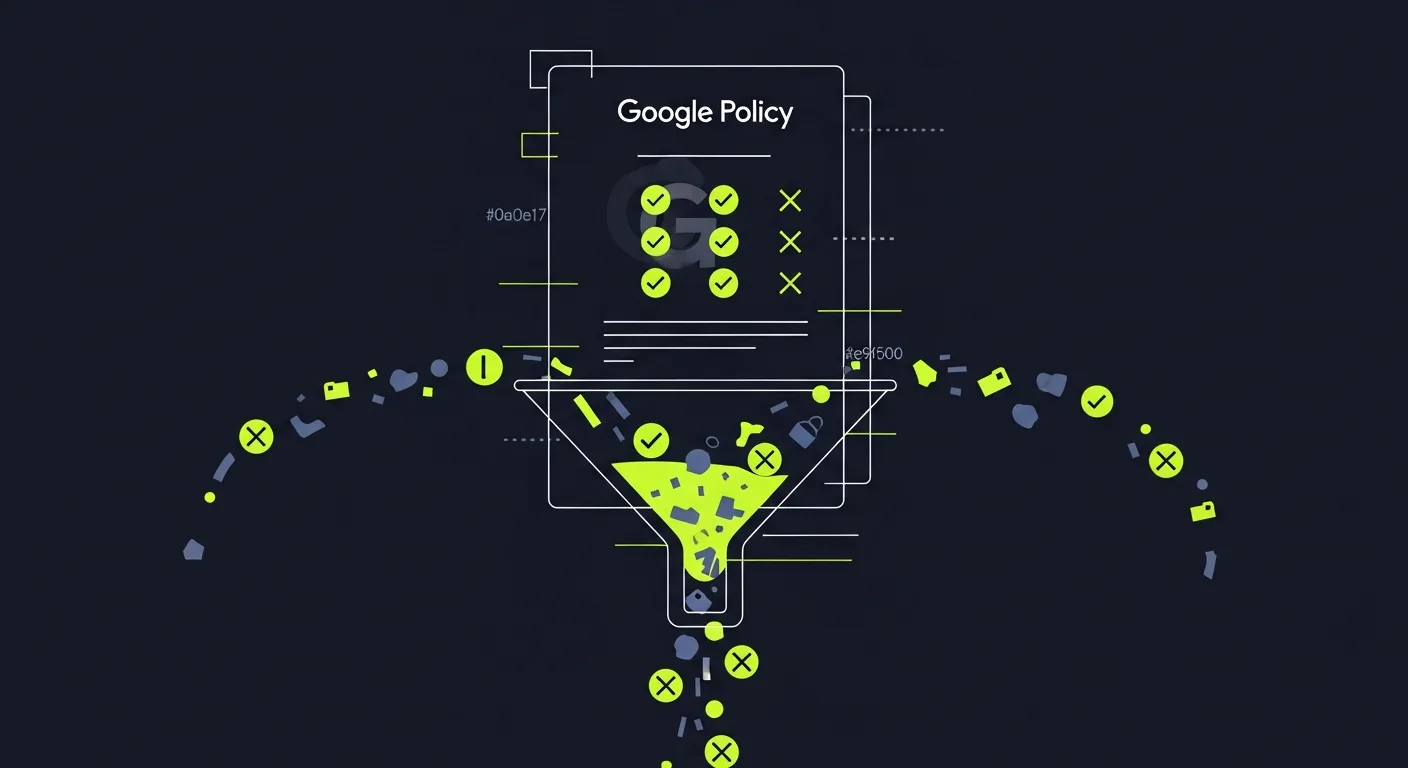
Google's fake reviews policy for Business Profile is strict. It's stricter than most owners think. Knowing the exact rules gives you standing to report bad reviews. It also keeps your own profile safe from mistakes.
This guide covers the official rules. It explains what happens when they're broken. It shows how federal law backs Google's policy. And it tells you what to do to stay safe in 2026.
Google's Official Review Policy: Quick Reference
This table covers every prohibited category in Google's official prohibited and restricted content policy for Business Profile.
| Prohibited Category | Examples | Consequence |
|---|---|---|
| Fake or Spam Reviews | Bot-generated, bulk-posted, copied text, reviews with promo links | Removal; account penalty |
| Paid or Incentivized Reviews | Cash, discounts, free products, contest entries, loyalty points given for reviews | Removal; FTC civil fine up to $51,744 per violation |
| Conflict of Interest | Self-reviews, employee reviews, rival-business reviews, paid-agency reviews | Removal |
| Review Gating | Asking only customers expected to rate you well, skipping unhappy customers | FTC violation under 16 CFR Part 465 |
| Off-Topic Content | Reviews about a different location, political posts, complaints about ads or delivery | Removal |
| Illegal or Harmful Content | Hate speech, threats, obscene language, false medical or legal claims | Removal; possible profile suspension |
Enforcement combines automated detection (account age, IP patterns, review velocity) and a human policy review team. Patterns that suggest buying or coordinating reviews can trigger profile-level penalties beyond single-review removal.
Google's Official Fake Reviews Policy: What It Prohibits
Google's review rules for Business Profile are at support.google.com/business/answer/2622994. The policy lists the types of reviews that get removed.
Spam and Fake Content
Google defines spam as reviews that don't reflect a real visit to a business. This includes:
- Reviews paid for with cash, discounts, gifts, or other rewards
- Reviews posted by bots instead of real people
- Reviews that are copied and posted by many accounts at once
- Reviews with links, promo codes, or ads in them
- Reviews bought through a paid review service
Google checks patterns, account age, IP data, and device signals. It catches most spam before it goes live. But some fake reviews look real. Those may get through and need a manual report to remove.
Conflict of Interest
Google bans reviews from people who have a stake in the business. The policy removes:
- Self-reviews — owners or staff reviewing their own business
- Employee reviews — current or former workers reviewing their employer
- Rival reviews — reviews posted by a competing business or its staff
- Review swaps — deals where two businesses review each other
- Paid reviews — reviews from agencies or freelancers hired to boost ratings
This catches a common mistake. Many owners ask their team to post five-star reviews to help. Even well-meant inside reviews break the rules and can be removed.
Off-Topic and Irrelevant Content
Google requires reviews to reflect the reviewer's own visit to that location. Reviews are removed when they:
- Are about a different location of the same chain
- Come from someone who didn't visit the business
- Are about a delivery driver or outside vendor, not the business
- Include political posts with no link to the service
- Complain about ads or social media, not the actual experience
Harmful, Deceptive, or Illegal Content
Google also removes content that breaks its general rules:
- Hate speech aimed at protected groups
- Threats or harassment directed at staff or owners
- Obscene or explicit language
- Private details of individuals
- Copyright violations
- False health or legal claims
How Google Enforces Its Fake Reviews Policy
Knowing how Google enforces its policy helps you use the report system well. It also sets fair expectations for how long removal takes.
Automated Detection
Google's systems run all day, every day. They check account age, review speed, location data, device info, and writing style. Reviews that trip these checks are filtered or held for a human look.
This layer stops most bulk spam. It blocks bot accounts and copy-paste reviews posted at scale. Clever fakes — aged accounts, unique writing — can slip through. Those need a manual report.
Human Review and Policy Specialists
When you report a review, a specialist looks at the case. They check:
- Whether the reviewer has a real history with your business
- Account signals: age, number of reviews, types of businesses reviewed
- Whether the review fits an actual visit
- Patterns that suggest group action across accounts
Most cases close in 5 to 15 business days. Google sends you an email when it decides. The note doesn't always explain the reason for the choice.
Profile-Level Enforcement
When Google sees a pattern of fake reviews — reviews being bought or sought — it can go beyond removing one review.
Google may:
- Add a public notice to the Business Profile warning users
- Remove all reviews while it looks into the issue
- Suspend the Business Profile for good
- Cut the profile's rank in local search and Google Maps
Suspension is rare for first offenses. But it's more common since Google tightened rules in 2024. Businesses in tough markets — healthcare, legal, home repair — see it most.
Federal Law That Reinforces Google's Policy
Google's rules work alongside federal laws. Those laws also ban fake reviews, on their own, apart from Google.
FTC Consumer Review Fairness Act
The Consumer Review Fairness Act (CRFA) became law in 2016. It bans any contract terms that:
- Stop customers from posting bad reviews
- Fine customers for bad reviews
- Force customers to post only good reviews as a term of service
The CRFA covers all review platforms, including Google Business Profile. Breaking it leads to civil fines. The FTC has gone after businesses that use such terms in their contracts.
FTC 2024 Rule on Fake Reviews and Testimonials
In August 2024, the FTC made a new rule under 16 CFR Part 465. It bans:
- Buying reviews: Paying anything — cash, gifts, discounts — for any kind of review
- Review gating: Only asking customers who are likely to rate you well for reviews. This skews your score and gives a false picture
- Hiding bad reviews: Burying or hiding bad reviews while showing the good ones
- Insider reviews: Staff or owners posting reviews without saying they work there
- Fake review sites: Making sites that look neutral but are run by the business
Fines reach $51,744 per violation. The FTC enforces this rule. Fashion Nova paid $4.2 million in 2022 for hiding bad reviews. The 2024 rule made that standard clear and firm.
What This Means in Practice
Review gating is the most common mistake businesses make by accident. Sending review requests only to customers who rate you 4 or 5 stars — and skipping those who give 1 to 3 stars — is gating under federal law.
The right way is simple. Ask all customers to share their honest view. Don't filter by expected rating before sending the request. Praising.ai's review funnel follows this rule. Every customer gets both the public review path and the private feedback path, no matter their initial rating.
How Business Owners Stay Compliant
Staying safe takes clear steps — not just good intentions.
Send review requests to all customers. Don't pick only the ones likely to rate you well. Review tools must not screen customers before sending links.
Disclose ties when asking for reviews. If a team member posts about your business, they must say they work there. This applies to social media and any public site.
Never offer rewards for reviews. A discount for a good review, a point for leaving feedback, or a free gift for a testimonial all break Google's rules and the FTC's 2024 law.
Reply to bad reviews in a calm, direct way. Hiding or removing bad reviews creates legal risk. Write a clear reply. Admit the issue and offer to fix it. Don't try to delete or bury the review.
Watch for coordinated attacks. Rivals can post fake bad reviews against you. If you see a cluster of one-star reviews from new accounts in a short time, note the details first. Write down account creation dates, review text, and timing. Reports with clear evidence get more attention from Google's policy team.
Tools like Praising.ai help businesses manage Google reviews and other platforms. They flag odd patterns, create safe response drafts, and avoid reward-based review tactics that create legal risk.
For buyers deciding whether to trust an unfamiliar business, the same review patterns that violate Google's policy — sudden rating spikes, zero owner responses, identical phrasing across multiple reviews — are the signals that surface in a website credibility check. A profile with authentic, consistently arriving reviews is one of the clearest signs a business will pass that check.
Incentivized Reviews: What Google's Policy Officially Bans
Incentivized reviews are one of the fastest routes to a Business Profile penalty. Google's official policy is explicit. Any review written in exchange for something of value is prohibited. That covers:
- Cash payments for any review, positive or negative
- Discounts or coupons offered in return for leaving a review
- Free products or services given as a reward for a review
- Entry into a prize draw or contest tied to posting a review
- Loyalty points credited only to customers who submit a review
The rule covers both direct and indirect incentives. Asking a customer to "leave a review to get 10% off your next visit" is a violation. So is giving gift cards to your top reviewers. Even offering a free consultation to anyone who shares feedback crosses the line.
Why this matters for your listing. Google's detection systems look for review patterns that follow offer campaigns. If you run a promotion and a wave of new reviews arrives immediately after, Google may flag those reviews as incentivized and remove them. In repeat cases the Business Profile can receive a public notice or a suspension.
What is still allowed. Asking customers — by email, text message, or in person — to share their honest experience is fine, provided no reward is attached. The request itself is legal. The condition tied to a rating or the delivery of a review is what creates the violation.
The FTC's 2024 rule on fake reviews and testimonials treats incentivized reviews the same way. A business that ties rewards to reviews faces civil fines under 16 CFR Part 465, independent of anything Google enforces on its platform.
Reporting Fake Reviews That Violate Official Policy
If a review on your profile breaks Google's rules, you have two ways to report it.
Through Google Maps or Search: Click the three-dot menu next to the review. Choose "Report review" and pick the most fitting violation type. This sends the review into Google's queue.
Through Business Profile support: Log in at business.google.com and go to the review. Use the support chat to reach a policy specialist. This path works better for group attacks. It goes to a human reviewer, not just the auto queue.
After you report, track the status in your Business Profile dashboard. If nothing happens in 10 business days, use the support chat again. A new message works better than filing the same report twice.
For a full guide — including what to note before you report — see the complete guide to reporting fake reviews on Google Business Profile.
Frequently asked questions
What is Google's official policy on fake reviews for Business Profile?
Google's official prohibited and restricted content policy for Business Profile (documented at support.google.com/business/answer/2622994) bans reviews that are spam or fake, reviews posted for payment or incentive, reviews from people with a conflict of interest such as current employees or business owners, off-topic reviews, and reviews that contain illegal content. Google enforces this through automated detection systems and a human review team. Violations can result in the review being removed or the reviewer's account being penalized.
Does the FTC regulate fake reviews on Google Business Profile?
Yes. The FTC's Consumer Review Fairness Act (CRFA) prohibits businesses from using contract terms that prevent customers from leaving negative reviews or require positive reviews. The FTC's 2024 rule on fake reviews and testimonials (16 CFR Part 465) further bans businesses from buying fake reviews, creating review-gating systems that only collect positive reviews, or suppressing negative reviews. Violations carry civil penalties of up to $51,744 per violation. Google's own policy aligns with these federal standards.
What happens to a business caught buying fake Google reviews?
Google can remove all reviews on the Business Profile during an investigation, temporarily or permanently suspend the profile, add a public notice to the profile flagging suspicious review activity, and reduce the profile's visibility in local search rankings. The FTC can also pursue civil penalties against businesses buying fake reviews. Fashion Nova paid $4.2 million in 2022 for suppressing negative reviews, establishing a precedent for aggressive enforcement.
Are incentivized Google reviews allowed under official policy?
No. Google's official policy explicitly prohibits reviews written in exchange for payment, discounts, free products, services, or any other incentive. This applies to both positive and negative incentivized reviews. Even asking a customer to leave a review in exchange for a future discount violates policy. The only compliant approach is asking customers to share honest feedback with no conditional reward attached.
Can a business owner report competitor fake reviews under Google's policy?
Yes. Any business owner or Google Maps user can report a review suspected of violating Google's policies by clicking the three-dot menu next to the review and selecting 'Report review.' Business owners with a verified Google Business Profile have access to additional escalation channels through Google Business Profile support, which connects directly with policy specialists. Google's official guidance recommends documenting specific evidence — such as reviewer account age, absence of prior interaction with your business, or identical review text across accounts — to support the report.
Ready to grow?
Turn happy customers into 5-star reviews
Praising.ai automates review collection across Google, Trustpilot, Yelp, and 20+ platforms. Businesses see an average 3x increase in reviews within 30 days.
Written by
· 106 articlesMarcus Webb
Reputation Management Specialist
Marcus has spent over a decade helping small and medium businesses understand online reviews and local search. He writes about Google Business Profile, review automation, and the mechanics of reputation management—always from the angle of what actually moves the needle for independent businesses.
View all articlesGet weekly review tips
Actionable strategies to grow reviews and revenue, straight to your inbox.
No spam. Unsubscribe anytime.
Get more 5-star reviews on autopilot
Praising.ai automates review collection across Google, Trustpilot, and 20+ platforms — no credit card required.
Start FreeFree 14-day trial