Source Credibility Checker Online: Free Tools & Checklist

TL;DR
A source credibility checker online helps you verify claims by tracing evidence, checking authorship and dates, and comparing independent coverage. Google Scholar, Crossmark, Snopes and other free tools each handle a different type of check. Website security scans and customer ratings answer separate questions from whether research or news is accurate.
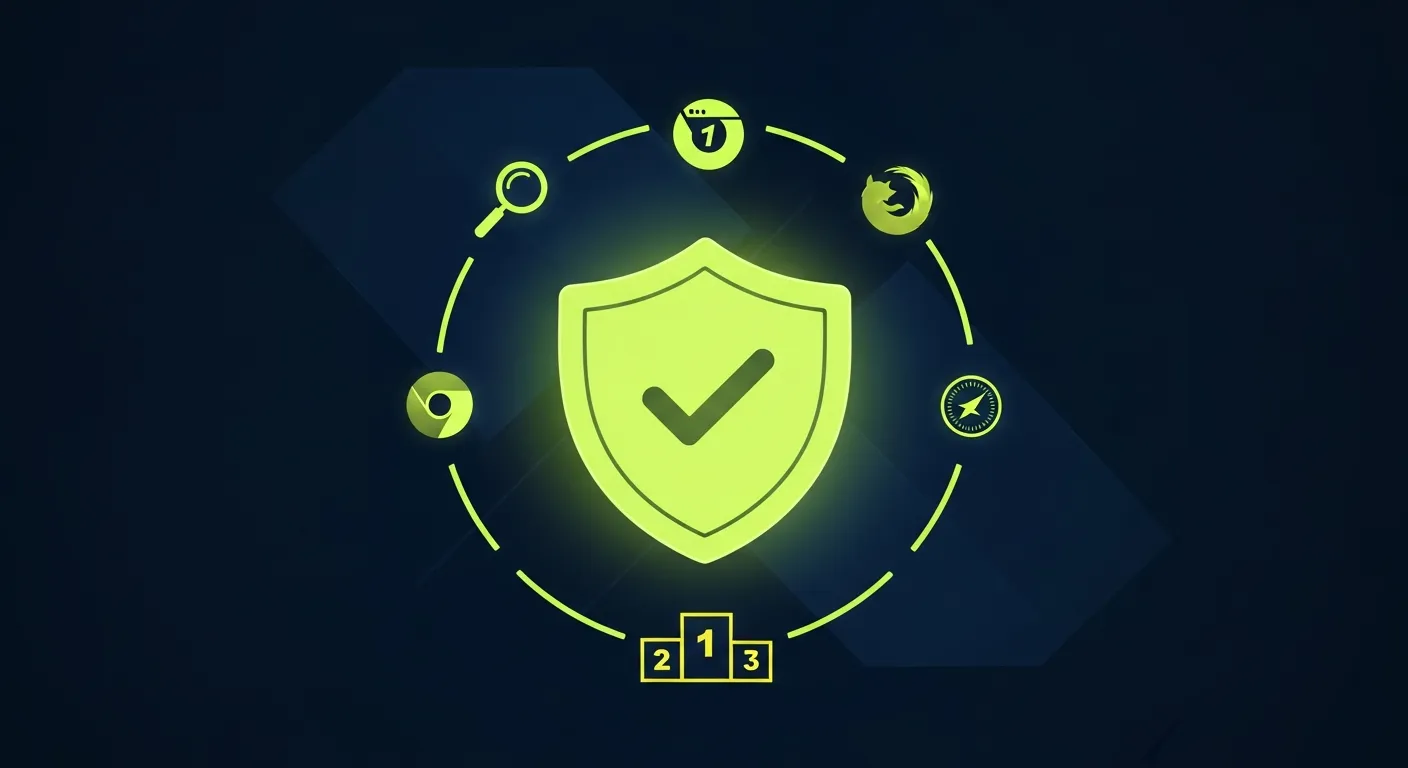
A source credibility checker online helps you investigate who published a claim, what evidence supports it, and whether independent sources agree. Start with the free tools below: use Google Scholar for research, Snopes or FactCheck.org for covered claims, and Crossmark for updates to scholarly papers. No single score proves that an article is accurate.
Checking information or checking a seller? For a news story, assignment, or research paper, use the source-checking workflow first. For an unfamiliar store or business, use the website credibility check later in this guide. Malware scans and customer ratings answer different questions from “is this claim supported?”
Free Source Credibility Checker Tools Online
Choose a tool for the evidence you need, rather than expecting one checker to certify an entire source. These tools have free public features; coverage and access to the underlying material vary.
| Tool | What to enter or open | What to look for | What it cannot prove |
|---|---|---|---|
| Google Scholar | A paper title, author, or research topic | Publication details, related research, and works listed under “Cited by” | Inclusion and citation counts do not establish peer review or correctness |
| Crossmark | The Crossmark button on a participating publisher's article page or PDF | Publisher-reported corrections, retractions, or other updates | Not every paper has Crossmark, and its absence does not mean there are no updates |
| Snopes | Distinctive words from a viral claim | Whether a published fact-check addresses the same claim and context | No matching result is not evidence that the claim is true |
| FactCheck.org | A political statement, speaker, or topic | The evidence behind fact-checks, particularly on U.S. public affairs | Its selective coverage cannot resolve every claim |
| Google Lens | A public image or screenshot | Visual matches and clues to the people, objects, or places shown | A similar image is not proof of the original source or authenticity |
| Wayback Machine | A public page URL | Available earlier versions and changes to wording or attribution | An archived page can still contain errors, and snapshots may be missing |
For Google Scholar's scope and search features, see its Search Help. It indexes several types of scholarly material, including preprints and theses, not just peer-reviewed journal articles. A “Cited by” link shows later works that reference a paper; those citations may support, question, or criticize it.
Crossmark is an update-status service, not a quality seal. If no Crossmark button appears, visit the journal's article page and look for correction, retraction, or editorial notices yourself. Crossref's Crossmark documentation explains the service and its limits. FactCheck.org also explains how it selects and checks statements in Our Process.
How to Use a Source Credibility Checker Online: Five-Step Checklist
Use these checks before citing, sharing, or acting on an online source. They build on Mike Caulfield's SIFT method: stop, investigate the source, find better coverage, and trace claims to their original context.
- Identify the author and publisher. Look for a byline, relevant expertise, institutional affiliation, and an editorial or corrections policy. Then leave the page and search for independent information about the publisher. An impressive About page is a claim to verify, not proof.
- Trace the specific claim to evidence. Open the linked study, official dataset, original interview, or public document. Does it actually support the headline? Check the population, sample, location, and limits rather than relying on a quotation in a summary.
- Check the date and current status. Separate the publication date from the date of the event or data. For research, check the publisher's page for corrections and retractions. Older sources can still be useful for historical questions; current medical guidance or prices need a different standard of freshness.
- Check purpose and incentives. Identify advertising, affiliate links, sponsorship, advocacy, or undisclosed commercial interests. An interested author can make an accurate claim, but you still need evidence that can be examined independently. Political viewpoint alone does not decide whether a statement is factual.
- Find independent corroboration. Search a distinctive sentence or the central claim outside the original site. Compare primary records and reporting that uses its own evidence. Several sites repeating the same press release count as one evidence chain, not independent confirmation.
Do not turn this checklist into an arbitrary “two failures means false” rule. A missing byline may leave a question unresolved; a retracted paper directly undermines using that paper as supporting evidence. Weight the evidence for the specific decision, and keep looking when a critical point is unverified.
Worked Example: Checking a Health Headline
Suppose a blog headline says a drink “cuts illness risk in half.” This is a hypothetical example, not a finding about any product.
- Open the study the post cites. Is it a human trial, an observational study, or laboratory work? A result in cells does not establish a health benefit in people.
- Check what “half” describes: relative risk, absolute risk, or a different outcome. Look for participant numbers and uncertainty in the original paper.
- Search the exact paper title in Google Scholar and check the publisher's page for updates. Read relevant later research, not just the citation total.
- Compare the claim with current guidance from a relevant public-health body or specialist source. If the evidence is unclear, do not present the headline as an established conclusion.
The useful result is a documented reason to cite, qualify, or set aside the claim—not a green badge for the whole website.
Copyable Source Credibility Worksheet
Save these notes alongside the source so you can explain your decision later:
Source title and URL:
Claim I am checking:
Author/publisher and relevant expertise:
Publication date and date of underlying evidence:
Original evidence URL and what it supports:
Corrections or retractions checked:
Funding, sponsorship, or other interests:
Independent corroborating source:
Decision: use / use with caveats / do not rely on yet
Reason and unresolved questions:
Date checked:
Source Credibility vs. Website Safety: When to Use Which Tool
A source credibility checker online and a website safety scanner answer different questions. A valid HTTPS connection encrypts traffic; it does not verify a headline. An old domain can publish misleading information, and a new journal or researcher can publish sound work. Customer reviews may help you evaluate a seller's service, but they are not evidence that a scientific claim is correct.
For commercial sites, Praising's free website credibility checker examines visible website signals; it is not an academic fact-checker or a malware scanner. For payment-safety checks, use the steps below or our website credibility check guide. For a research assignment, also follow your instructor's requirements for acceptable sources.
Website Credibility Check: Safety and Business Identity
A credibility check is the process of verifying that a website, business, or online source is legitimate before you commit personal data, money, or trust to it. Whether you are vetting an unfamiliar e-commerce store, researching a contractor before signing a contract, or deciding whether to click a link shared on social media, a credibility check gives you objective evidence — not first impressions — to make an informed decision.
For websites and online businesses, a credibility check covers five measurable signals: security scan results, domain age and registration history, SSL certificate validity, independent customer reviews on third-party platforms, and verifiable business identity. This guide covers all five in detail, with seven free tools and a scoring template you can complete in under five minutes on any device.
Quick Answer — Website Credibility Check: A website credibility check is a 5-step process (malware scan → domain age → SSL → reviews → business identity) that takes under 5 minutes using free tools. Use Google Safe Browsing, WHOIS, and Scamadviser. If a site fails any two of these five checks, treat it as high-risk and do not share personal data or payment details.
Before you enter a credit card number, download a file, or share personal information with an unfamiliar website, a quick website credibility check can save you from fraud, malware, and wasted money. The problem is that scam sites look increasingly professional -- polished design and a working checkout page are no longer proof that a business is real.
In 2026, AI-generated storefronts and deepfake product images have made it even harder to tell legitimate businesses from fraudulent ones at a glance. A systematic website credibility check using the right free tools takes under five minutes and catches threats that a visual scan misses every time.
A website credibility checker is any tool or method that evaluates whether a site is trustworthy based on objective signals: domain history, security certificates, malware scans, business identity, and real customer feedback. This guide covers seven free tools and the exact five-step process to verify any website in under five minutes.
Website Credibility Check at a Glance
Run these five checks in order. Stop if any two fail — that is the threshold for high risk.
| # | Check | Free Tool | Pass Signal |
|---|---|---|---|
| 1 | Malware / phishing scan | Google Safe Browsing, VirusTotal | No flags on either tool |
| 2 | Domain age | WHOIS (who.is) | Registered 12+ months ago |
| 3 | SSL certificate | Browser padlock | Valid HTTPS matching domain name |
| 4 | Independent reviews | Google, Trustpilot | 10+ reviews with owner responses |
| 5 | Business identity | Google Maps, business registry | Real address, verifiable contact |
Two or more fails = high-risk. One fail = investigate further. Zero fails = proceed with caution.
This reference table gives you the fastest entry point for a complete website credibility check. The detailed walkthrough for each step is in the five-step process below.
What Is a Website Credibility Check?
A website credibility check is the process of evaluating whether a website is trustworthy before you share personal information, make a payment, or download a file. It combines automated tool scans with a short manual review to assess the signals that separate legitimate businesses from fraud, phishing pages, and scam storefronts.
A complete website credibility check covers five areas: security (malware and phishing scans), domain age (how long the site has existed), SSL certificate validity, independent customer reviews on third-party platforms, and verifiable business identity such as a real physical address and business registration. Running all five checks takes under five minutes using the free tools listed below, and missing even one can leave a real threat undetected.
Why You Need a Website Credibility Checker
Online fraud losses exceeded $12.5 billion in 2023 according to the FBI's Internet Crime Complaint Center, and that number continues to climb. Phishing sites, fake storefronts, and impersonation scams account for a large share. Many of these sites pass a casual visual inspection -- they copy the branding, layout, and product images of legitimate businesses.
A credible website checker cuts through the surface by examining data that scammers cannot easily fake: how long the domain has existed, whether security databases have flagged it, and whether real customers have left verifiable reviews.
7 Free Credible Website Checker Tools
Before walking through the five-step process, here is a reference table of the best free tools available in 2026:
| Tool | What It Checks | Best For |
|---|---|---|
| Google Safe Browsing | Malware, phishing, deceptive content | First-pass safety check |
| VirusTotal | 70+ antivirus engine scan | Deep malware detection |
| URLVoid | 30+ blacklists, domain data | Multi-engine blacklist check |
| Scamadviser | Trust score (0–100), domain age, hosting | Quick e-commerce vetting |
| Norton Safe Web | Threat history, community reports | Consumer-grade safety rating |
| WHOIS Lookup | Domain age, registrant, expiration | Domain history verification |
| Web of Trust (WOT) | Browser-level trust badges | Always-on browsing protection |
For a deeper comparison of reputation-specific tools, see our guide to the best website reputation checkers of 2026.
How to Do a Website Credibility Check in 5 Steps
No single tool catches every threat. The most reliable approach combines automated scans with a manual review of business identity. Here is the five-step process that covers the full surface.
Step 1: Run a Security Scan
Start with the broadest automated checks. These tools query dozens of security databases simultaneously and return results in seconds.
Google Safe Browsing -- Visit transparencyreport.google.com/safe-browsing/search and enter the URL. Google's crawler checks billions of URLs daily for malware, phishing, and deceptive content. A clean result means the site has not been flagged by the same system that protects Chrome users.
VirusTotal -- Paste the URL at virustotal.com. VirusTotal runs the address against 70-plus antivirus engines including Kaspersky, Bitdefender, and Sophos. Even one detection from a major engine warrants caution.
URLVoid -- Enter the domain at urlvoid.com. This tool checks 30-plus blacklist databases and also surfaces domain registration date, IP geolocation, and DNS data in one view.
If any of these three tools returns a warning, stop. The site has been flagged by professional security infrastructure, and no amount of polished design changes that fact.
Step 2: Check the Domain Age and Registration
Fraudulent websites tend to be new. A domain registered last month that claims to be an established retailer is a serious red flag.
Use a WHOIS lookup tool (whois.domaintools.com or who.is) to check:
- Registration date -- Trustworthy businesses typically operate domains registered for multiple years. A domain under 6 months old selling high-value goods deserves extra scrutiny.
- Registrant identity -- Legitimate businesses usually display their company name in WHOIS records. Privacy-protected registrations are not automatically suspicious (many legitimate sites use privacy services), but combined with other red flags they add to the risk profile.
- Expiration date -- Scam sites often register domains for the minimum one-year term. A domain paid up for 5 or 10 years signals a longer-term commitment.
Step 3: Verify SSL and Connection Security
Click the padlock icon (or the tune/settings icon in newer Chrome versions) in your browser's address bar. A credible website will have:
- A valid SSL/TLS certificate issued by a recognized Certificate Authority
- An HTTPS connection (not plain HTTP)
- A certificate that matches the domain name exactly
An expired, self-signed, or mismatched certificate is a hard warning. While a valid SSL certificate alone does not guarantee legitimacy (free certificates are available to anyone), the absence of one eliminates any site from credibility consideration.
Step 4: Look for Real Customer Reviews
This is the step most automated checkers miss entirely, and it is often the most revealing.
Search for the business name on independent review platforms:
- Google Business Profile -- Does the business have a verified listing with real customer reviews? A business with 50-plus reviews and a rating above 4.0 has a meaningful track record.
- Trustpilot -- Check the company's Trustpilot page for review volume, score, and how the business responds to complaints. A company that ignores negative feedback is a different risk than one with no presence at all.
- Industry-specific platforms -- Restaurants appear on Yelp and TripAdvisor. Software companies have G2 or Capterra profiles. The relevant platform depends on the business type.
Red flags in reviews:
- A sudden burst of five-star reviews posted within a few days (often purchased)
- Generic language that could describe any business ("Great service, highly recommend!")
- No negative reviews at all (statistically improbable for any business with real volume)
- Reviewer profiles with no photo, no other reviews, and no history
A business with a healthy, mixed review profile on at least one independent platform is far more credible than one with none.
Step 5: Verify the Business Identity
The final check is manual but decisive. Look for:
- Physical address -- Search the address on Google Maps. Does a real business exist at that location, or is it a vacant lot or virtual-office mailbox?
- Phone number -- Call it. A working phone number answered by a real person or a professional voicemail system is a strong positive signal.
- Business registration -- For significant purchases, search the company name in the relevant state or national business registry to confirm it is a registered legal entity.
- About page and team -- Credible businesses typically identify their founders or team. Reverse-image-search any team photos to check whether they appear on stock photo sites.
- Contact methods -- A site that offers only a web form with no email address, phone number, or physical location is harder to hold accountable if something goes wrong.
Browser Extensions for Always-On Credibility Checking
Running manual checks each time you visit a new site gets tedious. These free browser extensions flag risky sites automatically without any action on your part.
Web of Trust (WOT) -- Available for Chrome, Firefox, and Edge. WOT displays a color-coded ring on every search result and site you visit: green for safe, yellow for caution, red for dangerous. Ratings come from a community of millions of users combined with automated scans. The extension also warns before you visit a site with a poor reputation.
Bitdefender TrafficLight -- A lightweight extension that scans every link and page load in real time using Bitdefender's threat intelligence. It blocks malicious URLs and phishing pages before they load, without slowing down your browser.
Norton Safe Web -- Norton's extension adds safety ratings directly into Google, Bing, and Yahoo search results. Each result gets a label (safe, caution, warning, or untested) based on Norton's scan history and community reports.
uBlock Origin -- Primarily an ad blocker, but its filter lists include known malware domains, phishing pages, and tracking scripts. Not a credibility checker per se, but it blocks many of the same domains that credibility tools flag.
Using one always-on extension plus running a manual check for unfamiliar e-commerce sites gives you the best coverage with the least friction.
Quick Red-Flag Checklist
Use this checklist before sharing personal information or making a payment on an unfamiliar site:
- The site uses HTTPS (padlock visible in the address bar)
- The domain is at least 12 months old (WHOIS check)
- No malware or phishing flags on Google Safe Browsing or VirusTotal
- The business has verifiable reviews on Google, Trustpilot, or an industry platform
- A real physical address or phone number is listed and verifiable
- The About page names real people (not stock photos)
- Scamadviser or URLVoid returns a trust score above 75
- Payment options include buyer-protected methods (credit card, PayPal) rather than wire transfer or gift cards only
Two or more unchecked boxes means high risk. Wire transfer or gift card payment requests are an automatic disqualifier regardless of other signals.
Website Credibility Check Template
Use this scoring template to produce a consistent, comparable website credibility check across any site you evaluate. Assign points for each check, total the score, and apply the risk threshold at the bottom.
Scoring System
| Signal | Max Points | Scoring Guide |
|---|---|---|
| Malware scan — Google Safe Browsing + VirusTotal | 25 | 25 if clean on both; 10 if clean on one only; 0 if either flags it |
| Domain age | 20 | 20 if 3+ years; 15 if 1–3 years; 5 if 6–12 months; 0 if under 6 months |
| SSL certificate | 15 | 15 if valid and matches the domain; 0 if expired, self-signed, or absent |
| Independent customer reviews | 25 | 25 if 20+ reviews on 2+ platforms; 15 if 5–19 reviews on 1 platform; 0 if none found |
| Verifiable business identity | 15 | 15 if real address and phone confirmed; 8 if only one verifiable; 0 if neither |
Website Credibility Check Score Interpretation
| Score | Risk Level | Recommended Action |
|---|---|---|
| 85–100 | Low risk | Proceed normally; use a buyer-protected payment method |
| 65–84 | Moderate risk | Investigate one or two weak signals before entering payment details |
| 40–64 | High risk | Do not submit payment; find the product or service elsewhere |
| 0–39 | Very high risk | Almost certainly fraudulent; disengage immediately |
A website credibility check score below 65 combined with a request for wire transfer, cryptocurrency, or gift-card payment is an automatic disqualifier regardless of other signals. The payment method alone is the single strongest red flag in this template — no score justifies proceeding past it.
How to Use This Template
Fill in the scoring table for each website you evaluate and save it with the date and the URL. If a transaction later proves fraudulent, having a dated record simplifies any chargeback or fraud report. In a business context, running this template for each new vendor before the first payment is a practical fraud prevention process that takes under ten minutes per vendor.
Website Credibility Check Results: How to Interpret What You Find
After running the five-step website credibility check, you will have a collection of signals rather than a single pass/fail verdict. Here is how to weigh them.
All signals clean — Proceed with caution, not confidence. A clean website credibility check result means the site has not been flagged yet. New scam sites always start with zero flags because security databases are reactive — they catch known threats, not new ones. Treat a clean result as a necessary condition for trust, not a sufficient one.
One negative signal — Investigate further before sharing any data. A single red flag — an unrecognized SSL issuer, a domain registered 45 days ago, or a single malware hit on VirusTotal — does not automatically mean fraud. It means you need one more check before entering any personal information or payment details.
Two or more negative signals — Do not proceed. Multiple red flags from independent signals are rarely coincidental. A new domain with no customer reviews and a self-signed certificate is a scam profile, not an unlucky startup. Your website credibility check is complete at this point: walk away.
Payment method mismatch — Automatic disqualifier. If any step of a purchase requires wire transfer, cryptocurrency, or gift cards, stop regardless of what every other check shows. Legitimate businesses do not ask for irreversible payment methods, and no website credibility check score or trust rating changes that.
When in doubt, search for complaints. Add the business name plus the words "scam", "fraud", or "complaint" to Google. Forums like Reddit, Trustpilot, and the Better Business Bureau often surface problems that automated website credibility check tools cannot detect, especially for newer operations or niche markets that have not yet accumulated enough reports to trigger database flags.
Use this interpretation scale alongside the quick red-flag checklist above. Together they cover the full surface of a complete website credibility check — automated tools handle the technical signals, and the manual interpretation step handles the judgment calls.
What a Credible Website Checker Cannot Tell You
Automated tools have real limitations. Understanding them prevents false confidence.
New scam sites pass clean. A freshly registered phishing site will show zero malware flags and zero blacklist entries until someone reports it. Security databases are reactive -- they catch known threats, not new ones. This is why the manual identity check (Step 5) matters.
SSL does not equal safety. Free certificate providers like Let's Encrypt issue certificates to anyone, including scammers. A padlock icon confirms the connection is encrypted. It says nothing about who owns the site or what they will do with your data.
Clean reviews can be purchased. A business with 200 five-star reviews and no negative feedback may have bought that profile. Look at review distribution, reviewer history, and response patterns rather than the headline number alone.
Trust scores are estimates. Tools like Scamadviser produce a single number from weighted signals. A score of 85 does not mean the site is 85 percent safe -- it means the available signals lean positive. Treat scores as one input, not a verdict.
How Businesses Can Improve Their Credibility Score
If you run a business and want to pass the credible website checker test when customers evaluate you, focus on the same signals the tools measure.
Maintain your review profiles. Actively request reviews from real customers and respond to every negative review professionally. A 4.2-star average with thoughtful owner responses reads as more credible than a 4.9 with no engagement. Praising.ai can email review requests to new contacts through an Auto-Send rule after account email confirmation, helping you ask every customer consistently.
Keep your domain and SSL current. An expired certificate or a domain approaching its expiration date triggers warnings in multiple checkers. Renew both well ahead of their deadlines.
Publish verifiable business information. Your About page, contact details, and physical address should be consistent across your website, Google Business Profile, and social media. Inconsistencies are a signal that automated and manual checkers both flag.
Monitor your security status. Run your own site through Google Safe Browsing and VirusTotal quarterly, or after any major update. A compromised plugin or injected script can flag your domain without your knowledge.
Register with business verification services. Submitting your business to Scamadviser, Norton Safe Web, and Web of Trust for review puts you in control of your credibility profile rather than leaving it to automated signals alone.
How to Tell If a Business Website Will Pass a Credibility Check
Running a website credibility check on a business you're considering is one thing. Knowing whether your own site would pass the same test — from a customer's perspective — is equally important for small business owners.
When a potential customer finds your business through Google and decides to vet it before spending money, they are likely to run through some version of the five steps above. Here is what they find on each check, and what you can do to make the result positive.
Step 1 scan (malware and phishing): Your site should not appear on any security blacklist. Run your own domain through Google Safe Browsing and VirusTotal at least quarterly, and after any plugin update or site migration. A single malware flag from a compromised plugin can cost you customers for weeks before you notice it.
Step 2 check (domain age): If your business is established, your domain should be too. A business claiming five years of operation on a domain registered six months ago triggers WHOIS flags automatically. Register domains for multiple years and renew well ahead of expiration.
Step 3 check (SSL): Every customer-facing page should load over HTTPS with a valid certificate. An expired or mismatched certificate is an immediate disqualifier in any website credibility check, and modern browsers display warnings that most users will not click through.
Step 4 check (reviews): This is where most small businesses lose customers without realising it. A Google Business Profile with fewer than ten reviews, or a rating average that has not changed in two years, reads as untested — or worse, abandoned. Systematically collecting reviews from real customers is what makes this step passable. Praising.ai can email new contacts through Auto-Send rules, including a chosen delay after a contact's service date. Add contacts by hand or CSV; it does not detect completed transactions.
Step 5 check (business identity): Make sure your address, phone number, and business name are identical across your website, your Google Business Profile, and any directory listings. Inconsistencies between sources are a yellow flag in a manual website credibility check, and a mismatch on WHOIS adds further weight.
Passing a customer's website credibility check is not a one-time optimisation. It is ongoing maintenance — keeping the SSL current, the reviews arriving, the contact information consistent, and the domain registered. Each action is small, but the compound result over time is a profile that passes any reasonable credibility test without effort.
Automated Review Monitoring as an Ongoing Website Credibility Check
Running a manual website credibility check on your own business once a quarter is good practice, but the most credible businesses don't just check — they maintain. The review component of any website credibility check reflects months of accumulated feedback, and a review profile that looked solid in January can look thin or stale by August if new reviews aren't arriving.
Review management tools help you keep track of customer feedback alongside your other website checks. Praising.ai checks imported Google and Trustpilot reviews once a day and provides in-app and email alerts for new reviews. Its AI reply drafts wait for the owner's approval; replies are never posted by themselves. Review requests can go out by email through Auto-Send rules for contacts you add, rather than through automatic detection of a sale.
Website Credibility Check vs. Website Reputation Check
A website credibility check and a website reputation check are often used interchangeably, but they serve different purposes and answer different questions.
Website credibility check focuses on immediate safety signals: is this site currently safe to use? Does it carry malware? Is the domain real and established? The question a credibility check answers is urgent and binary — safe or unsafe right now, before you enter payment details or personal information.
Website reputation check focuses on long-term customer sentiment: how has this business performed over time? Are real customers satisfied? Is the trend improving or declining? The question a reputation check answers is qualitative — trustworthy as an ongoing business partner or service provider?
| Dimension | Website Credibility Check | Website Reputation Check |
|---|---|---|
| Primary question | Is this site safe to use now? | Is this business trustworthy over time? |
| Key signals | Malware scan, domain age, SSL, blacklists | Customer reviews, star rating, response rate |
| Time horizon | Current state | 3–12+ month trend |
| Best tools | Google Safe Browsing, Scamadviser, VirusTotal | Google Business Profile, Trustpilot, industry platforms |
| Result format | Safe / Unsafe / High-Risk verdict | Score, rating, or trend |
For most consumer decisions, a complete website credibility check already includes a reputation check as Step 4 — the independent review check. For business vendor vetting, both checks are essential: run the website credibility check first to eliminate obvious fraud, then run a deeper reputation check on any vendor that passes.
Common Website Credibility Check Mistakes to Avoid
Even users who know how to run a website credibility check often make one of these five errors:
Relying on a single tool. No tool covers all threat categories. Google Safe Browsing excels at malware and phishing but does not score domain age or community trust. Scamadviser covers domain data and community reports but does not scan against 70 antivirus engines. One clean result is not a clearance — combine at least two tools before proceeding.
Treating new domains as automatic scams. A domain registered within the past six months is a risk signal, not proof of fraud. Many legitimate businesses launch on new domains. A new domain combined with no reviews and wire-transfer-only payments is a clear warning; a new domain on a local business with a verifiable Google Business Profile is lower risk. Context determines the weight of each signal.
Skipping the review check. Automated tools cannot verify whether real customers have transacted with the business and been satisfied. The review step is the only part of a website credibility check that requires a human to read and judge evidence. A site can pass every technical check and still be a sophisticated scam — customer reviews on independent platforms like Google and Trustpilot are often the first signal that something is wrong.
Treating a high Scamadviser score as a guarantee. A Scamadviser trust score above 80 means the domain shows no known red flags, not that the business is reputable. New fraudulent sites often score well initially because they have no history — positive or negative. The score decays as user reports accumulate, so check the score alongside domain age and review volume, not in isolation.
Checking once and assuming the result is permanent. Websites change. A domain can be compromised, sold, or repurposed months after a clean website credibility check. For vendors you work with regularly, schedule a quarterly re-check and monitor their review profiles on an ongoing basis. Automated reputation monitoring tools handle that tracking without manual effort.
Choosing the Best Website Credibility Checker for Your Needs
Not all website credibility checkers cover the same ground. If your goal is to evaluate whether a news article or research paper is trustworthy, start with the source credibility checker online workflow at the top of this guide. The right tool depends on what you are trying to verify — a quick safety check before clicking a link, or a thorough investigation before making a significant purchase.
Best Website Credibility Checker for Quick Safety Checks
Google Safe Browsing is the fastest and most authoritative option for a first-pass safety check. It powers Chrome's built-in warnings and covers billions of URLs daily, so a clean result carries more weight than almost any other free tool. Use it when someone sends you a link and you want a five-second verdict before clicking.
Best Website Credibility Checker for E-Commerce Sites
Scamadviser was built specifically to evaluate online stores. Its 0–100 trust score factors in domain age, hosting location, corporate registration data, and user reports — exactly the signals that matter before entering a credit card number. A Scamadviser score below 60 on a shopping site is a serious warning regardless of how polished the design looks.
Best Website Credibility Checker for Deep Malware Scanning
VirusTotal is the tool of choice when a site's safety is genuinely uncertain. Running a URL against 70-plus antivirus engines simultaneously means a single result reflects the consensus of the industry's major security databases. Use VirusTotal when Google Safe Browsing returns a clean result but other signals — new domain, unusual hosting, no business identity — look suspicious.
Best Website Credibility Checker for Domain Age Verification
WHOIS Lookup (via whois.domaintools.com or who.is) is the definitive tool when you need to verify how long a domain has existed. When a site claims to be an established retailer but you cannot find it anywhere else online, WHOIS often reveals a domain registered within the past few months — the most reliable early indicator of a scam operation that has not yet been caught by malware databases.
Best Always-On Website Credibility Checker
Web of Trust (WOT) provides continuous background protection without requiring manual checks. The browser extension displays a color-coded trust badge on every search result and site you visit — green for safe, yellow for caution, red for dangerous — without any action from you. For everyday browsing safety, WOT delivers the best coverage-to-effort ratio of any free option.
How to Run a Website Credibility Check Online in Under 60 Seconds
When a suspicious link lands in your inbox or a search result looks slightly off, the 60-second online website credibility check covers the three highest-signal checks only — no downloads, no account required.
Google Safe Browsing (transparencyreport.google.com/safe-browsing/search) — paste the full URL and receive a malware and phishing verdict in under 10 seconds. A green "No unsafe content found" result rules out all known threats from Google's real-time database.
Scamadviser trust score (scamadviser.com) — paste the domain name (no
https://needed) and read the 0–100 composite score. Below 60: investigate further. Below 40: high risk. Above 80: generally safe for a first visit.Browser padlock check — click or tap the padlock icon in your address bar. "Connection is secure" with a certificate matching the domain means the SSL check is done.
These three steps cover malware, composite trust signals, and SSL — the three highest-yield checks per minute. Add the full five-step process above (domain age, real customer reviews, business identity) for any site where you plan to enter payment details.
Website Credibility Check on Mobile
Every tool in this guide works in a mobile browser without an app. The 60-second process is identical on a phone:
- Copy the full URL from your browser's address bar (tap the URL bar, then long-press to select and copy the full address)
- Open Google Safe Browsing in a new tab, paste, and read the verdict
- Open Scamadviser in another tab and check the score
- Return to the original tab and tap the padlock to check SSL
The one mobile-specific caution: the padlock icon appearance varies by browser. In Chrome for iOS/Android it looks like a circle with an "i" (tap it and look for "Connection is secure"). In Safari it is a padlock to the left of the URL. Both confirm the same SSL status.
Website Credibility Check for Business Vendors
If you are vetting a supplier, contractor, or SaaS vendor before a business purchase, the 60-second version is not sufficient. Business payments are harder to reverse than personal ones, and the stakes of a wrong decision are higher. Run the complete five-step process and use the scoring template above.
For the review check (Step 4), business vendor vetting should go beyond Google and Trustpilot. Search the vendor name on LinkedIn to verify the company exists and has real employees. Check the Better Business Bureau for complaints. For SaaS vendors specifically, G2 and Capterra carry verified-purchaser reviews that are harder to fabricate than general consumer reviews.
For ongoing vendor checks, keep dated notes on the supplier's identity, current contact details, and independent feedback. Revisit those records before a significant new order; a review-management account for your own business is not a vendor due-diligence service.
Frequently Asked Questions
Which source credibility checker online should I use?
Choose by the claim: Google Scholar helps locate scholarly work, Crossmark shows publisher-reported updates on participating papers, and Snopes or FactCheck.org may cover a specific claim. Use Google Lens for image matches and the Wayback Machine for available page history. None gives a universal accuracy verdict.
Does Google Scholar prove a source is peer reviewed?
No. Google Scholar indexes journal articles alongside preprints, theses and other scholarly material. Check the article type and the journal's own publication information. Citation counts show that work has been referenced, not whether it is correct or whether those references agree with it.
Are .edu and .gov sources always credible?
No domain ending guarantees that every claim is accurate, current or relevant. A university domain may host a student's work, and an official page may describe outdated guidance. Check the named author or department, publication date, original evidence and context before relying on the claim.
What is a free credible source checker?
A free credible source checker helps you gather evidence about an article, publisher or specific claim without paying for the checking feature. Google Scholar, Crossmark, Snopes, FactCheck.org, Google Lens and the Wayback Machine serve different purposes. You still need to inspect the evidence and decide whether it supports the claim; a website safety scan does not replace this research.
What is a website credibility check?
A website credibility check is a structured process for evaluating whether a website is trustworthy before you share personal information or make a payment. It combines automated tool scans — malware databases, blacklists, SSL verification, and domain age lookups — with a short manual review of business identity and real customer reviews on independent platforms. A thorough website credibility check covers five areas and takes under five minutes using the free tools described in this guide.
How do I do a website credibility check?
Run the website credibility check in five steps: (1) paste the URL into Google Safe Browsing and VirusTotal to scan for malware and phishing flags; (2) use a WHOIS lookup to confirm the domain is at least 12 months old; (3) verify the site uses a valid HTTPS certificate that matches the domain name; (4) search the business name on Google and Trustpilot for real customer reviews; (5) confirm a verifiable physical address, working phone number, or business registration. Any site that fails two or more of these website credibility check steps should be treated as high-risk.
What is a website credibility checker?
A website credibility checker is any tool that evaluates a website's trustworthiness by analyzing signals like domain age, SSL certificate status, malware flags, customer reviews, and blacklist entries. Free options include Google Safe Browsing, Scamadviser, URLVoid, and VirusTotal. No single tool catches everything, so the most reliable approach combines two or three checkers with a manual review of business identity and customer feedback.
How can I tell if a website is credible?
Check five things: the site uses HTTPS with a valid SSL certificate, the domain has been registered for more than 12 months, the business has verifiable reviews on independent platforms like Google or Trustpilot, the site passes a malware scan on Google Safe Browsing or VirusTotal, and the company has a real physical address or business registration you can verify. A site that fails any two of these tests is high-risk.
Is there a free credible website checker I can use?
Yes. Google Safe Browsing checks for malware and phishing flags at no cost. Scamadviser generates a free trust score from 0 to 100. URLVoid runs a URL against 30-plus security engine blacklists simultaneously. VirusTotal scans URLs against 70-plus antivirus engines. All four are free, browser-based, and require no account to use.
Can a credible website checker detect fake reviews?
Most credible website checkers focus on technical signals like malware, SSL, and domain data rather than review authenticity. To spot fake reviews, look for sudden clusters of five-star ratings posted within days of each other, generic language that could apply to any business, and reviewer profiles with no photo or history. Review platforms like Google and Trustpilot have their own fraud detection, but manual scrutiny is still the most reliable method for individual review verification.
How often should I run a credible website checker on my own site?
Run a full credibility check on your own website at least once per quarter. Check Google Safe Browsing and VirusTotal after any significant site update or plugin installation. Monitor your review profiles on Google and Trustpilot weekly, since a sudden drop in ratings or a cluster of negative reviews can damage your credibility score before you notice. Automated reputation monitoring tools can handle the weekly checks without manual effort.
What is the best credible website checker in 2026?
No single tool is definitively best -- the right choice depends on your use case. For a quick first check, Google Safe Browsing is the most authoritative because it powers Chrome's built-in warnings for over three billion users. For deeper malware scanning, VirusTotal covers 70-plus engines. For a composite trust score that combines domain age, hosting data, and community reports, Scamadviser is the most practical free option. For always-on protection without manual effort, a browser extension like Web of Trust or Norton Safe Web is the most convenient choice.
Is there a reliable online website credibility checker I can use right now?
Yes -- several free online website credibility checkers are available without any signup. Go to Google Safe Browsing, paste the URL, and get an instant malware and phishing verdict. Then open Scamadviser.com for a 0-to-100 trust score that factors in domain age, hosting location, and community reports. Both tools run entirely in-browser and return results in under a minute, making them the most practical online website credibility checkers for a quick verification before you enter any personal data.
How do I check if a website is credible for free?
Run your website credibility check for free using three tools that require no account: Google Safe Browsing (transparencyreport.google.com/safe-browsing/search), VirusTotal (virustotal.com), and Scamadviser (scamadviser.com). For domain age, use who.is or whois.domaintools.com at no cost. The entire five-step process costs nothing and takes under five minutes. Free tools cover every critical check -- you only need a paid service if you are vetting dozens of vendors per week at scale.
What makes a website not credible?
A website is not credible when it shows two or more of these signals: a domain registered within the past six months, no HTTPS or an expired SSL certificate, no independent reviews on Google or Trustpilot, a physical address that cannot be verified on Google Maps, or active malware or phishing flags on Google Safe Browsing or VirusTotal. Payment requests via wire transfer, cryptocurrency, or gift cards are an automatic disqualifier regardless of other signals. Any single signal warrants investigation; two or more together constitute a high-risk website credibility check result.
How long does a website credibility check take?
A basic website credibility check takes two to three minutes: paste the URL into Google Safe Browsing (30 seconds), check domain age on WHOIS (60 seconds), and verify the SSL padlock (10 seconds). Adding a review check on Trustpilot and a business identity search on Google Maps extends the total to four to five minutes. The full five-step process, including the manual identity check, rarely exceeds ten minutes even for businesses with complex ownership structures.
Can I do a website credibility check on my phone?
Yes. Every tool in this guide -- Google Safe Browsing, VirusTotal, Scamadviser, and WHOIS lookups -- works in a mobile browser without an app. Paste the URL from your clipboard into each tool's search field. The manual review steps, such as searching for customer reviews and verifying a business address on Google Maps, are equally mobile-friendly. A complete website credibility check on a smartphone takes the same four to five minutes as on a desktop.
Ready to grow?
Turn happy customers into 5-star reviews
Praising.ai automates review requests for Google, Trustpilot and the other review sites you use. Businesses see an average 3x increase in reviews within 30 days.
Written by
· 106 articlesMarcus Webb
Reputation Management Specialist
Marcus has spent over a decade helping small and medium businesses understand online reviews and local search. He writes about Google Business Profile, review automation, and the mechanics of reputation management—always from the angle of what actually moves the needle for independent businesses.
View all articlesGet weekly review tips
Actionable strategies to grow reviews and revenue, straight to your inbox.
No spam. Unsubscribe anytime.
Get more 5-star reviews on autopilot
Praising.ai automates review requests for Google, Trustpilot and the other review sites you use — free to start, no credit card required.
Start FreeFree 14-day trial