How to Get Authentic Video Testimonials from Happy Customers

TL;DR
Video testimonials boost conversions because they trigger emotional connection through tone, expression, and perceived honesty. The biggest barrier is customer friction, not willingness. Eliminate it by sending three specific conversational questions in advance and a simple problem-solution-outcome script structure before they ever hit record.
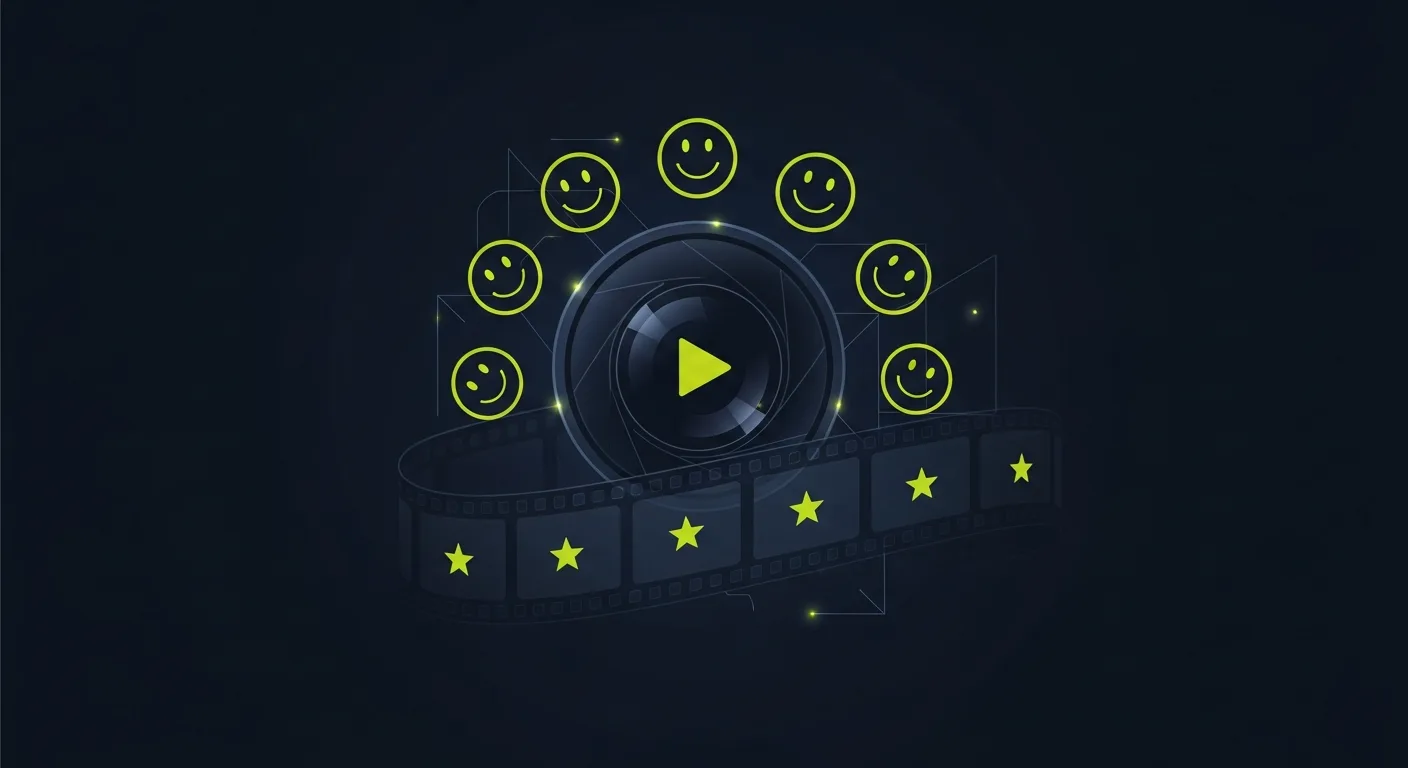 Video testimonials convert better than any other format. Viewers can hear the customer's tone, see their expressions, and judge honesty in ways that text never allows. The challenge isn't whether video testimonials work — it's getting customers to actually record them.
Whether you're a small business owner just starting out or a marketing manager at a growing SaaS company, this guide covers everything you need to know about collecting, editing, and publishing video testimonials — plus a detailed breakdown of the easiest software for website video testimonials reviews 2026 has to offer.
Why Video Testimonials Outperform Every Other Format
Before diving into tactics, it's worth understanding why video testimonials are so powerful. A written review says "I loved this product." A video testimonial shows someone's face lighting up as they explain how your product changed their workflow. That visual honesty is irreplaceable.
Video testimonials on landing pages are widely cited as increasing conversion rates compared to pages with only text. Visitors who watch a video testimonial are greatly more likely to trust the business and take the next step — whether that's signing up for a trial, booking a call, or making a purchase.
The reasons are psychological. Video triggers mirror neurons — the brain systems that help us empathize with other people. When a viewer watches a happy customer talk about your product, they're not just processing data — they're emotionally connecting with the experience being described. That emotional connection is what drives decisions.

Why Customers Hesitate
Most customers are happy to write a review but reluctant to appear on camera. The common objections: "I don't know what to say," "I'll look or sound awkward," and "I don't have time to do a proper video." Every objection is really about friction. Remove the friction and the testimonials follow.
Understanding these objections helps you address them early. Camera anxiety is real — even people who are perfectly articulate in conversation freeze up when they know they're being recorded. The solution isn't to push harder — it's to make the process so simple and low-stakes that recording a quick video feels easier than writing a paragraph.ideo feels easier than writing a paragraph.
The Low-Friction Approach
- Send Specific Questions in Advance
Don't ask customers to "record a video testimonial." Instead, send them three simple questions: What problem were you trying to solve? What was the result of working with us? What would you tell someone considering our product? When customers know exactly what to say, the camera anxiety drops greatly.
Frame the questions conversationally. Instead of "Describe your experience with our product," try "If a friend asked you about us, what would you tell them?" The second version invites a natural, casual answer rather than a formal statement.
You can even give customers a simple script structure: "Start by briefly explaining your situation before you found us, then talk about what changed, then finish with who you'd recommend us to." This three-part framework produces testimonial videos that follow a natural story arc — problem, solution, outcome — which is the most persuasive structure possible.
- Let Them Record on Their Phone
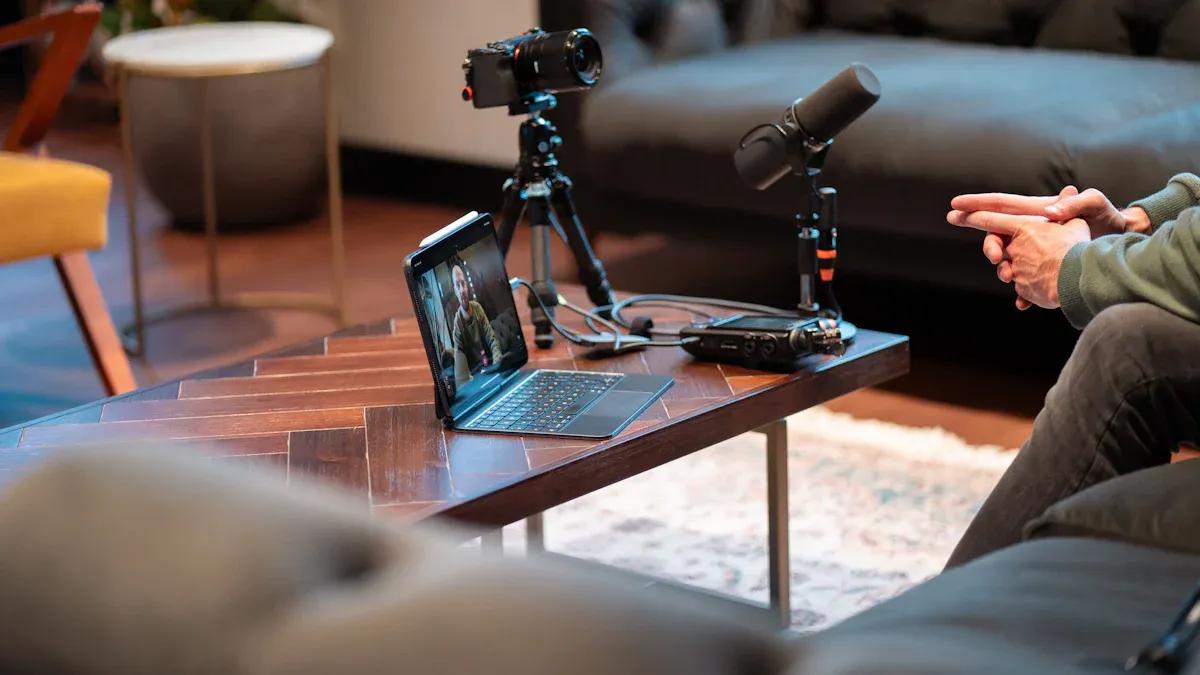
Professional production is unnecessary. A customer recording a 60-second selfie video on their phone is more authentic — and more persuasive — than a polished studio shoot. The imperfection signals genuineness. Provide a simple recording link (tools like Testimonial.to or VideoAsk create shareable links where customers record directly in their browser) so they don't need to figure out how to film, save, and send a video file.
The key insight here is that "professional-looking" actually works against you. A slick, over-produced video makes viewers wonder if it was scripted or paid for. A slightly shaky selfie video, filmed in someone's home office or kitchen, reads as genuine. Viewers extend more trust to imperfect videos precisely because the imperfection seems unmanufactured.
- Keep It Short
Ask for 60-90 seconds maximum. Most customers will agree to one minute. The resulting video is also more effective — viewers are far more likely to watch a 60-second testimonial than a 5-minute one.
Attention spans on websites are short. The goal is a video that a prospect can watch in the time it takes to decide whether to scroll past. A punchy 60-second video that covers the key points — problem, solution, outcome — is infinitely more useful than a full 5-minute interview that nobody finishes.
If a customer has a lot to say, consider breaking it up. Record multiple shorter testimonials on different topics: one about customer support, one about a specific feature, one about ROI. This gives you more usable content and respects your customer's time.
- Offer Alternatives
Some customers genuinely can't or won't do video. Offer alternatives:
- Audio-only recording — removes the "I'll look awkward" objection
- Written testimonial with a photo — still more personal than text alone
- Screen recording — works well for SaaS products where the customer can show their dashboard
- Asynchronous video — recorded at a time of their choosing, not in a live session
- Animated or illustrated testimonial — useful for privacy-conscious customers who prefer not to appear on camera
When to Ask
The ideal moment for a video testimonial request is right after a measurable success: a project that delivered above standards, a milestone achieved using your product, a positive support contact that resolved an issue quickly, or a renewal or upgrade (they've already voted with their wallet).
Timing matters enormously. The emotional high of a positive outcome is when customers most want to share their experience. If you wait a month, the feeling fades, other priorities take over, and the request feels like admin work rather than an chance to share something they're genuinely excited about.
Build testimonial requests into your customer success workflows. After a successful onboarding, send a check-in email that includes a testimonial request link. After a customer achieves a key milestone — completing onboarding, hitting a usage goal, or seeing a meaningful result — reach out right away with a video request. Strike while the iron is hot.
The Easiest Software for Website Video Testimonials Reviews 2026: Complete Comparison
With dozens of tools available for collecting and displaying video testimonials, choosing the right one matters. Here's a full comparison of the leading platforms for 2026, evaluated on ease of use, features, pricing, and suitability for website display.
Software Comparison Table
| Tool | Best For | Video Collection | Website Embed | Free Plan | Paid From |
|---|---|---|---|---|---|
| Praising.ai | All-in-one testimonial management | Yes (SMS/email review collection) | Yes (widget) | Yes | $19/mo |
| Testimonial.to | Simple video collection | Yes (browser-based) | Yes | Limited | $50/mo |
| VideoAsk | Interactive video funnels | Yes (live & async) | Yes | Yes (limited) | $30/mo |
| Boast.io | Review automation | Yes | Yes | No | $50/mo |
| StoryPrompt | Branded video experiences | Yes | Yes | Yes | $49/mo |
| Vocal Video | High-quality video production | Yes | Yes | No | $99/mo |
| Vidyard | Enterprise video | Yes (via forms) | Yes | Yes | $19/mo |
| Loom | Quick screen/face recording | Yes | Limited | Yes | $15/mo |
| Typeform + Loom | Custom survey + video combo | Via integration | Via embed | Partial | $25+/mo |
| Descript | Editing testimonial videos | Post-collection | Via export | Yes | $24/mo |
Praising.ai
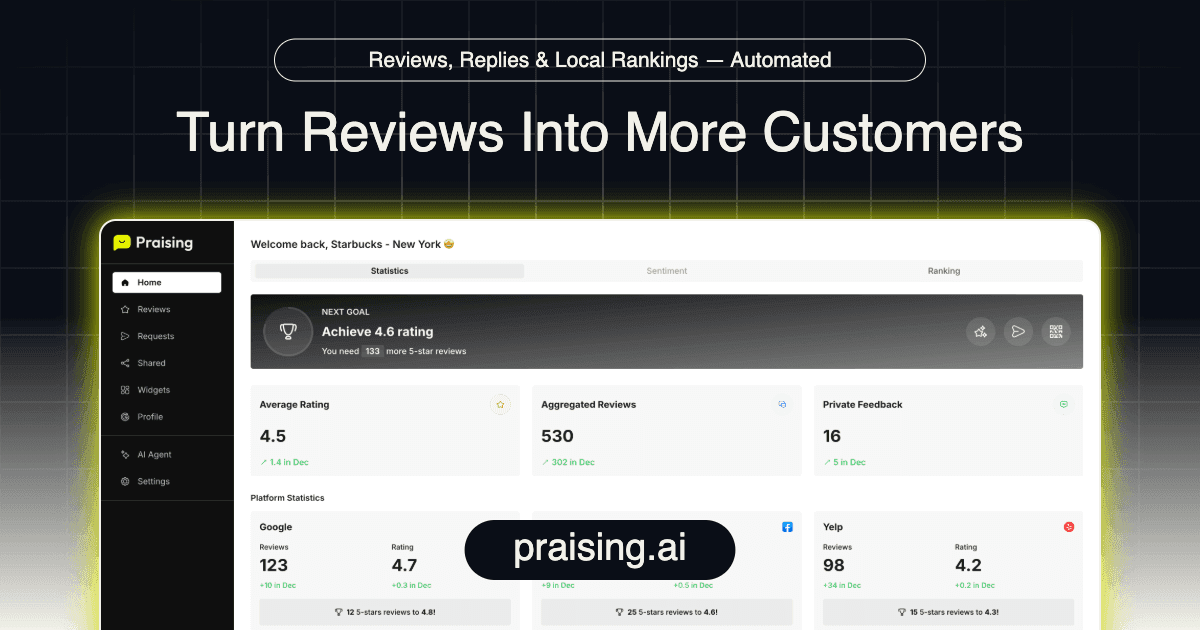
Praising.ai is built specifically for businesses that want to automate the full testimonial lifecycle — collection, curation, and display. The platform sends automated review requests via email and SMS, supports both text and video submissions, and provides embeddable widgets for showcasing testimonials on your website.
What sets Praising apart is the combination of automation and curation. You don't just collect testimonials — you control which ones appear on your site, when they appear, and how they're formatted. The widget library includes video carousels, grid layouts, and single-testimonial spotlight formats, all designed to work seamlessly on any website platform including WordPress, Webflow, Squarespace, and custom HTML sites.
For businesses that want the easiest possible path from customer to website testimonial, Praising's automated workflow — request sent, video submitted, widget updated on its own — is hard to beat. Learn more about how Praising collects and displays testimonials.
Testimonial.to
Testimonial.to focuses on simplicity. You create a collection page with your branding and questions, share the link with customers, and they record video or write text testimonials directly in their browser. No app download required on either side.
The platform also includes a Wall of Love feature — a shareable, embeddable page displaying all your testimonials together. It's popular with indie makers and small SaaS companies for its clean design and ease of setup.
VideoAsk
VideoAsk, built by the Typeform team, turns the testimonial collection process into an interactive video conversation. You record a short video asking your customers questions, and they respond with their own video. The conversational format often produces more natural, engaging responses than a standalone recording prompt.
VideoAsk is particularly effective for businesses where the personal connection is part of the brand — coaches, consultants, service businesses, and professional services firms.
Boast.io
Boast specializes in automating the review and testimonial request process. After a transaction or contact, Boast on its own sends a request to the customer. If they leave a text review, Boast can follow up asking for a video. The automation stack is sophisticated, making it a strong choice for businesses processing high volumes of customers.
Vocal Video
Vocal Video positions itself at the premium end of the market, focusing on production quality. Their platform guides customers through a structured recording process that produces more polished results than typical selfie-style videos. If your brand requires a more professional look while still wanting authentic customer voices, Vocal Video is worth considering.
Step-by-Step Implementation Guide
Setting up a video testimonial system doesn't have to be complicated. Follow these steps to go from zero to a fully functional video testimonial collection and display system.
Step 1: Choose Your Collection Tool
Select a platform based on your primary needs:
- High volume, automation: Praising.ai or Boast.io
- Simple, self-service collection: Testimonial.to
- Interactive, conversational format: VideoAsk
- Premium production quality: Vocal Video
Sign up, complete your account setup, and connect your brand assets (logo, colors, fonts).
Step 2: Create Your Collection Page
Most tools give you a built-in URL where customers can submit testimonials. Customize this page with:
- Your logo and brand colors
- A brief explanation of what you're asking for (and why)
- Your 3 guiding questions
- A clear prompt for video length (aim for 60-90 seconds)
- A consent checkbox for permission to use their testimonial
Test the page yourself before sending it to customers. Record a test video to make sure the submission process is smooth.
Step 3: Identify Your Best Candidates
Don't blast your entire customer list with a testimonial request. Instead, segment your outreach to target:
- Customers who recently achieved a measurable result
- Long-term customers who have renewed or upgraded
- Customers who have early sent positive feedback or emails
- Customers who engage heavily with your content or community
- Net Promoter Score promoters (customers who rated you 9 or 10)
A targeted list of high-probability customers will produce more testimonials than a mass email to a much larger list.
Step 4: Write and Send Your Request
The request message should be personal, brief, and low-pressure. Here's a template:
Hi [First Name],
I wanted to reach out personally — your success with [specific result] has been wonderful to see. We'd love to share your story with other customers who are where you were six months ago.
Would you be willing to record a 60-second video sharing what changed for you? No script needed — just talk as if you're telling a friend. You can record directly in your browser here: [link]
Thanks so much, and no pressure if now isn't a good time.
[Your name]
Note what this template does: it references a specific result (making it personal), sets a clear and low time commitment (60 seconds), removes the pressure of perfection (no script, just talk), and includes a low-pressure opt-out.
Step 5: Follow Up Once
If you don't hear back within a week, send one follow-up. Keep it brief:
Hi [First Name], just wanted to send a gentle reminder in case my last message got buried. No pressure at all — if this isn't a good time, totally understood. [link]
Don't follow up more than once. Pushing too hard damages the relationship, and a coerced testimonial won't be authentic anyway.
Step 6: Review and Approve Submissions
When videos come in, review them for:
- Audio quality (must be clear enough to understand)
- Content relevance (does it address something useful for prospects?)
- Length (trim anything longer than 2 minutes)
- Permission confirmation (consent obtained)
Approve the videos you want to publish. Most platforms handle the approval workflow within their dashboard.
Step 7: Embed on Your Website
Add approved testimonials to your website using your chosen platform's embed code. Prioritize these locations:
- Homepage hero or trust section — builds trust right away
- Pricing page — addresses hesitation at the point of decision
- Product/service pages — provides relevant proof for specific offerings
- Landing pages — matches testimonial to the audience you're targeting
- Thank you pages — reinforces the purchase decision and reduces buyer's remorse
Step 8: Automate Going Forward
Once you've collected your first batch manually, set up automated triggers for ongoing collection. Most platforms allow you to:
- Connect to your CRM or payment processor
- Trigger requests based on events (purchase, milestone, renewal)
- Set time delays (e.g., request 30 days after purchase)
- Integrate with email platforms like Mailchimp, HubSpot, or Klaviyo
Automation turns testimonial collection from a one-time project into a continuous process.
Best Practices for Video Testimonial Collection
Focus on Specificity Over Enthusiasm
"This product changed my life!" is less persuasive than "Before using this tool, I was spending 8 hours a week on manual reporting. Now it takes 20 minutes." Specific results — numbers, time savings, revenue increases, problems solved — are what convert skeptical prospects.
When crafting your guiding questions, push for specificity: "What specific result did you achieve?" not "How did it go?" Coach customers gently if their initial submission is too vague.
Diversify Your Testimonial Library
A collection of video testimonials from identical customer profiles (all small business owners, all in the same industry) limits how much work those testimonials can do. Aim for diversity in:
- Industry and use case
- Company size (solopreneur to enterprise)
- Specific problem solved
- Time as a customer (new customers have different insights than long-term ones)
- Demographics (different audiences trust different messengers)
Keep Your Library Fresh
Testimonials age. A collection from 2022 on a 2026 website subtly signals that you haven't had happy customers recently. Set a calendar reminder to collect 5-10 new video testimonials every quarter, and rotate older ones out of prominent placement.
Update your testimonial library especially when:
- You launch a new product or feature
- You expand into a new market or industry
- You make major pricing changes
- Industry conditions shift
Display Testimonials Strategically
Where and how you display testimonials matters as much as the testimonials themselves. A few principles:
- Match the testimonial to the audience. A testimonial from a restaurant owner belongs on your restaurant industry page, not your SaaS page.
- Place them near decision points. The closer a testimonial is to a "buy" button or form, the more influence it has.
- Use video thumbnails that show real people. Autoplay is often turned off on websites; a compelling thumbnail photo increases play rates.
- Include name, title, and company. Anonymous testimonials carry greatly less weight than attributed ones.
Industry-Specific Use Cases and Examples
E-Commerce
Video testimonials for e-commerce work best when they show the product in use. A customer showing how a skincare product changed their skin, or unboxing and reacting to a furniture piece, provides the tactile data that static photos can't convey.
Best practice: integrate video testimonials into product pages, positioned near the "Add to Cart" button. A/B test a version with video testimonials against one without — many e-commerce brands report meaningful lifts in conversion on pages with video.
SaaS and Software
For software products, screen-recording testimonials are particularly powerful. A customer walking through their dashboard, showing results achieved using your tool, converts better than a face-cam testimonial alone. Consider asking for a hybrid: face cam introduction + screen recording demo.
Successful SaaS testimonials focus on time savings, revenue impact, or specific workflow improvements. If your product reduces customer support tickets by 40%, find a customer who experienced that and ask them to speak to it specifically.
Related reading: The 7 Best Testimonial Software Platforms for Businesses in 2026
Professional Services
Law firms, accounting firms, consulting agencies, and other professional services businesses often face client confidentiality concerns. Many clients won't appear on camera due to industry norms or legal restrictions.
For these businesses, audio-only testimonials — or testimonials with permission to use name and company but not face — often work better. Focus on outcomes that are clearly attributable to your work: cases won, audits passed, cost savings achieved.
Related reading: Why Your Agency Needs a Testimonial Strategy and How to Build One
Healthcare and Wellness
Healthcare testimonials must navigate regulatory constraints (HIPAA in the US and equivalent regulations elsewhere) that restrict what patients can disclose. Many providers use testimonials focused on patient experience rather than clinical outcomes.
Wellness businesses — gyms, coaches, nutritionists, mental health apps — have more flexibility. Transformation stories with before/after framing are particularly powerful in this space.
Education and Coaching
For courses, coaches, and educational platforms, video testimonials are arguably more important than in any other industry. Prospects are making a major investment of money and time, and they need social proof that the investment pays off.
The best education testimonials include specifics about what the student learned, how they applied it, and what measurable outcome resulted. A student who "learned a lot" is less persuasive than a student who "used the frameworks in Module 4 to land 3 new clients within 60 days of finishing the course."
Related reading: 10 Proven Testimonial Types to Skyrocket Your Website Conversions
ROI Analysis and Conversion Metrics
What the Data Shows
The business case for investing in video testimonials is well-built. Here are the metrics that matter:
Conversion rate impact: Landing pages featuring video testimonials commonly outperform those without. Conversion rate increases are commonly reported, with the variance depending on industry, traffic quality, and where testimonials are placed.
Trust metrics: Positive testimonials and reviews are widely reported to increase consumer trust in a business. Video testimonials score even higher on trust metrics than written ones, because viewers can assess tone, honesty, and emotion in ways that text doesn't allow.
Time on page: Pages with embedded video testimonials tend to see longer session durations. Visitors who engage with a video testimonial are already deeper into the factor process.
Social sharing: Compelling video testimonials are shareable assets. A 60-second customer success story shared on LinkedIn can reach thousands of potential customers organically.
Calculating Your ROI
To calculate the ROI of your video testimonial investment, work backwards from your conversion rate:
- Baseline conversion rate: What percentage of landing page visitors currently convert?
- Projected lift: Even a modest improvement in conversion rate can have major financial impact.
- Tool cost: Most video testimonial platforms cost $30-100/month.
- Time investment: Initial setup takes 2-4 hours. ongoing takes 1-2 hours/month.
Even a modest uplift in conversion rate can meaningfully outweigh the cost of a $30–100/month testimonial tool.
Attribution and Measurement
To measure the actual impact of video testimonials, use these approaches:
- A/B testing: Use a tool like VWO or Google Improve to test landing pages with and without testimonials
- Scroll depth tracking: Measure what percentage of visitors scroll to where testimonials are displayed
- Video play rates: Track how many visitors click play on embedded testimonials
- Heat mapping: Use tools like Hotjar to see how visitors interact with testimonial sections
- Assisted conversions: In Google Analytics, look at testimonial page visits as an assist in the conversion path
Editing and Publishing
Keep editing minimal. Trim the beginning and end, add your logo and the customer's name/title as a lower third, and publish. Over-editing makes testimonials feel like ads rather than genuine feedback.
Publish video testimonials on:
- Landing pages near your primary CTA for maximum conversion impact
- Social media where short clips perform well on LinkedIn, Instagram, and Facebook
- Sales emails where you can embed or link relevant videos in outreach sequences
- YouTube to create a searchable library of customer stories
- Your Google Business Profile where video posts increase reach
For social media, reformat testimonial videos for each platform: square or vertical for Instagram and TikTok, horizontal for LinkedIn and YouTube. Most video editing tools can export multiple formats at once.
Automating the Process
Manually requesting video testimonials is time-consuming. Praising.ai automates review requests across multiple channels, making it easy for customers to share feedback in whatever format they prefer — text, video, or platform reviews.
The automation layer is what separates businesses with a handful of testimonials from businesses with a constantly growing library. Once your automated request sequences are set up, video testimonials start arriving without any ongoing manual effort. The system becomes self-sustaining.
For businesses serious about social proof as a growth channel, automation isn't optional — it's essential. Related reading: How to Collect and Display Homepage Testimonials Effectively in 2026
Structured Data for Video Testimonials
Adding structured data markup to pages with video testimonials helps search engines understand and index your content. Use VideoObject schema for embedded testimonial videos:
- Include the video's name, description, thumbnail URL, and upload date
- Add the person's name who appears in the video
- Mark up the content type as a testimonial or review where applicable
FAQ schema on testimonial collection pages can also improve click-through rates in search results by showing your questions and answers directly in the SERP.
Frequently Asked Questions
How do I get permission to use customer videos?
Always get written consent before publishing. A simple email confirmation ("I give [Company] permission to use my video testimonial on their website and marketing materials") is sufficient. Some video collection tools include a consent checkbox in the recording flow. For enterprise clients, you may need a more formal release agreement. Always consult your legal team if you're uncertain about needs in your jurisdiction.
What if the video quality is poor?
Audio quality matters more than video quality. If the customer is audible and the message is clear, poor lighting or a shaky camera actually adds to the honesty. Only reshoot if the audio is unintelligible. If you do ask for a reshoot, frame it positively: "Your story is so compelling that I want to make sure everyone can hear it clearly — would you be willing to re-record in a slightly quieter spot?"
How many video testimonials should a business aim for?
Start with 3-5 strong videos covering different use cases or customer types. This gives you enough variety to match videos to specific audiences. Add new ones quarterly to keep your testimonial library fresh. For businesses with multiple products or serving multiple industries, aim for at least 2-3 testimonials per product line and per key industry segment.
Can I incentivize customers to record video testimonials?
Offering an reward (discount, gift card, free month of service) can increase response rates, but you must disclose the reward when publishing the testimonial. Most platforms and regulatory frameworks require disclosure if a testimonial was given in exchange for compensation. Non-monetary rewards — entering respondents into a prize draw, featuring them in your content — often work just as well without the compliance complexity.
What questions produce the best video testimonials?
The three questions that always produce the most persuasive videos: (1) What problem were you trying to solve when you found us? (2) What specifically changed after you started using our product/service? (3) Who would you recommend us to and why? These follow the classic before/after/recommendation structure that mirrors how people naturally make recommendations to friends.
How do I use video testimonials in B2B sales?
In B2B contexts, video testimonials are most effective as sales enablement assets. Send relevant testimonials to prospects during the factor stage — ideally a testimonial from a company in the same industry or of similar size. Sales reps can drop a testimonial link in a follow-up email after a demo: "I thought you might find it interesting to hear from [Company] — they were in a similar situation to yours six months ago."
What's the difference between a video testimonial and a case study?
A video testimonial is a short, unstructured customer statement — typically 60-90 seconds — captured in the customer's own words. A case study is a structured narrative that documents the business problem, solution set up, and results achieved, usually written by you with customer approval. Both serve social proof functions, but testimonials convert better in advertising and on landing pages, while case studies are more persuasive in enterprise sales cycles where buyers want detailed evidence.
Ready to grow?
Turn happy customers into 5-star reviews
Praising.ai automates review requests for Google, Trustpilot and the other review sites you use. Businesses see an average 3x increase in reviews within 30 days.
Written by
· 64 articlesLeila Foster
AI & Digital Marketing Writer
Leila covers the intersection of AI and customer marketing—specifically how businesses use social proof, automated testimonials, and AI-generated responses to build trust and convert more visitors. She researches the tools and workflows behind modern reputation marketing so you don't have to.
View all articlesGet weekly review tips
Actionable strategies to grow reviews and revenue, straight to your inbox.
No spam. Unsubscribe anytime.
Get more 5-star reviews on autopilot
Praising.ai automates review requests for Google, Trustpilot and the other review sites you use — free to start, no credit card required.
Start FreeFree 14-day trial