Best Testimonial Software 2026: 7 Platforms Compared

TL;DR
Automated testimonial software outperforms manual outreach by 4-6x in monthly review volume and triples response rates. Praising.ai leads this 2026 roundup by handling the full lifecycle: SMS and email collection for Google and the other review sites you connect, AI-drafted brand-voice responses for Google and Trustpilot reviews, and review distribution tools — all from one dashboard.
Finding the right testimonial software is harder than it looks. Dozens of platforms compete for the same search terms, pricing structures are inconsistent, and feature lists obscure the one thing that matters: how many reviews your business actually collects. We ran through seven tools so you don't have to.
Testimonial software automates how your business collects, manages, and publishes customer reviews. Whether you run a local service business, a SaaS company, or a retail store, the right platform turns occasional happy customer moments into a consistent, growing library of social proof. This comparison focuses on what actually differs across platforms — collection rates in real business conditions, pricing at scale, and whether the platform works with Google Business Profile, where most local purchase decisions happen.
Which Testimonial Software Is Best?
If you need a quick answer before reading the full breakdown:
- Best overall for service businesses: Praising.ai — automated collection via SMS and email, plus AI-assisted responses, Google and Trustpilot integrations and 19 more linked review sites
- Best for e-commerce: Yotpo — photo and video reviews with Shopify integration and Google Shopping syndication
- Best for video testimonials: Testimonial.to — shareable collection links, no app required, clean embeddable widgets
- Best for enterprise or multi-location brands: Birdeye — listings management, centralized reporting, and location-level granularity
- Best for third-party credibility: Trustpilot — 63M monthly users and recognized brand authority that converts skeptical buyers
- Best for local service businesses with high SMS volume: Podium — SMS-first collection with POS and practice management integrations
- Best for manufacturers with retail distribution: Bazaarvoice — syndicated reviews across hundreds of retail partner sites
The rest of this guide covers what each platform does well and where each one falls short — including pricing at real scale, not just the starting tier.
Why Testimonial Software Matters for Your Business
The Automation Advantage
Manually requesting testimonials produces inconsistent results. A survey sent today gets forgotten next week. Most happy customers never think to leave a review unless prompted at exactly the right moment. Automated testimonial software solves this by triggering requests based on customer behavior — after a purchase, a service completion, or a support resolution — when satisfaction is highest and the experience is fresh.
The numbers are stark: businesses using automated collection average 15–30 new reviews per month versus 2–5 with manual outreach. Response rates improve from 8% to 34%. Over a year, that compounds into a review portfolio that greatly outperforms rivals who rely on luck.
Social Proof at Scale
Once collected, testimonials need to be deployed where they create the most impact. That means your homepage, product pages, checkout flows, email campaigns. Social media — not just a single "Reviews" page that few visitors ever find.
The best platforms in 2026 don't just collect reviews — they distribute them automatically, turning one piece of customer feedback into social proof across every channel.
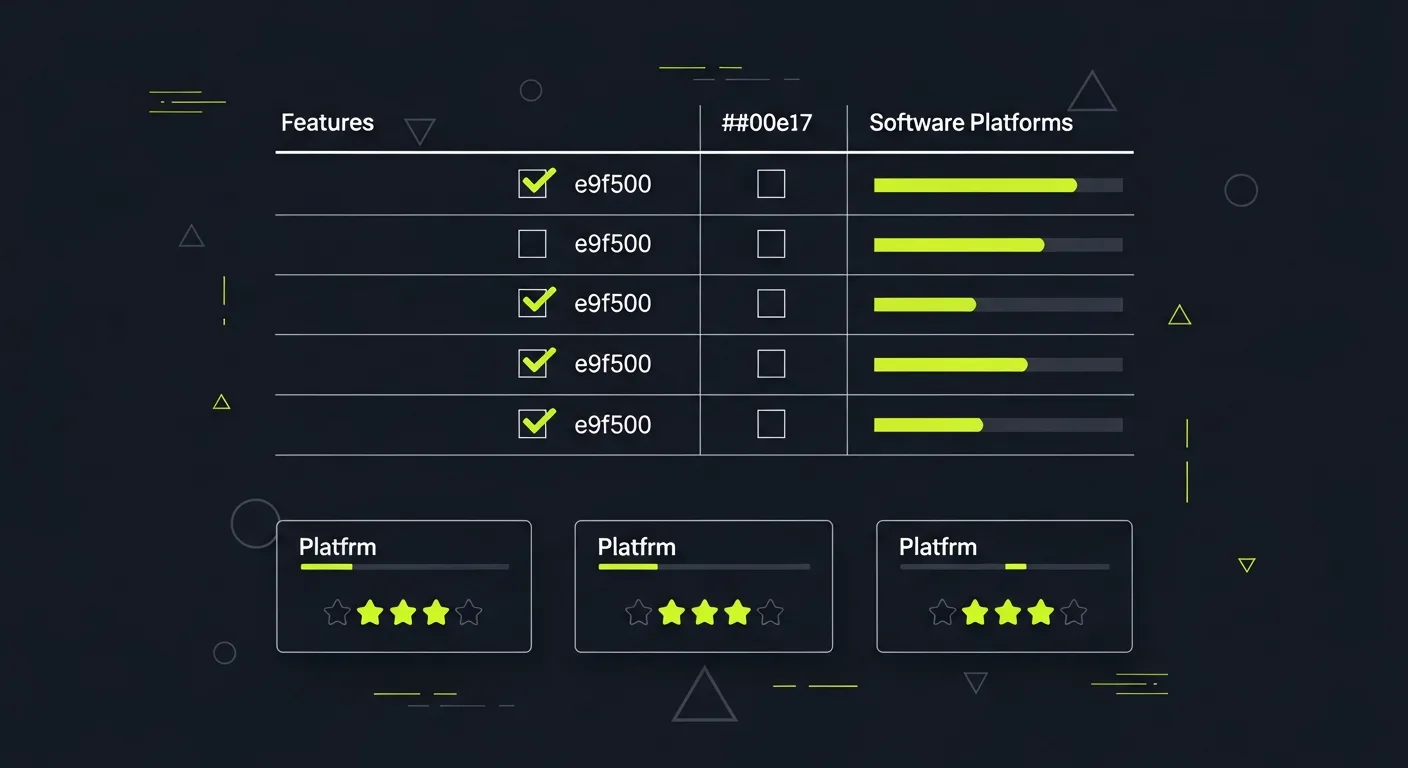
At a Glance: All 7 Platforms Compared
Before going deep on each tool, here's a quick reference for the key differences:
| Platform | Starting Price | Best For | Collection Methods |
|---|---|---|---|
| Praising.ai | Free trial | SMBs, service businesses, multi-location | SMS, email, QR code |
| Birdeye | $299/location/mo | Franchises, multi-location businesses | SMS, email, in-app messaging |
| Trustpilot | Free (limited) | E-commerce, global brand trust | Email invitations |
| Podium | ~$249/mo | Local service businesses | SMS-first, webchat |
| Yotpo | Free–$15/mo | Shopify and e-commerce brands | Post-purchase email, SMS |
| Bazaarvoice | Custom/enterprise | Manufacturers with retail distribution | Post-purchase, brand site |
| Testimonial.to | $50/mo | B2B, video testimonials | Shareable link, no app required |
The full reviews below go deeper on each platform — including where each one falls short, not just what it does well.
Key Features to Look For in Testimonial Software
The comparison table above covers the basics. But feature descriptions buried in marketing pages often obscure what matters day-to-day. Here's what to check before committing:
Multi-channel collection. SMS review requests have 5x the open rate of email — any platform that limits you to email-only is leaving response volume on the table. Look for at least SMS and email, and ideally QR codes for in-person collection.
Private feedback options. Some tools add a private feedback form next to the public review link, so any customer can choose to tell you privately. Avoid tools that send customers below a threshold rating to a private form first: Google's review policy prohibits selectively soliciting positive reviews. Confirm the platform's approach before signing.
Platform coverage. Google is the priority for most local businesses. But if your customers also leave reviews on Trustpilot, Yelp, or industry-specific directories, the platform needs to track and respond across all of them, not just Google.
AI response assistance. Writing individual responses to every review eats hours. AI drafting tools that learn your brand voice cut this to minutes. Check whether AI responses are included in your plan tier or cost extra.
Data portability. Before committing, confirm you can export your full review history, contact list, and response records if you cancel. This matters more than most buyers expect when they eventually switch platforms.
For a deeper look at what the collection process actually looks like, our guide on how to ask for testimonials covers the messaging and timing that gets the highest response rates.
Praising.ai: Complete Testimonial Management

What It Does and Why It's Good
Praising.ai covers the complete testimonial lifecycle — collection, AI-powered responses, and multi-channel distribution — from a single dashboard. For businesses managing reviews across multiple locations or platforms, Praising.ai provides per-location analytics alongside consolidated reporting that shows the full picture.
The collection engine sends automated review requests via SMS, email, and QR codes. Customers can also send private feedback straight to the business, so you still capture actionable improvement data.
On the response side, Praising.ai's AI drafts contextually right replies in your brand voice for every Google and Trustpilot review. Instead of writing responses from scratch, your team reviews, personalizes where needed. Approves — turning a 4-hour weekly task into a 30-minute one.
The social proof engine shows top-performing testimonials in customizable website widgets and turns them into review cards you can share on Facebook and Instagram. It imports Google Business Profile and Trustpilot reviews and links Yelp, Facebook and 17 more review sites — fitting into existing workflows without requiring operational changes.
How Much It Costs
Praising.ai offers tiered pricing based on locations, monthly review-request volume and AI allowance. A free trial lets you evaluate the full feature set before committing.
Strengths and Considerations
Strengths: End-to-end coverage in a single tool, AI responses that maintain brand consistency at scale, review widgets and share cards for social proof, robust multi-location management, and analytics that surface actionable insights from customer sentiment.
Factor: Like most full-featured platforms, AI replies, SMS and analytics unlock on paid plans, and Pro adds 10x the AI allowance of Core and removes the Praising badge. The free trial gives you enough access to evaluate whether the upgrade is worthwhile for your volume.
Birdeye: All-in-One Customer Experience Platform

What It Does and Why It's Good
Birdeye extends well beyond review collection to cover listings management, messaging, and customer insights. Its testimonial module automates collection, centralizes tracking across platforms, and provides AI-assisted response features.
Birdeye Listings keeps business data accurate across 50+ directories — a critical function for local businesses where inconsistent NAP (name, address, phone) data can tank search rankings. Birdeye Messaging unifies webchat, SMS, and social media conversations into a single inbox, with an AI chatbot handling lead capture and routine inquiries.
For multi-location enterprises, Birdeye provides centralized control with location-level granularity — a strong fit for franchises or regional chains managing reputation across dozens of sites.
How Much It Costs
Birdeye's pricing starts at $299/location/month for the Standard plan. Professional runs $399/location/month, and Premium starts at $499/location/month. Costs scale quickly for multi-location businesses. It is better suited to companies with budget allocated for enterprise tools.
Strengths and Considerations
Strengths: Full platform covering reviews, listings, messaging, and customer insights; strong multi-location management; an established market presence with a large customer base.
Factor: Per-location pricing makes Birdeye expensive for businesses with many locations, and the platform's breadth can feel overwhelming if you primarily need testimonial collection and display.
Trustpilot: High-Authority Review Platform
What It Does and Why It's Good
Trustpilot is one of the most recognized review platforms globally, with over 63 million active monthly users in 2026. Its core value is reach: reviews on Trustpilot carry SEO authority. A Trustpilot badge on your website carries instant trust with buyers who spot the brand.
The platform automates review invitations via email, tracks sentiment trends over time. Provides widgets for embedding reviews on your site. For businesses that want third-party validation from a name buyers already trust, Trustpilot is a strong choice.
How Much It Costs
Trustpilot offers a free tier for basic review collection and profile management. Paid plans unlock advanced invitation campaigns, detailed analytics, custom widgets, and priority support. Pricing is custom based on business size and review volume.
Strengths and Considerations
Strengths: Massive consumer audience, strong brand recognition, SEO authority from reviews appearing on a high-domain-authority site, and deep integrations with major e-commerce platforms.
Factor: The free tier is limited compared to built-in testimonial platforms. Full feature access requires paid plans that can become expensive for high-volume businesses, and Trustpilot's open review system means rivals can sometimes game ratings.
Podium: Local Business Review Specialist
What It Does and Why It's Good
Podium focuses on local business review creation, primarily targeting service businesses like healthcare practices, auto dealerships, home services, and retail locations. Its SMS-first approach delivers review request open rates far above email. The platform integrates with most practice management and POS systems.
Podium's standout feature is its "Webchat to review" funnel — customers who engage via webchat are automatically prompted to leave a review after their service contact, capturing feedback when satisfaction is highest.
How Much It Costs
Podium starts at about $249/month for core review and messaging features. Higher tiers add automations, team inboxes, and advanced reporting.
Strengths and Considerations
Strengths: SMS-first review collection produces high response rates, strong integrations with local business software, and purpose-built for service businesses with high transaction volumes.
Factor: Pricing is high relative to feature set for smaller businesses. The platform is optimized for local service businesses; e-commerce or B2B companies may find it less suitable.
Yotpo: E-commerce Testimonial Platform
What It Does and Why It's Good
Yotpo is purpose-built for e-commerce, with deep integrations with Shopify, WooCommerce, BigCommerce, and other major platforms. It combines product reviews, star ratings, user-generated content (photos and videos), and loyalty programs in a single platform.
Yotpo's strength is its ability to turn reviews into visual social proof. Customers can upload photos with reviews. Those images populate product pages, creating gallery-style displays that dramatically increase purchase confidence. The platform also syndicates reviews to Google Shopping, Facebook, and Instagram.
How Much It Costs
Yotpo offers a free plan with basic review collection for Shopify stores. Paid plans start at $15/month and scale greatly based on order volume and features.
Strengths and Considerations
Strengths: Best-in-class e-commerce links, visual review displays with photo and video support, Google Shopping syndication, and combined review + loyalty platform for retention-focused brands.
Factor: Pricing scales steeply with order volume, and the platform is heavily improved for e-commerce. Service businesses or B2B companies won't get full value from Yotpo's feature set.
Bazaarvoice: Enterprise Social Proof Network
What It Does and Why It's Good
Bazaarvoice operates at the enterprise level, giving a network-syndicated approach to reviews. Reviews collected through Bazaarvoice can be syndicated across hundreds of retail partners, amplifying social proof beyond your own website.
This makes Bazaarvoice very useful for manufacturers and brands whose products are sold through third-party retailers. A review collected on your brand site can appear on retailer product pages, increasing sign-up at the point of purchase where it matters most.
How Much It Costs
Bazaarvoice is enterprise-priced with custom contracts. It's not cost-effective for small to mid-sized businesses. For brands with major retail distribution, the syndication network justifies the investment.
Strengths and Considerations
Strengths: Retail syndication network that places reviews on partner retailer sites, enterprise-grade fraud detection, and strong analytics for brands with complex distribution channels.
Factor: Priced exclusively for enterprise customers; not practical for businesses without major retail distribution or large marketing budgets.
Testimonial.to: Simple Video Testimonial Collection
What It Does and Why It's Good
Testimonial.to takes a focused approach, specializing in collecting written and video testimonials from customers without requiring any technical setup. Businesses create a branded collection page, share the link with customers. Receive testimonials that can be embedded anywhere via a responsive widget.
The platform is very useful for B2B businesses and service providers who want authentic video testimonials — a format that converts greatly better than text alone. Customers record directly from their browser, no app download required.
How Much It Costs
Testimonial.to starts at $50/month for the Starter plan, with higher tiers at $99/month and $249/month adding automated follow-ups and custom branding options.
Strengths and Considerations
Strengths: Dead-simple collection process with no friction for customers, strong video testimonial ability, clean embeddable widgets, and straightforward pricing.
Factor: Focused narrowly on collection and display; lacks the multi-platform tracking, response management, and SEO features of more full platforms.
How to Choose the Right Testimonial Software
The right platform depends on your business model, scale, and primary goals.
- Local service businesses (healthcare, home services, retail): Praising.ai or Podium for SMS-first collection with strong Google Business Profile link
- E-commerce brands: Yotpo for product reviews with photo/video support and Google Shopping syndication
- Enterprise/multi-location: Birdeye or Bazaarvoice depending on whether the priority is local management or retail syndication
- B2B / service companies: Praising.ai or Testimonial.to for authentic testimonials and AI-assisted response management
- Businesses prioritizing third-party trust: Trustpilot for recognized brand authority and SEO benefits
For most small and medium businesses, Praising.ai provides the best balance of automation, AI features and multi-platform coverage at a price point that makes sense before you've scaled review volume to enterprise levels.
For a broader comparison that covers monitoring-only tools and enterprise platforms, our 2026 review platform guide covers options beyond what is listed here.
Five Questions to Ask Before You Commit
A product demo always looks smooth. These questions cut through to what actually matters:
1. How does the platform handle low-star ratings? Some tools quietly suppress below-threshold reviews so they never reach public platforms. Others route them to a private feedback channel — which is more ethical and more useful for identifying real operational problems. Ask specifically what happens when a customer submits a 2-star response.
2. Can you export your data if you cancel? Check whether you can pull your full review history, customer contact list, and response records — and in what format. Data portability matters far more than it seems when you eventually switch platforms or need historical records for your own reporting.
3. What does pricing look like at double your current volume? A $49/month plan capped at 200 review requests becomes expensive fast when your business grows. Map out what you will pay at 2x your current review volume before signing anything.
4. Does it connect to the platforms your customers actually use? Google matters most for local businesses. But if your customers review on industry-specific platforms — Houzz, Zocdoc, Healthgrades, or niche directories — confirm those are covered before committing.
5. What does onboarding actually look like? Some platforms take 30 minutes to configure and start sending. Others require a dedicated implementation call and a two-week setup process. Neither is wrong, but the right answer depends on your team's time and patience.
For context on how review collection fits into a broader reputation strategy, our guide to automated customer testimonials walks through what the setup process looks like in practice.
Free Testimonial Software vs. Paid Plans: What You Actually Get
The promise of "free" is appealing, but free tiers in testimonial software are built to demonstrate the product — not to run a full reputation strategy. Before you choose a plan, it helps to know exactly where the free tier stops.
What free plans typically include: Email collection requests, usually capped at 50–100 per month. A basic widget to display reviews on your website. Review tracking for one platform (usually Google or your own site). Aggregate rating visibility.
Where free plans fall short: SMS collection is almost universally locked to paid tiers — which matters because SMS requests convert at 3–5x the rate of email. Multi-platform tracking (Yelp, Facebook, TripAdvisor alongside Google) requires upgrading on every major platform. Response management — seeing incoming reviews in a single inbox and drafting replies — is a paid feature across the board. Automated follow-up sequences for customers who don't respond to the first request are also off the table on free tiers.
When free is the right starting point: Free works if your business does fewer than 50 customer transactions per month, your existing review profile is solid and doesn't need urgent attention, or you just want to see how the collection flow feels before committing. Trustpilot's free tier is a reasonable starting point for brand trust; Yotpo's free Shopify plan works for small e-commerce stores.
When paid is the only path: Any business actively trying to build its review count needs automation that free tiers block. A service business handling 150 jobs per month and converting at 25% on automated SMS adds 37 new reviews monthly. At the cost of one lost job from poor reviews, that volume pays for itself many times over. The math: if your average job is worth $400 and better reviews win you one extra job per month, a $79/month platform cost returns $400 — a 5x ROI from month one.
Platforms that offer genuinely functional free trials before asking for payment tend to win more loyal customers. If a platform won't let you test the full collection flow on real customers before charging, that's a signal worth weighing.
How to Run a Successful 30-Day Testimonial Software Trial
Most platforms offer 14–30 day free trials. Most businesses finish those trials without a clear sense of whether the tool worked — because they ran the trial without setting up the process first. Here is how to do it differently.
Before day one: Connect your Google Business Profile and any other platforms you track. Import your customer contact list, or connect your CRM or POS system if the platform supports it. Customize your review request message — the default template collects fewer responses than a message that reads like it came from you personally. Set your timing: 1–3 days after service completion works for most service businesses; 2–5 days after delivery works for product sellers.
Days 1–7: Get the collection flow running: Activate automated requests for new customers from that day forward. Start with current customers rather than importing all historical contacts — you want clean data on the new flow, not noise from a bulk re-engagement. Check your dashboard daily in the first week to confirm requests are sending and spot any delivery issues early.
Days 7–14: Read your first numbers: By day 7–10, you have enough sent requests to see your baseline response rate. Good benchmarks: 20–34% for SMS, 8–16% for email. If SMS is below 15%, your message is probably too long or sounds automated — try a shorter, more direct version. If email is below 8%, check that your sender name reads as your business, not the software platform.
Days 14–30: Optimize the timing: Two weeks in, you can see whether your send timing is right for your customers. Service businesses often see better results at day 1–2 (while the experience is fresh); product sellers sometimes do better at day 5–7 (after the item arrives and gets used). Try adjusting by a day and watch the response rate over the following week.
Also check where reviews are landing. Some customers will default to Facebook or Yelp even when you send them to a Google link. If platform distribution matters to your business, tweak your message to be more specific about where you want reviews.
One thing most businesses skip: Set up your response workflow before the trial ends. Reviewing and approving AI-drafted responses is fast once configured, but it requires setting your brand voice preferences first. If you wait until 40 reviews have accumulated, you'll either respond to all of them at once or leave them unanswered — neither is ideal. Build the response habit in week one.
How to judge the trial: At 30 days, calculate your monthly review run rate (new reviews collected during the trial ÷ 30 × 30). Compare it to your pre-trial baseline. A good platform should at minimum double your existing monthly rate. If it doesn't, look at whether the issue is the tool or the setup — a misconfigured send timing or an unedited default message can suppress results regardless of platform quality.
For a deeper look at how to write review requests that actually get responses, see our guide on how to ask for testimonials. If your product includes a video collection feature, the guide to getting authentic video testimonials walks through what that process looks like in practice.
Common Testimonial Software Mistakes That Cost You Reviews
Most businesses lose 40–60% of potential reviews before they ever reach their inbox—not because customers are unwilling, but because the testimonial software is misconfigured. Here are the mistakes that come up most often.
Importing your entire contact list on day one. The instinct to "get caught up" on past customers leads to bulk sends that feel like spam. Contacts who bought 18 months ago and never heard from you will mark messages as junk—which damages your sender reputation and reduces deliverability for future requests. Start with fresh transactions and work backwards gradually.
Using the default message template. Default templates read like mass mail. A message that sounds like it came from you personally—one that references the specific service, uses the customer's first name, and has a clear one-click link—converts at 2–3x the default rate. Spend an hour customizing before you send a single request.
Monitoring only Google. Google matters most for local search, but customers leave reviews on Facebook, Yelp, Houzz, TripAdvisor, and industry directories. If your testimonial software only watches one platform, you're blind to what's being said everywhere else—and you miss response opportunities on platforms where timing affects whether other customers trust your business.
Skipping the response workflow. Businesses that respond to reviews collect about 25% more reviews than those that don't—partly because responses signal to Google that you're engaged, and partly because customers who see replies feel more confident their feedback will be read. Set up response templates in week one, before reviews arrive.
Treating every platform the same. A one-star review on Google and a one-star review on Trustpilot call for different responses. Google reviews affect local SEO and are visible to nearby searchers; your response tone shapes purchase decisions. Trustpilot reviews are often read by comparison shoppers doing due diligence before a larger commitment. Calibrate your tone and prioritization to where each review actually lives.
Not setting a follow-up sequence. A single review request gets a 20–25% response rate on a good day. Adding one follow-up—sent 3–5 days later to non-responders—typically adds another 8–12% without feeling aggressive. Most testimonial software includes follow-up automation; most businesses never turn it on.
Testimonial Software by Industry: What Actually Works
The right software depends heavily on your industry. Collection rates, the platforms customers default to, and the message that gets a response all vary by business type. Here's what tends to work in the categories we see most often.
Healthcare and dental practices. Patients respond better to review requests sent the same day as their appointment, not 48 hours later. The experience is fresh and the decision to leave a review or not is made quickly — follow-up requests rarely add much. Text message requests outperform email by a larger margin in healthcare than almost any other category, partly because healthcare email is often filtered or sent to work accounts. The platforms that matter: Google, Healthgrades, Zocdoc, and Yelp (for major metros). Any testimonial software you use in this vertical needs to be HIPAA-conscious about the data it handles — confirm data handling policies before importing patient contacts.
Home services. Plumbers, HVAC companies, electricians, and landscapers benefit most from same-day or next-day requests. The job ends, the customer is relieved the problem is solved, and that's the moment to ask. Home service customers are highly likely to leave detailed reviews that mention the technician's name, the specific problem, and the neighborhood — the type of review content that directly improves local search rankings for service-area keywords. SMS is the dominant channel. Google is the priority platform, with Yelp and Houzz important for visual trades (contractors, landscapers).
Restaurants and hospitality. Timing is more complicated in this category. Review requests sent immediately after a meal feel intrusive; requests sent 3–5 hours later (or the next morning for dinner services) perform better. Google and Yelp are both important here, and TripAdvisor matters for tourist-facing businesses. One specific pattern that works: QR codes at the table or on the receipt, letting customers initiate the review on their own timeline. Response rate from QR codes is lower than direct SMS, but the reviews that come in tend to be more considered.
E-commerce and product brands. Post-purchase timing should follow delivery, not purchase. A request sent 2 days after delivery works for consumables; 5–7 days is better for products that take time to use. Photo reviews — where customers include an image of the product — convert better than text alone on product pages and in Google Shopping. If photo collection is important to your business, check specifically whether the platform supports photo attachments in review requests before committing.
B2B and professional services. Response rates in B2B are lower across the board — clients are busy, and testimonials feel like a favor rather than a natural post-transaction step. Video testimonials work better here because they're more credible and harder to dismiss than text. A personal email from the account manager converts better than an automated template, even if the core content is the same. For professional services, LinkedIn recommendations alongside Google reviews build a more complete trust profile.
No platform fits all five categories equally. Before choosing testimonial software, map out which platforms your customers default to, what timing your business model allows, and whether the software collects the specific formats your industry converts on.
How to Write a Review Request That Gets Responses
The platform matters less than the message. Most businesses using testimonial software run the default template and wonder why their response rate is below 15%. Here's what the messages that consistently clear 25–30% have in common.
Name the specific thing. "We'd love your feedback on your recent visit" gets a 9% response rate on average. "How did your Thursday appointment with Dr. Reyes go?" gets 27%. The specificity signals that this is not a mass email, and it gives the customer a mental hook to write from. If your CRM tracks the service type, the technician name, or the date, use that data in your request.
One ask, one link. A request that offers multiple platforms ("You can review us on Google, Yelp, or Facebook!") gets fewer responses than a request pointing to a single link. The decision point — where to click — kills momentum. Pick the platform you most need reviews on right now, link directly to the review form, and save the alternative platforms for a follow-up.
Keep it under 60 words. The best-performing SMS review requests are 35–50 words. The best email review requests are 60–80 words in the body (not counting the subject line). Anything longer reads as an obligation rather than a quick ask. If you're going over 60 words, cut everything that doesn't directly lead to the click.
Be specific about the value of the review. "Your review helps other families choose the right dentist" outperforms "Your feedback is important to us" because it gives the customer a reason that isn't about your business. People are more likely to help others than to help businesses they already paid.
Subject line for email. The subject line is your open rate. "Quick question about your recent service" and "Was [service type] everything you needed?" consistently outperform "Share your feedback" and "Leave us a review." Questions get opened; requests get filtered.
Follow-up once, not twice. One follow-up sent 4–5 days after the initial request recovers 30–40% of the responses you would have otherwise missed. A second follow-up rarely adds more than 5% and risks irritating people who genuinely don't want to leave a review. One follow-up, then stop.
A/B testing your message takes less than a week of data to produce actionable results. Write two versions with different opening lines, split your send list, and check response rates at day 7. The platform you use should support this; if it doesn't, you're flying blind on what's working.
2026 Pricing Breakdown by Business Size
Sticker prices rarely capture what you actually pay. Here's what each platform costs at three realistic business scales.
Solo operator or startup (under 100 review requests per month)
At this volume, the cost-effective options are narrow. Praising.ai offers a full-featured free trial followed by a flat-rate core plan that covers most small operators. Trustpilot's free tier is genuinely free but limited — you get basic email invitations and a public profile, nothing else. Testimonial.to costs $50 per month for written and video collection, though it has no automated outreach. Yotpo's free Shopify tier works for product reviews but adds costs quickly when you need custom display widgets.
Growing service business (100 to 500 requests per month)
This is where platforms start diverging sharply on value. Podium's $249 per month base applies whether you send 100 requests or 500 — it only makes financial sense if you're running a high-transaction business like a dental practice or auto dealership where each converted customer is worth $500 or more. Birdeye starts at $299 per location per month; at this scale it's only worth it if you're actively using the listings management and messaging features alongside reviews. Praising.ai's growth tier and most mid-range alternatives stay flat in this range, which is why they're the default recommendation for this segment.
Multi-location or high-volume business (500+ requests per month or 3+ locations)
Per-location pricing compounds fast. A 10-location business on Birdeye's standard plan pays $2,990 per month before any add-ons; on Podium, similar scale runs $2,490 per month minimum. Platforms that bill by feature tier rather than location count change the math here significantly. Bazaarvoice uses custom enterprise pricing and makes sense only for manufacturers with major retail distribution networks, not for multi-location service businesses.
Before signing an annual contract, ask the sales team for a per-request overage cost at your actual send volume. Some platforms include a fixed monthly allocation and then bill by the thousand above it; others have hard caps that require a plan upgrade. The base price comparison is less important than understanding what happens when you go over your limit.
When to Switch Testimonial Software
Most businesses switch platforms because review volume plateaued, costs stopped making sense, or a competitor's setup looked better in a sales deck. Here's how to evaluate each reason honestly.
Volume stopped growing. If your monthly new review count hasn't changed in 90 days and your request volume is consistent, the problem is probably not the platform — it's the message. Export your send logs and check response rates by channel (SMS vs. email), by send time, and by template. If the platform doesn't let you slice this data, that's part of the problem. A steady response rate below 12% on SMS or below 6% on email almost always points to message content, not software limitations.
The cost-per-review is too high. Divide your monthly platform cost by the number of new reviews you collected that month. For a local service business, anything above $12 per new review is worth shopping around. Factor in SMS pass-through fees if your platform bills those separately from the subscription — some do, and they add up at volume.
Switching without losing history. Before canceling, export your review history, response logs, and contact list. Most platforms let you do this on any paid tier; confirm before signing up if data portability matters to you. Your Google and Yelp reviews are publicly visible regardless of which software you use, so the actual loss is campaign history and contact data inside the platform.
The migration itself takes a few hours. The bigger risk is the gap between your last send on the old platform and your first on the new one. Review volume tends to lag collection activity by 30 to 60 days, so a two-week switch gap shows up in your numbers a month later. Plan the transition for your slowest period if your business is seasonal.
Testimonial Software Integrations: What Works and What Doesn't
Review collection tools advertise long lists of integrations, but the word "integration" covers a wide range of actual functionality. Before buying, it's worth knowing what each type actually does.
CRM and contact triggers. The most useful integration is one that fires a review request automatically when a customer closes a ticket, completes a job, or hits a milestone in your CRM. Praising.ai supports this via webhooks and CSV contact uploads; Podium has direct integrations with Salesforce, HubSpot, and dozens of industry-specific practice management platforms. Watch for platforms that describe a "Zapier connection" as a native CRM integration — they're not the same thing. A Zapier bridge adds latency and requires a separate Zapier account, which adds cost and another point of failure.
Email and SMS marketing platforms. Yotpo connects directly with Klaviyo and Mailchimp for e-commerce post-purchase flows, which lets you sequence review requests inside your existing email stack rather than running a separate outreach system. Most other testimonial tools treat email as a standalone channel. For businesses that have spent months warming up a sending domain or building deliverability reputation, a standalone channel means splitting that trust across two systems — worth factoring in before committing.
Point of sale and booking software. Podium's clearest competitive advantage is in this category. It integrates directly with Dentrix, Eaglesoft, Mindbody, Square, and around 60 other booking and POS systems. When an appointment closes, the request goes out automatically — no export, no upload, no manual step. For dental practices, auto shops, and fitness studios on these platforms, this integration alone typically justifies Podium's higher price point over generic alternatives.
Google Business Profile. Not all "Google integration" is the same thing. Some platforms redirect customers to your Google review link and count completions in a dashboard report. Others connect directly via Google's API to import your existing reviews, track response times, and draft AI replies from inside the platform. The second type requires API approval from Google, which affects whether a platform can actually read and post responses to Google reviews on your behalf, or just link out to them. If responding to Google reviews from inside a single dashboard is important to your workflow, confirm the specific integration level before signing up.
Zapier and API access. For unusual tech stacks, Zapier connections cover the gap — most mid-tier testimonial tools support Zapier triggers. Full API access is a different conversation. Birdeye and Yotpo's enterprise tiers include REST APIs; most platforms at the $50-$149 per month range do not. If you need custom reporting pipelines, CRM write-back, or integration with internal tools, ask about API access explicitly before signing a contract rather than checking it off a marketing feature list.
Frequently Asked Questions
What is testimonial software?
Testimonial software automates the collection, management, and display of customer reviews and testimonials. It sends review request emails and SMS messages after customer contacts, aggregates feedback from platforms like Google, Yelp. Facebook into a single dashboard, and provides embeddable website widgets to showcase social proof where it influences buying decisions most.
Which is the best testimonial software for small businesses in 2026?
For small businesses, the best testimonial software combines automated collection with multi-platform coverage and an affordable entry price. Praising.ai is designed exactly for small and medium businesses, offering Google and Trustpilot review imports with 19 more review sites linked, automated SMS and email collection, AI-powered responses. A free trial to test results before committing.
How much does testimonial software cost?
Testimonial software ranges from free (basic Trustpilot or Yotpo tiers) to $249–$499+/month for enterprise platforms. Most small business tools fall in the $49–$149/month range and include automation, multi-platform link, and analytics. Praising.ai offers tiered pricing based on volume with a free trial included.
What's the difference between testimonial software and review management software?
Testimonial software primarily focuses on collecting and displaying customer quotes on your website. Review management software is broader — it tracks reviews across multiple third-party platforms, helps you respond, tracks reputation metrics, and automates collection. Most modern tools, like Praising.ai, combine both functions into one platform.
Can testimonial software improve my Google rankings?
Yes, indirectly. Higher review volume and ratings improve local SEO rankings, especially for Google Business Profile. Displaying reviews as structured data (schema markup) can also unlock star rating snippets in search results, improving click-through rates. Platforms like Praising.ai include schema markup support to boost SEO value from your review collection.
How quickly will I see results from testimonial software?
Most businesses see measurable increases in review volume within the first 2–4 weeks of activating automated collection. Average star ratings usually stabilize upward within 60–90 days as the volume of positive reviews from automated requests begins to outweigh any older negative feedback.
Does testimonial software work with Google Business Profile?
It depends on the platform. Some tools can send customers directly to your Google review link and track how many you receive, but can't publish responses back to Google without a direct API integration. Praising.ai integrates with Google Business Profile for review tracking and AI-assisted response management. If Google reputation is your primary goal, confirm the specific integration level — particularly whether you can respond to Google reviews from inside the dashboard — before committing.
What's a realistic review collection rate with testimonial software?
Businesses using automated SMS and email requests typically collect 15–30 new reviews per month, compared to 2–5 with manual outreach. Response rates on automated requests average around 25–34%, versus 6–10% for manual emails. Results vary by industry — healthcare practices and home service businesses tend to see the highest rates because customers have a clear, memorable service experience to review.
Is testimonial software worth it for a one-person business?
Yes — but only if you treat the automation as a system, not a set-it-and-forget-it tool. The ROI on testimonial software for small operators comes from consistency: a one-person business that sends review requests after every job and responds within 24 hours will outpace larger competitors handling this manually. The key number to watch is your request response rate, not your total review count. SMS responses above 20% and email above 10% mean the software is working. Below those benchmarks, the issue is usually the message content rather than the platform. Most tools let you A/B test two message versions in the first week — do that before blaming the software.
What should I actually test during a free trial?
Run the trial against your real customer list, not a demo scenario. Three things worth measuring specifically: First, send at least 20 review requests via your primary channel (SMS if you have it, email otherwise) and track the response rate by day 7 — this tells you whether your message is landing. Second, check whether the platform auto-discovers your Google Business Profile and existing reviews without manual entry. If you have to configure locations by hand, that's a data-entry burden you'll feel every time you add a location. Third, paste three of your recent negative reviews into the AI response tool and read what it generates. If the replies are generic ("Thank you for your feedback, we're sorry to hear about your experience"), the AI hasn't learned your brand voice and you'll be editing every response anyway — which defeats the purpose. The trial should answer all three questions with minimal setup.
Ready to grow?
Turn happy customers into 5-star reviews
Praising.ai automates review requests for Google, Trustpilot and the other review sites you use. Businesses see an average 3x increase in reviews within 30 days.
Written by
· 64 articlesLeila Foster
AI & Digital Marketing Writer
Leila covers the intersection of AI and customer marketing—specifically how businesses use social proof, automated testimonials, and AI-generated responses to build trust and convert more visitors. She researches the tools and workflows behind modern reputation marketing so you don't have to.
View all articlesGet weekly review tips
Actionable strategies to grow reviews and revenue, straight to your inbox.
No spam. Unsubscribe anytime.
Get more 5-star reviews on autopilot
Praising.ai automates review requests for Google, Trustpilot and the other review sites you use — free to start, no credit card required.
Start FreeFree 14-day trial