Boost Your Google Reviews 10 Proven Strategies for 2026

TL;DR
Claiming and fully optimizing your Google Business Profile is the foundation for earning more reviews, but consistent volume comes from training staff to ask naturally and automating follow-up requests. Pair a complete profile with photos, accurate categories, and a streamlined review process to improve local search rankings and convert more browsers into buyers.
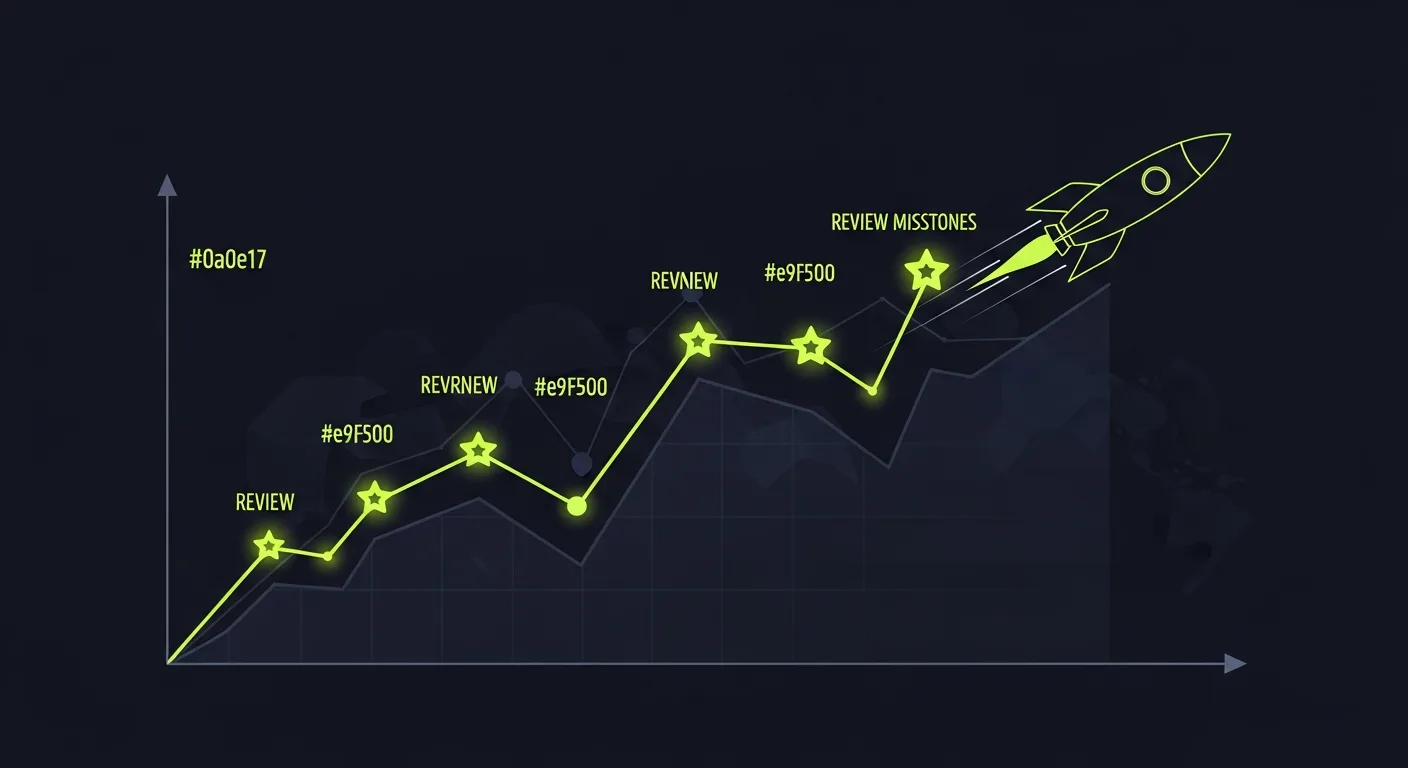 In 2026, online reviews influence virtually every purchasing decision. Customer reviews build trust, shape brand perception, and directly impact local search rankings. Yet many local businesses still struggle to generate a consistent stream of quality feedback. This guide presents ten proven strategies that will help you increase both the volume and quality of your Google reviews — strengthening your online reputation, improving reach, and driving measurable business growth. You will also learn practical approaches for handling Google Business reviews and complaints, improving your Google Business Profile. Streamlining your review request process.
Make Your Google Business Profile Better
Claim and Check Your Listing
Claiming and verifying your Google Business Profile is the key first step. Check confirms to Google that you are the real owner of the business. Builds trust with both the platform and potential customers. Without check, you cannot update your business data, respond to reviews, or access the analytics that inform your strategy.
Fill Out All Profile Information
A complete profile greatly increases reach. According to Google's own data, businesses with full profiles receive greatly more views and higher search placement. Ensure the following elements are accurate and consistent:
- Business Name, Address, and Phone Number — consistency across all directories is critical for local SEO
- Website URL and business hours
- Precise primary and secondary categories that accurately represent your services
- Detailed product and service descriptions
- A compelling business description
- Relevant Google Attributes (e.g., "Women-Led," "Appointment required")
These details help Google accurately categorize your business and help customers know exactly what you offer. Don't overlook customer review management and Google Posts — both signal that your business is active and engaged.
Add Good Pictures
Visual content makes your profile stand out and builds immediate trust. Include the following:
- 3-4 exterior photos from different angles to help customers find your location
- Interior photos that showcase your space, ambiance, and design
- Product or service photos that represent what you offer (e.g., a chiropractor showing an adjustment)
- Staff photos that humanize your team
- A square logo and a strong cover image
Avoid stock photography — honesty matters. Ensure all images are well-lit, high-resolution, and free of distracting elements. Update your gallery regularly and encourage customers to contribute their own photos, as Google prioritizes user-generated content for its honesty.
Use Good Ways to Ask for Reviews
Teach Staff to Ask for Reviews
Your team members are your most effective review creation channel. Train them on why reviews matter and how to make effective, natural requests. Recognize and reward staff members who are named by name in customer reviews — this creates internal motivation and sets a visible standard for the rest of the team.
The most effective requests are specific and personal. For example, an employee might say, "I'm glad you loved our camera selection — if you have a moment, a Google review would really help other customers find us." This approach acknowledges the customer's experience while making the ask feel natural rather than transactional.
Make a Direct Review Link and QR Code
Reducing friction is the single most impactful thing you can do to increase review volume. Start by generating your direct review link through Google Business Profile: sign in, select your business, navigate to the Reviews section. Click "Get more reviews" to obtain your unique link.
Convert this link into a QR code for physical distribution. Place QR codes on business cards, receipts, flyers, countertop displays, table tents, and in post-service emails. Praising.ai can generate shareable review links and QR codes on its own, further simplifying the process.
Use Many Ways to Ask for Reviews
A multi-channel approach maximizes your reach by meeting customers where they already are. Praising.ai supports outreach via email and SMS, allowing you to customize messages for each channel while maintaining consistent brand voice.
To send a review request, navigate to the Reviews section, click "Send Review Request," select your preferred channel, and customize the message template. You will need the customer's phone number for SMS requests and their email address for email outreach. Tracking performance by channel — open rates, click-through rates. Review completion rates — allows you to always refine your approach and allocate effort toward the highest-performing channels.
Make Giving Reviews Easy
The easier you make the review process, the more customers will complete it. Every point of friction reduces completion rates.
Give Clear Directions
Not every customer is familiar with the review process. Provide simple, step-by-step instructions with a brief, custom message explaining why their feedback matters. For example: "Your thoughts help us serve you better — please share your experience on Google." Visual guides or screenshots showing exactly where to click can greatly reduce abandonment, especially among less tech-savvy customers.
Ask for Reviews at Good Times
Timing directly correlates with review quality and completion rates. The optimal moment to request a review is at the peak of customer satisfaction — right away after a successful purchase, service completion, subscription renewal, or loyalty milestone.
Digital touchpoints offer natural chances: post-transaction surveys, website prompts, app store ratings, live chat follow-ups, social media contacts, and email newsletter inclusions. Each of these captures customers when they are most inclined to share positive feedback.
Make Mobile Easy to Use
Most review contacts happen on mobile devices, so your review flow must be improved for smartphones. Ensure your review link loads quickly, the page renders correctly on all screen sizes, buttons are large enough to tap easily. Text is readable without zooming. Test the entire process yourself on multiple devices — a poor mobile experience is one of the most common reasons customers abandon the review process.
Deliver Great Customer Service
Great service is the foundation that makes every other review strategy work. Without it, no automation or outreach campaign will generate the quality feedback you need.
Always Do More Than Expected
The reviews that attract new customers are the ones that describe memorable experiences. Small, unexpected gestures — a custom recommendation, remembering a repeat customer's preferences, or resolving an issue before the customer even notices it — create the kind of moments people feel compelled to share publicly.
Fix Problems Fast and Well
How you handle complaints defines your brand more than how you handle compliments. When things go wrong, your response process should follow these principles:
Don't take it personally: View negative feedback as an operational signal, not a personal attack.
Pause before responding: A measured, professional response is always more effective than a reactive one.
Adopt the customer's perspective: Understanding the root cause of frustration helps you address the real issue.
Research before replying: Review order history, service logs, and prior messages to provide accurate, informed responses.
Always respond professionally: Address every review — positive and negative. Show that your brand takes feedback seriously.
Use negative reviews constructively: Transparency builds trust. A well-handled negative review shows accountability.
Encourage review updates when issues are resolved: If a dissatisfied customer's concern is genuinely addressed, a private request to update their review is right.
Share feedback internally: Use negative reviews as training material to prevent recurring issues.
Early collect positive reviews: A steady stream of positive feedback ensures that occasional negative reviews don't too much define your profile.
The stakes are major: 88% of customers are less likely to purchase from a brand that leaves complaints on social media unanswered. Every review left without a response is a missed chance.
Follow Up After Service
The customer relationship doesn't end at the point of sale. A brief follow-up message — via email or text — asking if they're satisfied with their experience reinforces the positive impression and provides a natural opening to request a review. This small step often converts a satisfied customer into a vocal advocate.
Automate Your Review Workflow with Praising.ai
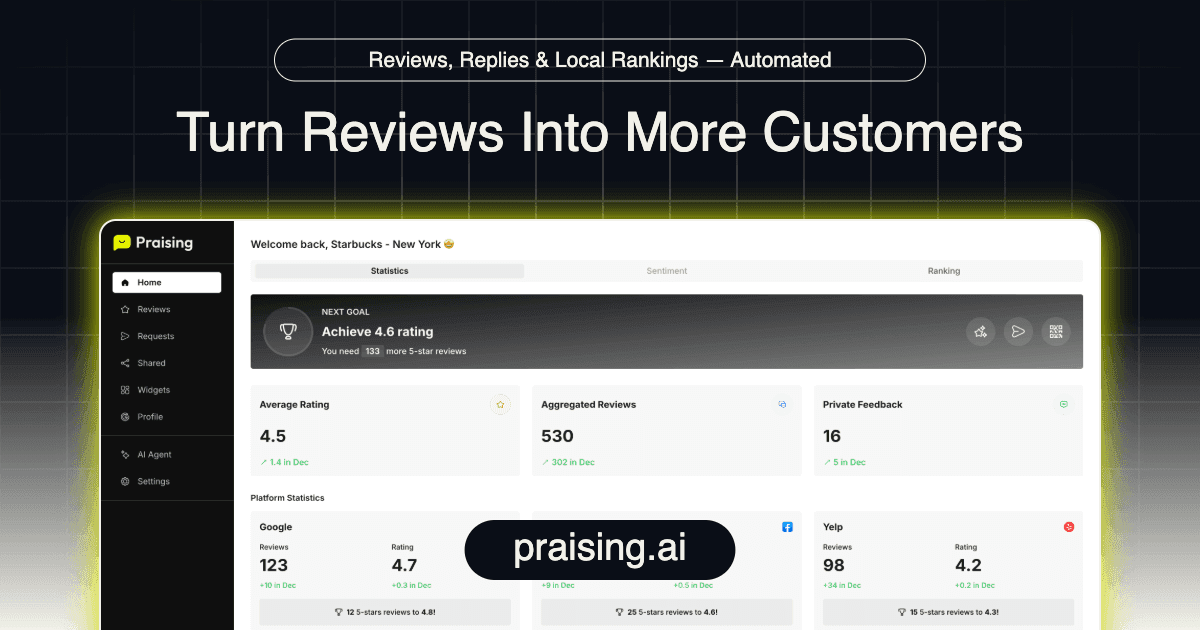 Scaling your review program without in line scaling your team requires automation. Praising.ai provides the system to manage reviews step by step across channels and locations.
Set Up AI Reply Drafts for Reviews
Praising.ai's AI agent checks your Google and Trustpilot reviews every day and drafts a reply to each new one. Once you connect your accounts, the AI generates contextually right, custom responses that maintain your brand voice. You approve each draft in one click, so every customer gets a timely reply without anyone writing it from scratch, freeing your team to focus on escalated issues and strategic initiatives.
Schedule Automated Review Request Campaigns
The platform supports automated review request campaigns via email and SMS. You can send bulk requests to every customer. Use customizable message templates that align with your brand voice. Campaign analytics — delivery rates, open rates, click-through rates. Review completion rates — provide clear reach into performance, allowing you to improve always.
Use Multi-Location Management Features
For businesses managing multiple locations, Praising.ai provides per-location reporting, usage tracking, and customizable settings. The centralized dashboard aggregates data across all locations while preserving the granularity needed to manage each site one by one. This ensures every location benefits from consistent review creation practices while allowing for location-specific improvement.
Manage Google Business Reviews and Complaints
Managing feedback — both positive and negative — is key for maintaining trust and showing that customer satisfaction is an operational priority, not just a marketing claim.
Respond to All Feedback Promptly
Every review deserves a response, and timeliness matters. Customers generally expect a reply within seven days, though faster is always better. Praising.ai brings your Google and Trustpilot reviews into a single inbox and links 19 more review sites. That makes it practical to respond to reviews without anything slipping through the cracks.
Address Negative Reviews Constructively
Negative reviews present an chance to show your commitment to customer satisfaction. While many buyers avoid businesses with unaddressed negative reviews, nearly half will choose a business that responds thoughtfully to criticism. The key is to acknowledge the issue without becoming defensive, research the specifics, and offer a concrete resolution. Praising.ai's AI response tools can draft initial responses that you can review and customize before posting.
Monitor and Analyze Feedback Trends
Individual reviews matter, but patterns across reviews reveal strategic insights. Sentiment analysis tools help you find recurring themes, track satisfaction trends over time, and benchmark against rivals. Praising.ai's reporting tools provide dashboards for sentiment tracking, response time tracking. Review volume analysis — the data you need to make informed decisions about service improvements and resource allocation.
Use What Others Say and Show Reviews
Social proof is one of the most powerful sign-up drivers on hand. Smartly displaying reviews across your digital presence amplifies their impact.
Put Reviews on Your Website
Embedding reviews directly on your website converts third-party validation into on-page social proof. Praising.ai provides embeddable widgets that display reviews on any website platform. For WordPress users, built-in plugins make easy installation, while other platforms can use embed codes for custom placement. You can curate which reviews appear, filter by rating or recency. Position them on the pages where they will have the greatest sign-up impact — product pages, service pages, and checkout flows.
Share Good Words on Social Media
Social media extends the reach of your best reviews far beyond the review platform itself. Praising.ai turns selected reviews into shareable review cards you can post to Facebook and Instagram yourself, while manual sharing of screenshot-style review posts provides extra content variety. Like your Google review link in social profiles and posts creates a feedback loop where followers become reviewers. Their reviews become content that attracts new followers.
Get Video Stories
Video testimonials deliver higher reach and deeper trust than text reviews alone. The most effective video testimonials are authentic and unscripted — focus on the customer's problem, how your product or service solved it, and the outcome they experienced. Keep videos concise (60-90 seconds is the optimal range for retention). Improve them for each distribution channel: social feeds, landing pages, and email campaigns. Always include a clear call to action. Praising.ai's video testimonial tools help you collect video testimonials on paid plans and show each one on your website once you approve it.
Incentivize Reviews Ethically
Encouraging reviews is effective, but it must be done within Google's guidelines. Paying for reviews, offering rewards for exactly positive reviews, or gating reviews by sentiment all violate Google's terms and risk penalties.
Offer Non-Monetary Rewards
You can express appreciation without crossing ethical lines. Feature reviewers on your social media channels, offer early access to new products or services, or send custom thank-you notes. These gestures encourage honest feedback without conditioning the response.
Run Review Contests (Adhering to Guidelines)
Contests can boost participation when structured correctly. The key is that entry must be open to all reviewers no matter sentiment — positive, negative, or neutral reviews all qualify. Offer a modest prize, announce winners publicly, and clearly state the rules. Transparency is key for both compliance and trust.
Focus on Customer Satisfaction
In the end, the most sustainable way to generate positive reviews is to deliver experiences worth writing about. Customers who genuinely enjoy their contact with your business will share their experience voluntarily. Invest in resolving issues quickly, exceeding standards always. Building the kind of customer relationships that naturally produce advocates.
Monitor and Adapt Your Strategy
A review strategy is not a set-it-and-forget-it operation. Continuous tracking and iteration are key for maintaining momentum.
Track Key Review Metrics
Measure the metrics that matter: total review count, average star rating, review request sign-up rate, and response time. Praising.ai provides clear reporting dashboards that surface these metrics alongside historical trends. You know what is working and where to adjust.
Identify Areas for Improvement
Common bottlenecks include outdated request methods, generic messaging with low open rates, lack of custom options. Failure to target your most engaged customers. Manually sending individual review requests is time-consuming and inconsistent. Addressing these friction points — through automation, custom options. Strategic targeting of high-satisfaction customers — usually produces immediate improvements in review volume.
Stay Updated on Google's Policies
Google regularly updates its review policies and ranking algorithms. The product reviews 2.0 update, rolled out on December 1st, increased emphasis on reviews showing genuine product experience. Google now rewards reviews that include visuals, detailed usage accounts, and comparative analysis. Staying current with these changes ensures your strategy remains compliant and improved for maximum search reach.
Discover Easy Ways to Get More Google Reviews
Building a scalable review program means linking review requests into your standard business operations rather than treating them as a separate initiative.
Integrate Review Requests into Daily Operations
Review requests should be embedded into every relevant customer touchpoint. Digital tools make this link seamless:
CRM Systems (e.g., HubSpot, Salesforce): Trigger custom review requests based on customer data and contact history.
POS and E-commerce Platforms (e.g., Shopify): Automate post-purchase review requests at the transaction level.
Ticketing, Appointment, and Delivery Systems: Send requests after service completion when satisfaction is highest.
APIs or Webhooks: Build custom triggers for specialized workflows.
Built-in Review Generation Tools: Purpose-built platforms with pre-set up links and smart automation.
Use Digital Tools for Efficiency
Praising.ai consolidates review request automation, response management, and analytics into a single platform. Automated email and SMS campaigns run always, while the centralized dashboard provides real-time reach into performance across all channels and locations.
Prioritize Customer Experience
Outstanding service remains the most reliable driver of organic reviews. Support this with:
Staff Training: Equip your team to make natural, non-pushy review requests as part of their customer contacts.
Strategic Timing: Request reviews at peak satisfaction moments for maximum sign-up.
Simplified Process: Provide direct links and QR codes that cut the steps between request and submission.
Excellent Service: Always exceeding standards creates the kind of experiences customers feel motivated to share.
Google reviews are a growth engine for local businesses. The ten strategies outlined above — from profile improvement to automated campaigns — provide a full framework for building and maintaining a strong review presence. While manual efforts are useful, platforms like Praising.ai make it possible to scale review creation, response management. Reputation tracking without in line scaling your team. The mix of AI-powered responses, multi-channel outreach. Centralized management means you can maintain consistent reach across all your locations and platforms.
FAQ
How much do Google reviews matter for my business?
Google reviews are one of the most influential factors in local purchasing decisions. They directly impact search rankings, click-through rates. Sign-up — building trust with prospective customers before they ever visit your website or location. Businesses with strong review profiles always outperform rivals in both reach and revenue.
How does Praising.ai help me get more reviews?
Praising.ai automates the review request process through email and SMS campaigns, uses AI to generate and send contextually right review responses, and consolidates all feedback into a single management dashboard. This mix of automation and centralization makes it possible to scale your review program well.
Should I answer bad Google reviews?
Fully. Responding to negative reviews shows that you focus on customer satisfaction and are willing to address concerns publicly. A professional, empathetic response often turns a dissatisfied customer into a loyal one — and the contact is visible to every future customer who reads the review.
Can I give gifts for reviews?
You can offer modest non-monetary gestures of appreciation. Google's guidelines prohibit paying for reviews or offering rewards conditioned on positive feedback. Contests where all reviewers (no matter sentiment) can participate are acceptable. The most sustainable approach is delivering always excellent service that generates organic positive reviews.
Share this post
Frequently Asked Questions
How do I get more Google reviews for my business?
The most effective strategies include asking customers at the point of highest satisfaction, sending follow-up emails with a direct Google review link, using QR codes at your location. Automating the process with review management software like Praising.ai. Timing matters — ask within 24 hours of a positive experience.
Can I buy Google reviews?
No. Buying Google reviews violates Google's policies and can result in your reviews being removed, your listing being suspended, or legal penalties. Focus on earning authentic reviews through great service and systematic follow-up instead.
How many Google reviews do I need to rank locally?
While there's no magic number, businesses in the local 3-pack usually have 40+ reviews with a 4.0+ star rating. More key than quantity is consistency — aim for a steady stream of new reviews rather than a burst followed by silence.
What's the best way to respond to negative Google reviews?
Respond within 24 hours, acknowledge the issue, apologize sincerely, offer to resolve it offline, and keep your tone professional. Never argue publicly. A well-handled negative review can actually build trust with potential customers who read it.
Ready to grow?
Turn happy customers into 5-star reviews
Praising.ai automates review requests for Google, Trustpilot and the other review sites you use. Businesses see an average 3x increase in reviews within 30 days.
Written by
· 106 articlesMarcus Webb
Reputation Management Specialist
Marcus has spent over a decade helping small and medium businesses understand online reviews and local search. He writes about Google Business Profile, review automation, and the mechanics of reputation management—always from the angle of what actually moves the needle for independent businesses.
View all articlesGet weekly review tips
Actionable strategies to grow reviews and revenue, straight to your inbox.
No spam. Unsubscribe anytime.
Get more 5-star reviews on autopilot
Praising.ai automates review requests for Google, Trustpilot and the other review sites you use — free to start, no credit card required.
Start FreeFree 14-day trial